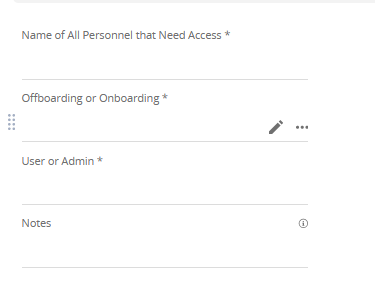
Not sure if its just us or everyone after recent changes but we're having a new issue. Someone accidentally filled out this service catalog on the form itself. They didn't press "request" first or use the portal. In the past, I was able to just press the pencil icon and remove all the stuff they filled in on the service catalog form but now I can't. I even deleted and re-added the fields but its still there. All these custom fields are only used on this form for onboarding RCM users. I reached out to tech support since this needs to be resolved and go back to how it was. They advised I add an idea..... How I resolved it was just creating three new fields with slightly different names, see second image but I cant do this every time someone accidentally fills in the actually service catalog. We tell our agents they HAVE to go to portal view to submit a ticket but you know people make mistakes.
This is the issue
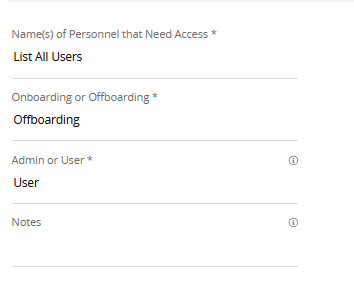
This is it after I made new fields