We’re sure that you and your team have been busy making arrangements and supporting your teams as they move to work remotely. And, we know that means as an IT team, you are absolutely swamped. So, we want to make your life as easy as possible when it comes to creating automations and utilizing the Service Desk to support your remote employees.
Here are a couple of things you can do in the Service Desk to make your life easier:
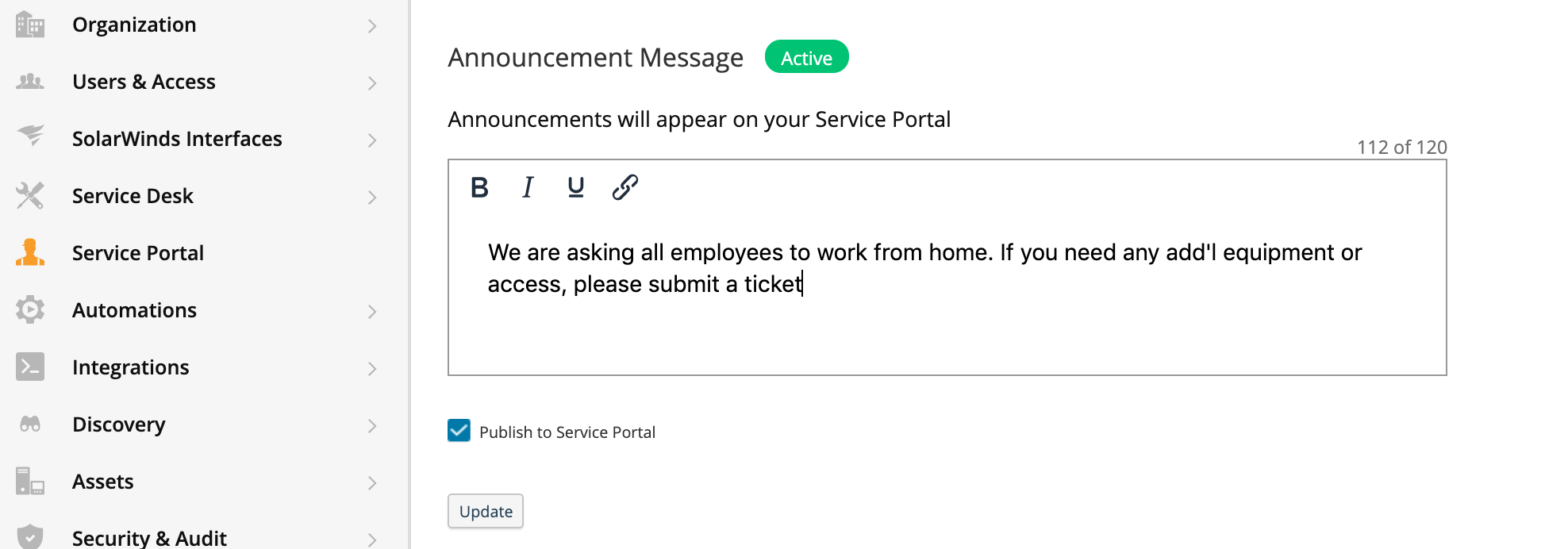
Update Your Status on the Portal
Why? Updating your status gives employees quick insights into the latest information from the IT team. With a quickly changing environment, communicating en masse allows you to save your technicians and resources for ensuring business continuity and timely resolutions.
How? Navigate to Setup>Service Portal>Announcement Message
Add Temporary Knowledge Base Articles for Common Questions
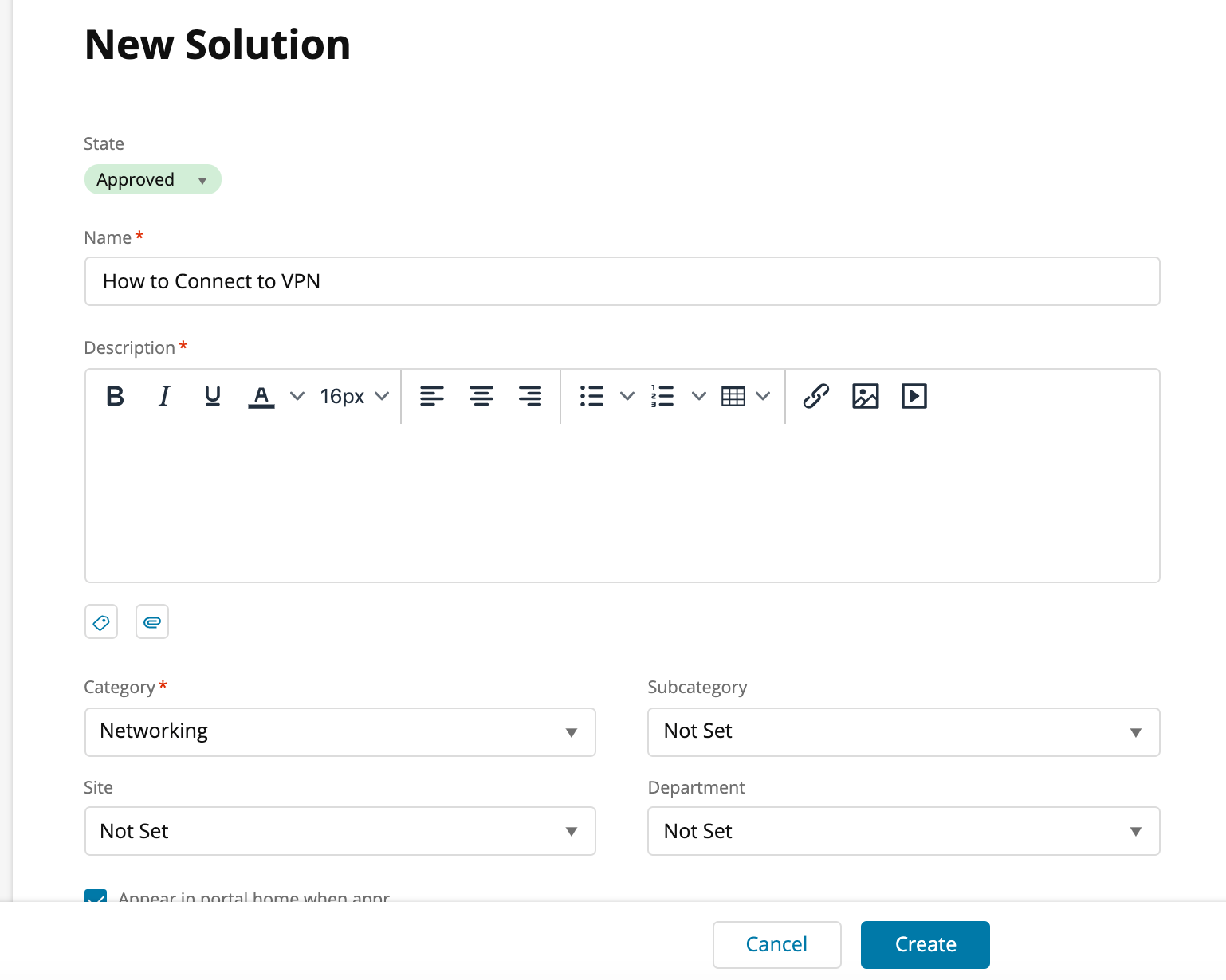
Why? Your ticket volume has probably skyrocketed over the last week. You can use knowledge base articles to develop solutions to common issues before those issues even occur, which will save your technicians from writing the same response over and over again. Some examples to get you started:
- How to Connect to VPN
- How to Use Zoom Meeting/WebEx
- Current Business Continuity Plan
How? Create a Knowledge Base article by navigating to Service Desk>Solutions> Click "+"
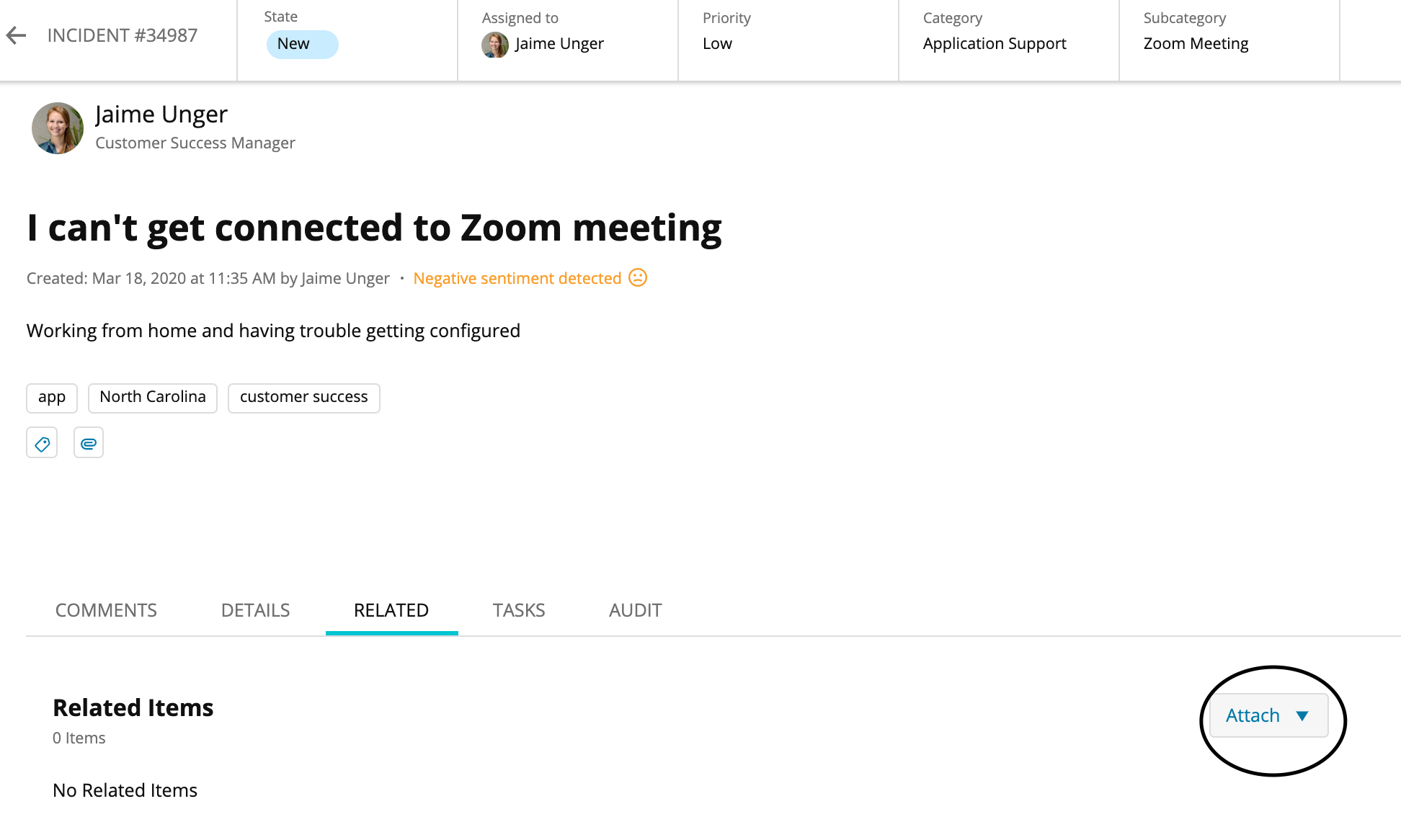
Once created, you can use the Solution for relevant Incidents.
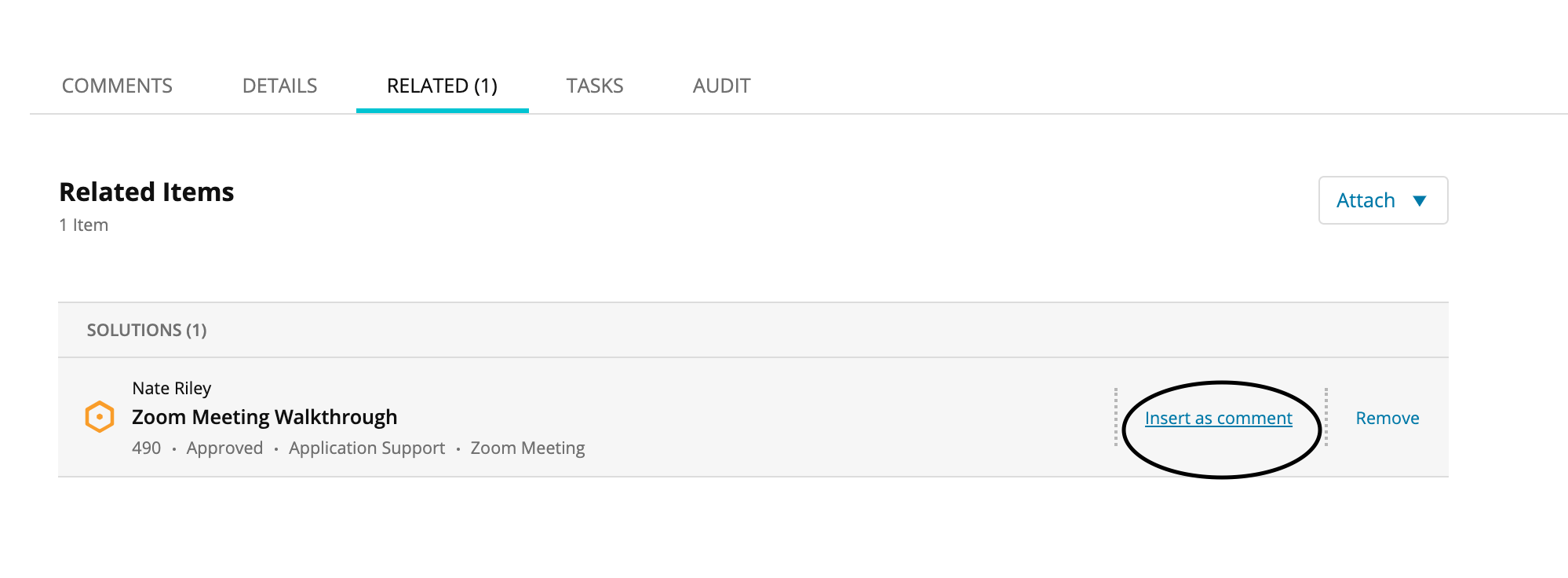
How? Go to the Incident tab for "Related Items", attach Solution, then Insert as Comment.
Next Step:
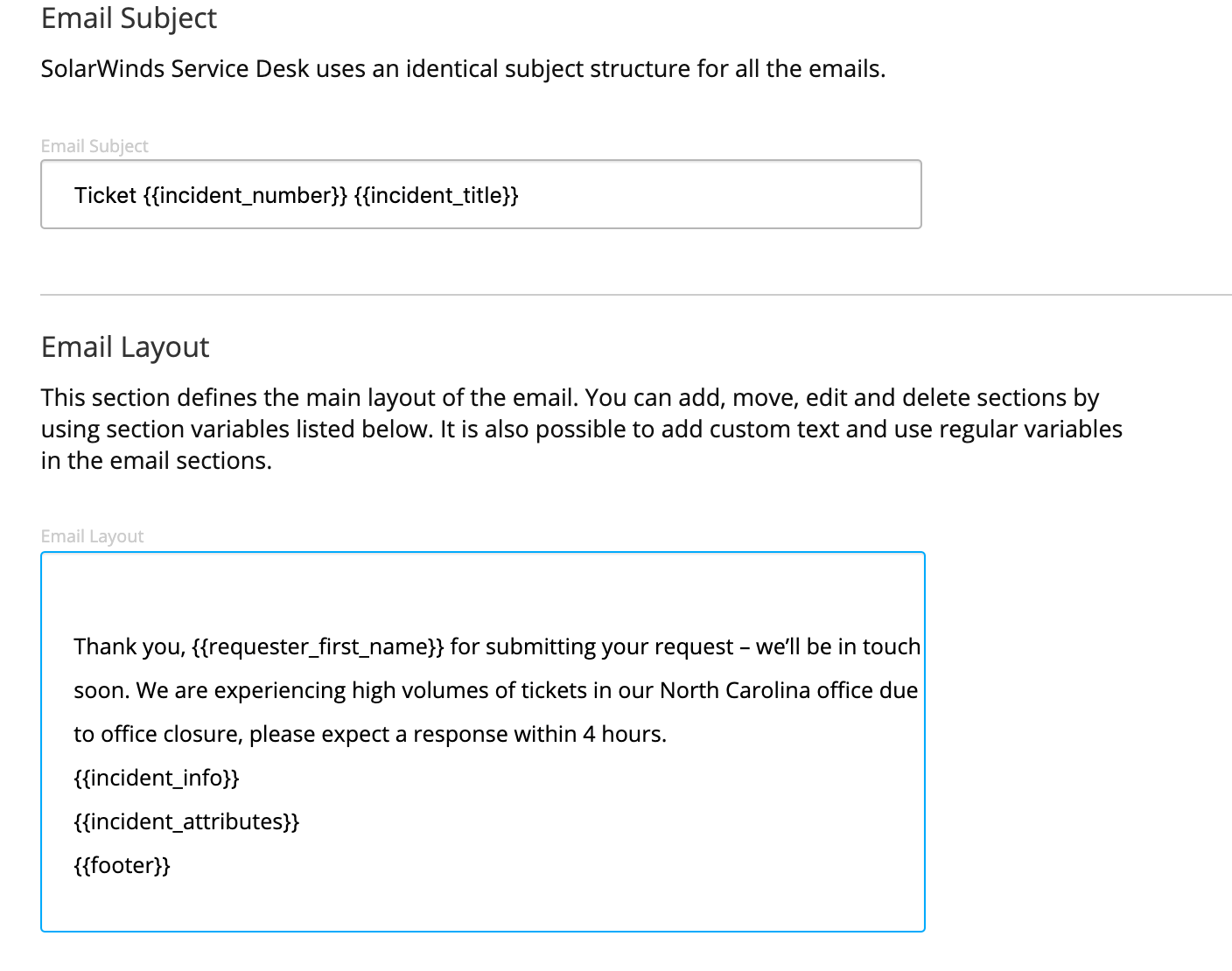
Customize Email Replies with Up-to-Date Information
Why? Custom and updated emails that you can schedule as automated replies allow you to include pertinent information, such as ticket volumes or recent response times. Your team can easily set expectations with requesters on when their issue will be resolved. This is especially helpful during a time when requesters don’t have face-to-face access to IT and call wait times are high.
How? Navigate to Setup>Notifications>Email Customization, and edit your desired template (such as Incident Created for Requester)
If you have any questions about how to make any of these changes, please let us know. Your customer success manager is available if there's anything you would like to discuss for SolarWinds Service Desk.
If you're new to Service Desk and would like to see a quick demo, check out our on-demand demo.
