Summary
This article explains how to create an alert when the SSL Certificate Expiration.
Environment
SAM 2024.4;SAM 2025.1;SAM 2025.2;SAM 2025.4;SAM 2026.1
We do not have an out-of-the-box alert on that, but I was able to create an alert in my lab that may help you
As an example, I used the SAM template SSL Certificate Expiration - CI, CN, and Expiry Date - THWACK template on thwack.solarwinds.com
You can create the alert based on the Static value or the Message. In this example, I am creating the alert based on the "Static" value

- As you can see in the above image, the "Components" widget shows that the Static valueis 36
- So here is an example of the alert I created:
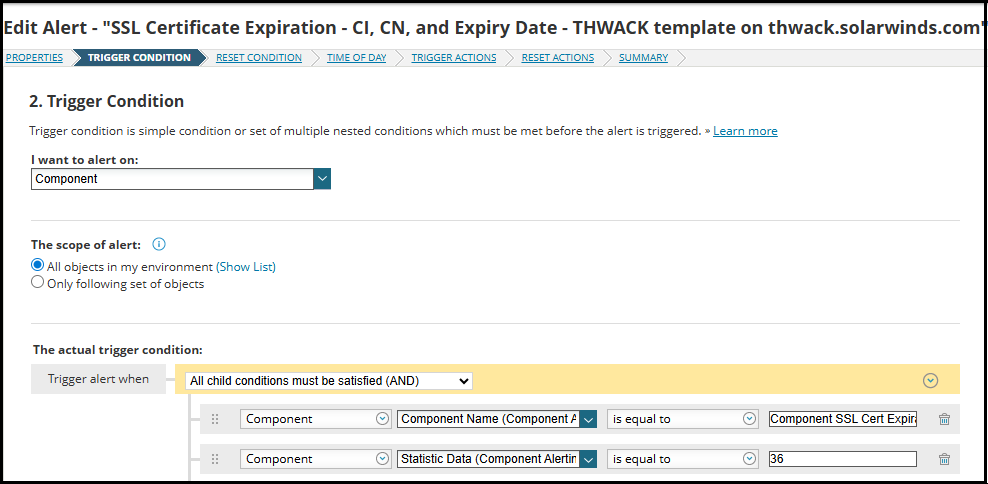
In my example, I selected to alert when Static Data is equal to 36 because I wanted to test the alert and make sure it works, but you can change the value to whatever you want.
So, if you want to be alerted when the expiration date is <= 90 days, you will change that value in your alert.
You will define the alert message to say whatever you need and so on. Here is my example:
Here is the AlertTrigger Action image:
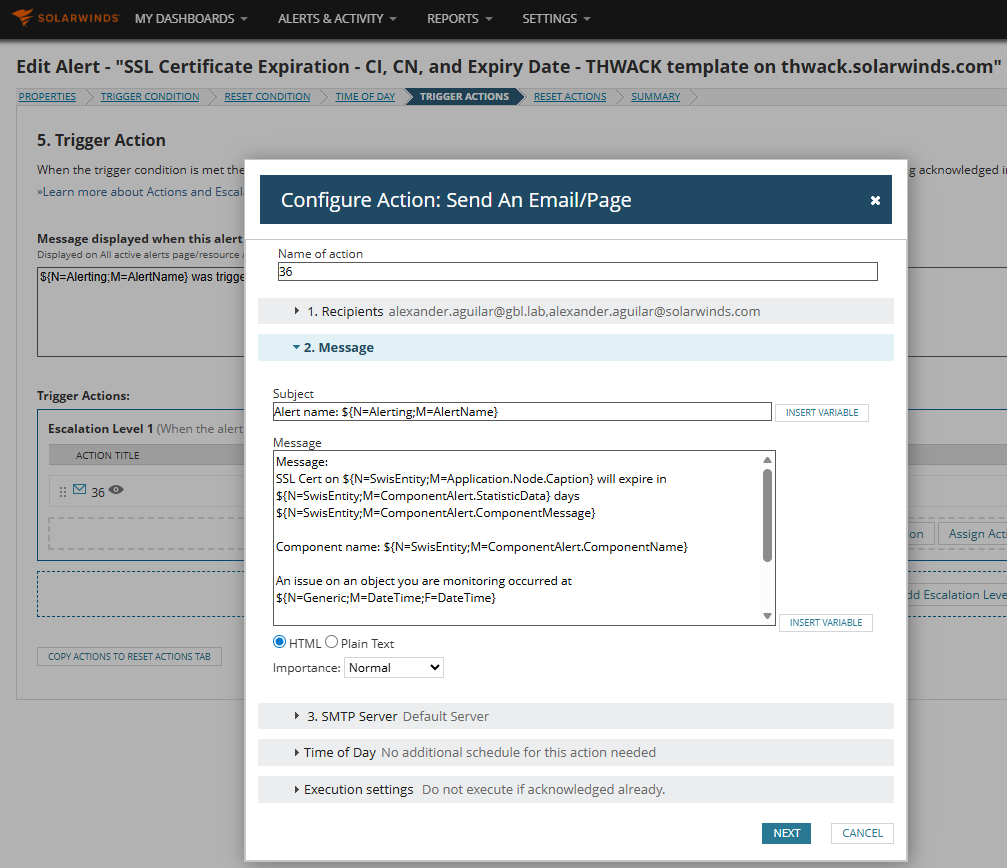
Subject in the Alert: Alert name: ${N=Alerting;M=AlertName} Message in the Alert: Message: SSL Cert on ${N=SwisEntity;M=Application.Node.Caption} will expire in ${N=SwisEntity;M=ComponentAlert.StatisticData} days ${N=SwisEntity;M=ComponentAlert.ComponentMessage} Component name: ${N=SwisEntity;M=ComponentAlert.ComponentName} An issue on an object you are monitoring occurred at ${N=Generic;M=DateTime;F=DateTime} View full object details here: ${N=SwisEntity;M=DetailsUrl} This message was brought to you by the alert named: ${N=Alerting;M=AlertName} |
|---|
NOTE:
If you want to alert based on the "Message" it will be something like this:
