If you live in dashboards all day, you know the feeling: there’s a question in your head but getting to the answer means clicking through five views, wrangling filters, or building a report. The SolarWinds AI Agent (Preview) in SolarWinds Observability Self-Hosted is here to make that a little easier. It lets you ask natural language questions about your monitored data to get quick, practical answers right inside the product.
Heads up: this is a preview. It’s early and it’s evolving. We expect this to get better with every release in 2026 and beyond.
Prerequisites to use the AI Agent
- Upgrade to version 2026.1 (or try a new fresh installation as an evaluation), currently in Release Candidate (RC) stage at the time of this writing. You can review the release notes here or the release blog post here.
- Configure Platform Connect inside SolarWinds Observability Self-Hosted. Navigate to Settings > All Settings > Platform Connect. Walk through the wizard to establish the connector.
- When you finish, the AI Agent shows up in the UI, ready to answer questions. *Note: It might take a few minutes before the AI Icon appears in your deployment as the automation ninjas configure the cloud backend.
Important: The AI Agent is not enabled until you complete the Platform Connect setup.
What the AI Agent Does Well (Current Preview Scope)
Right now, the AI Agent focuses on our Knowledge Base documentation and the current state of your monitored infrastructure. Specifically nodes, volumes, interfaces, and active alerts. It works best with:
- How-To — Questions about how to configure a particular feature in the platform.
- Monitored Infrastructure:
- Nodes — health, status, and top resource consumers
- Volumes — capacity, utilization, and thresholds
- Interfaces — errors, discards, and bandwidth usage
- Active Alerts — severity, affected entities, and recent activity
What It Doesn’t Do (Yet) & Preview Limitations
Let’s keep expectations real:
- Outside its sweet spot (nodes, volumes, interfaces, active alerts), access to additional data is not available. This limited scope is by design during the preview period. We’ll expand this to more sets of data over time. You’ll still be able to ask questions about our documentation for all features available in the product.
- It’s about observational insights—it doesn’t change configurations, run scripts, or remediate issues.
- It reflects your available monitored data. If something’s missing or stale, the answer will mirror that.
- As an early generative feature, answers can be incomplete or imprecise. Verify anything critical before acting.
Tell us what you think!
If you plan to use it, or are currently using it, we'd love to know your feedback! You can submit your feedback here.
Example Prompts to Get Started
Use specific entity types, time windows, and thresholds for best results:
- “Tell me the benefits of using high availability in the product and outline any prerequisite work required to configure it? Be brief in your reply.”
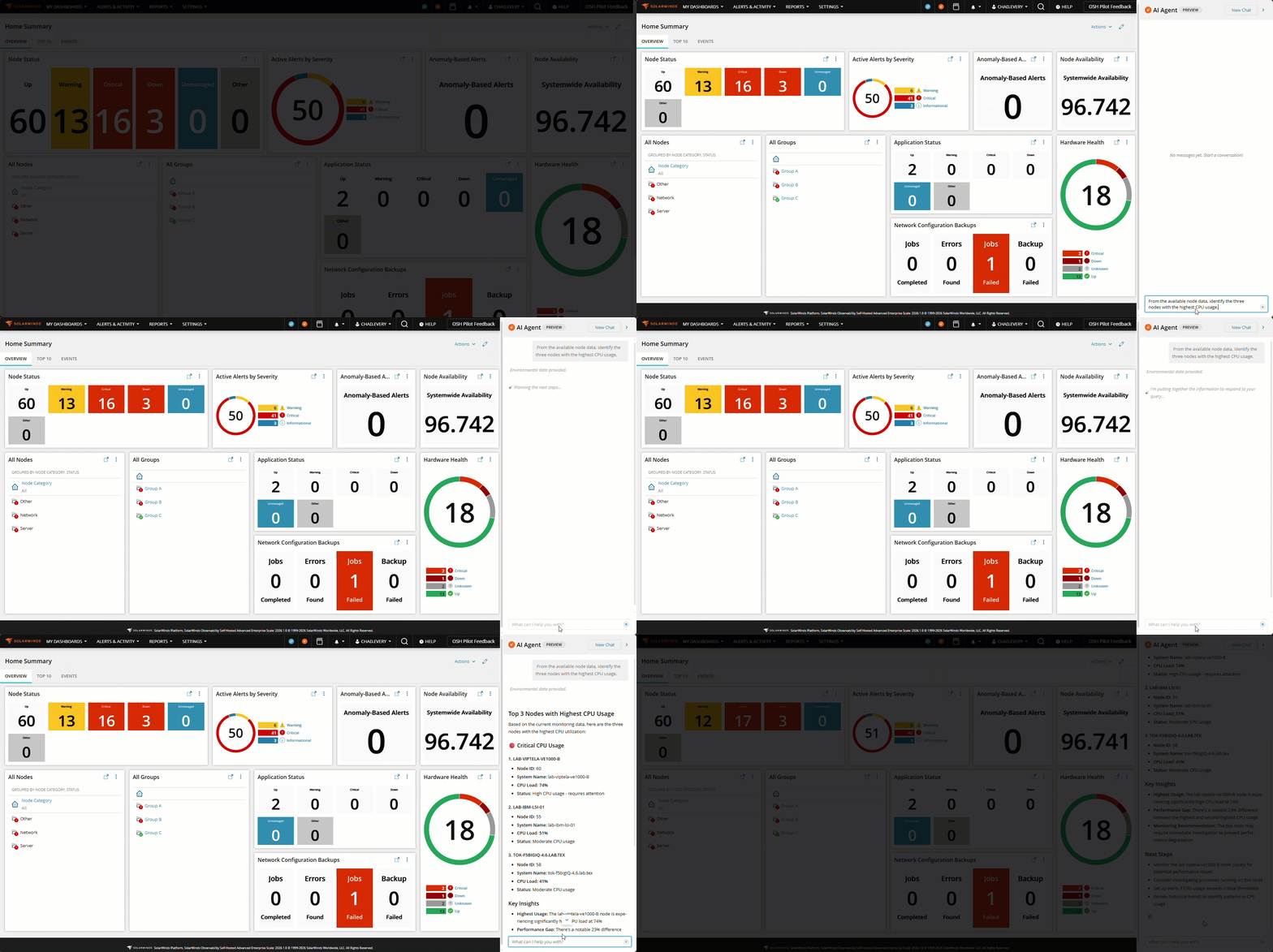
- “From the available node data, identify the three nodes with the highest CPU usage.”
- “For the nodes with a critical status, what patterns can you find and how should I attempt to tackle them? group the reason for this status based off trends you identify.”
- “Summarize active alerts and group by the most common reasons first. Provide any possible recommendations to resolve them."
Privacy & Data Use
The AI Agent operates against your organization’s monitored data within SolarWinds Observability Self-Hosted to surface insights that help operational decisions. SolarWinds does not train our models on customer data.
Turn It Off Anytime
Already connected but want to pause the AI Agent? Go to the Platform Connect settings page and toggle the AI Functionality off.
Disclaimer
This post describes a preview feature. Features, scope, behavior, and availability are subject to change.
During Tech Preview, SW1 capabilities are included in your subscription to encourage testing and feedback. Once SW1 reaches General Availability, these features may require a different license tier or additional charges for continued use.