Upgraded to 2022.3.0 Rule Conditions Missing from all My Customer RulesDoes anyone know where I can retrieve my old settings?
Probably downgrade, revert DB and then stop services on all additional pollers and websites before performing upgrade.
This is likely caused by additionals rewriting rule definitions after the main poller upgraded them to the new version.
Definitely don't downgrade
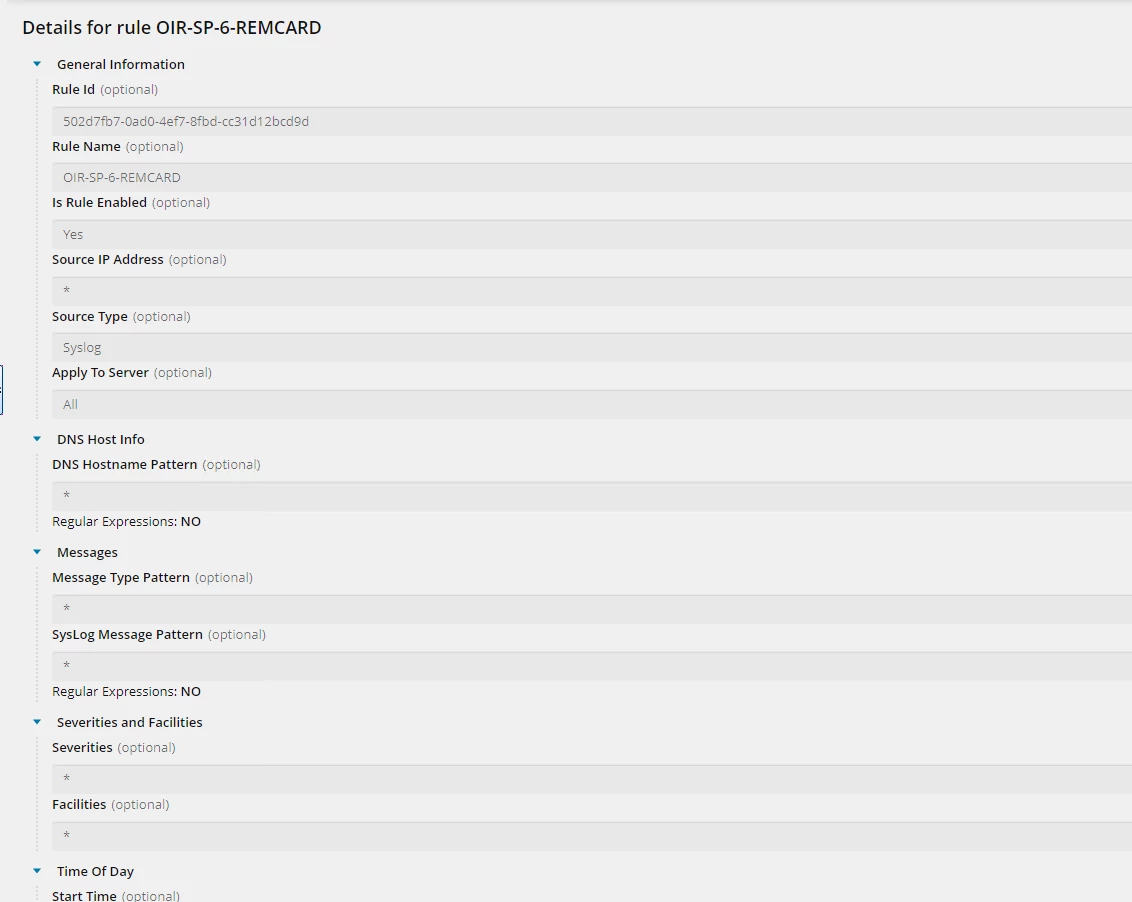
If you go to Reports and run the Rules Migration report, it will show you the final status of each rule migration. For those that didn't completely migrate, it will give you some info and a link to to view the old rule. It will look like this:
See this document for more detail - we will be updating it to include these steps soon.
https://documentation.solarwinds.com/en/success_center/la/content/la/la-rule-migration.htm
Let me know if you have additional questions.
Hi,
All the custom rules under Traps did not completely migrate. There are no links to view the old rules for Traps.
Regards, Honz
Correct, there are some conditions not supported, so some rules don't migrate.
Can you post a screenshot of your Rules Migration report?
Alternatively, open a ticket.
Why do you think it was an upgrade from legacy syslog/traps? @hnz980 Was it upgrade from legacy or from OLV/LA?
Hi, bmrad
All my custom rules did not migrate over and I did a WebEx with support. Although, They could answer the question why the conditions were reset. I am awaiting higher level support.
I don't know.. I have been upgrading the Orion platform for three years and using OLV. Just noticed the change moving to 2022.3.
Can you post your case number?
Hello,
I have the same issue. All my custom syslog and SNMP traps rule conditions were reset/deleted after the upgrade. Upgraded from 2020.5 to 2022.3. I've been using OLV. Just opened a case with SolarWinds support, but I'm still waiting an assignment.
Follow the steps above and run the report - do you see rules that were not migrated? If you were already using OLV, you should not have lost any rules.
Note that if you were using custom SQL to build alerts, those will not work when you move from legacy syslog and traps to Log Viewer or Log Analyzer. You would need to convert those to SWQL or use the alerting feature in LV/LA.
This is the case number 01217936. I was using the OLV before the upgrade, not the legacy tools. And yes, the rules are migrated, but all their conditions are reset to "Fire this rule without any condition testing", and that makes them useless.
Thanks for your patience on this one. Chatting with engineering, this problem has been fixed in 2022.4.
Solutions for you:
Revert to 2020.2.6 and rerun the upgrade using 2022.4, with the services on additional pollers off.
Or try this:
Brian
Thanks, Brian! I was so close to upgrade directly to RC 2022.4, but I've decided to go first with 2022.3. And now ended up here ... What would be the procedure to restore only the table with the rules? Which table is that? Or I should wait for an official reply from tech support?
Is it this what you're talking about? How to Migrate Log Analyzer Rules
The table is OrionLog_RuleProcessingDefinitions in the Log database.Follow the standard SQL Server procedures to restore a single table (we don't provide this).
This is more about migrating your entire LA database to another one.