01.) Navigate to Settings > All Settings > Add VMware, Hyper-V or Nutanix entities then you will see the below menu.
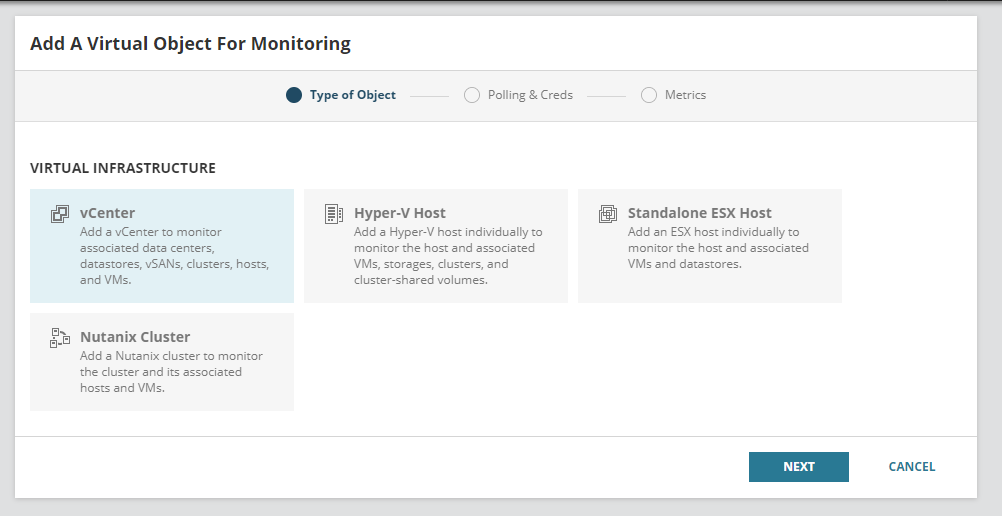
02.) You can select the type of virtual object as per your requirement and click on Next and make sure to enable ICMP on any target VMware vCenter, ESX host, Nutanix Cluster, or AHV host that you want to monitor.
03.) Enter the IP Address or the Hostname for the virtual object which you're adding.
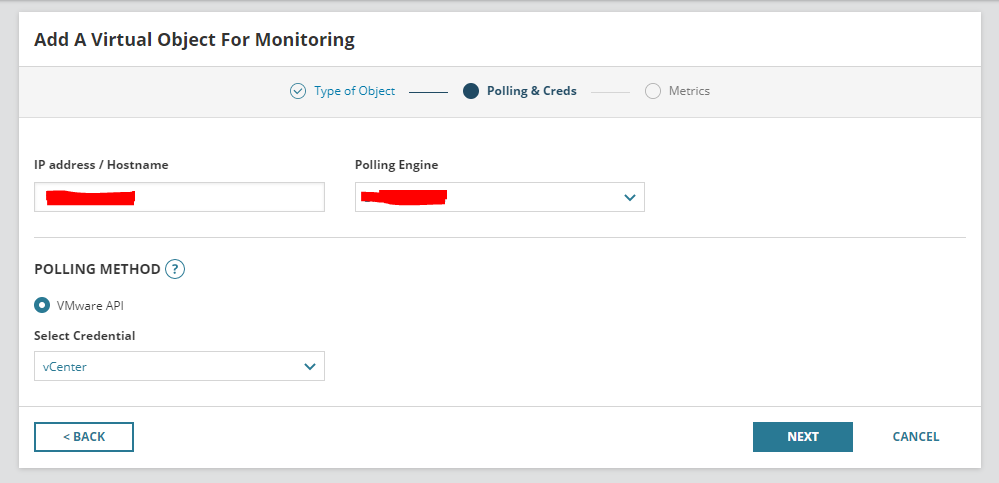
04.) Enter the appropriate credentials used for the virtual object.
05.) You need to use the proper credentials which have the correct permissions for the particular object which you are planning to monitor. (Ex: Read-Only Permissions and Browse Datastore permission.)
06.) Afterwards, the Metrics screen shows you what VMAN will monitor.
07.) Click on Finish and VMAN will begin to monitor it.
