I cannot load custom images into the Network Atlas. I followed the steps below but they don't show up. All images are named with .gif on the end.
Adding Custom Icons from Graphics Files
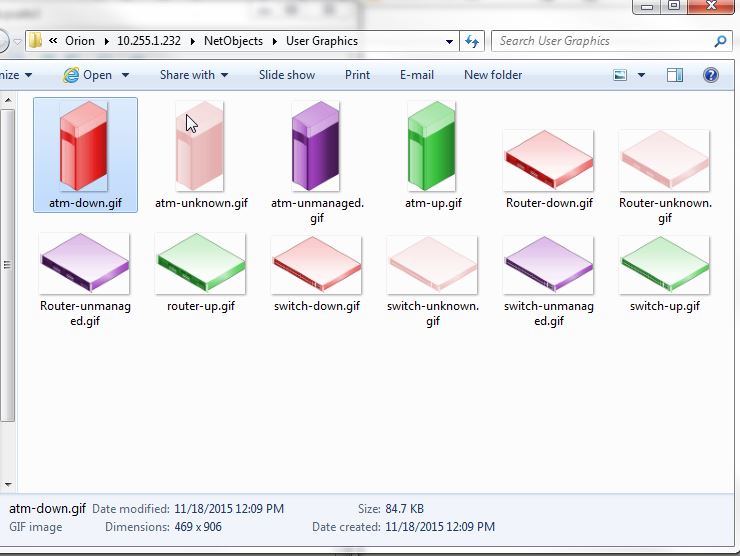
You can use any Windows Media File (.wmf) or Graphics Interchange Format (.gif) format graphic as a custom icon, but you must name the graphic files according to their roles. The file name must not contain any other dash  characters other than depicted in this table.
To add custom icons from graphics files:
1. On your Orion NPM server, create the folder: %APPDATA%\SolarWinds\NetworkAtlas\Maps\Orion\<orion server address>\NetObjects\User Graphics.
Note: %APPDATA% is typically C:\Documents and Settings\<logged on user>\Application Data for both Windows XP and Windows Server 2003, and C:\Users\<logged on user>\AppData\Roaming for Windows Server 2008.
2. Copy the graphics files to this folder.
3. Start Orion Network Atlas on the Orion server to finalize the additional icons.
After copying the graphics files to their location, you can assign them as an icon as you would any other graphic image.
To assign a custom icon to an object:
1. Right-click the object on the map, and then click Select Graphic.
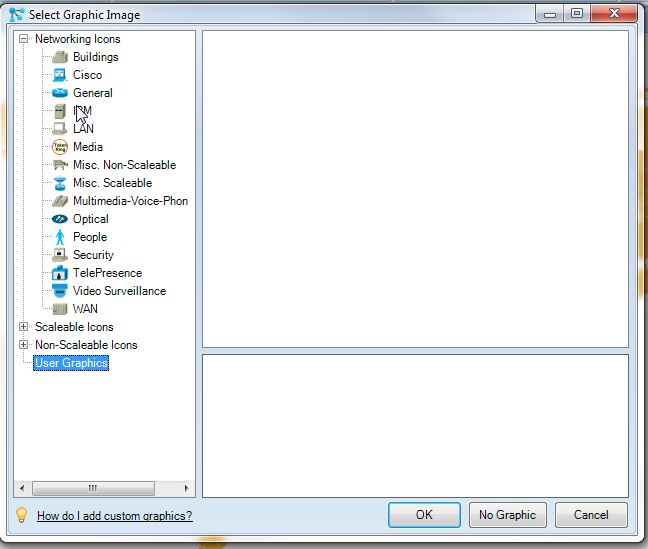
2. Select User Graphics in the left pane.
3. Select your desired graphic image, and then click OK.