The latest release candidate for WPM (2020.2) is now available in your customer portal
Each release candidate is a fully tested and supported version of the product and you can upgrade current production servers, while retaining your complete configuration and history.
If you're looking for release notes and other supporting documentation, please click the links below:
WPM 2020.2 release notes
WPM 2020.2 system requirements
Orion Platform 2020.2 release notes
Orion Platform 2020.2 release summary
What's New? A great new integration feature as well as some additional feature parity items for those of you who are migrating old recordings into the new recorder.
Some of you may be unaware of this but there are actually two great SolarWinds tools for monitoring key aspects of your web based applications... WPM and Pingdom! It has been a long term goal of ours to integrate the two and with this release we have started that journey by adding the ability to save your recordings from the new recorder directly into Pingdom. For a quick primer I would recommend you read this article from Katie that helps you understand the key strengths of WPM and Pingdom and how they compliment one another.
To help you get started with saving transactions to Pingdom I have put together a walk through with a few screen shots. If you already have a Pingdom account you can move on to the screen shots and walk through. If you don't have an account you can sign up for a free 14 day trial by following this link.
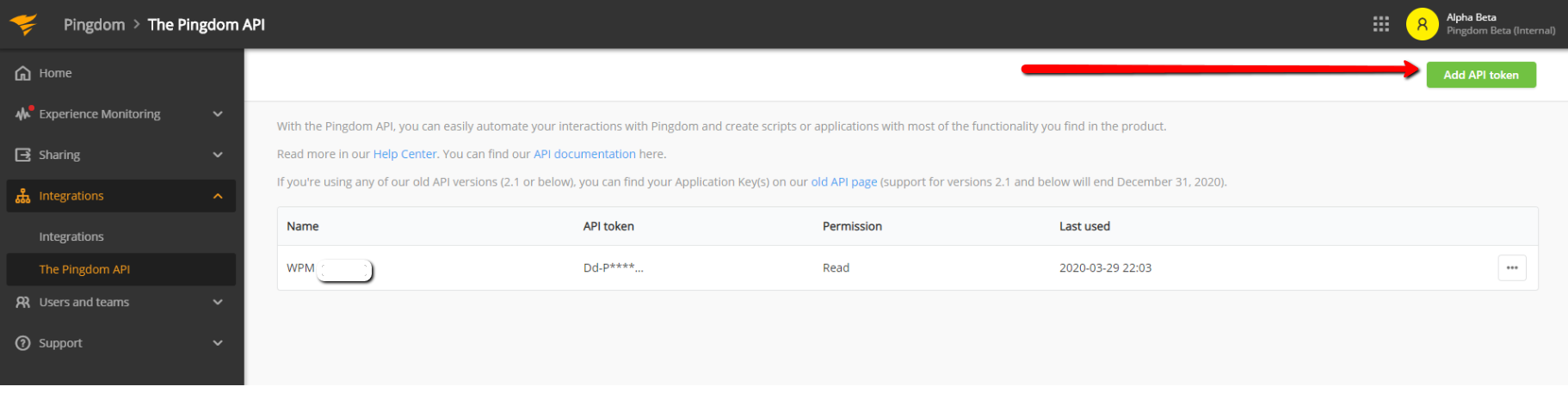
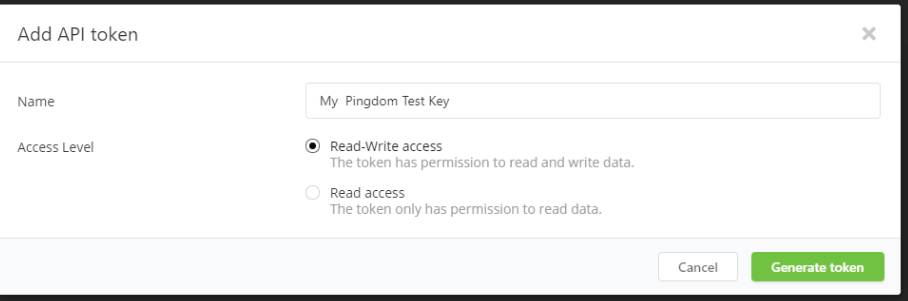
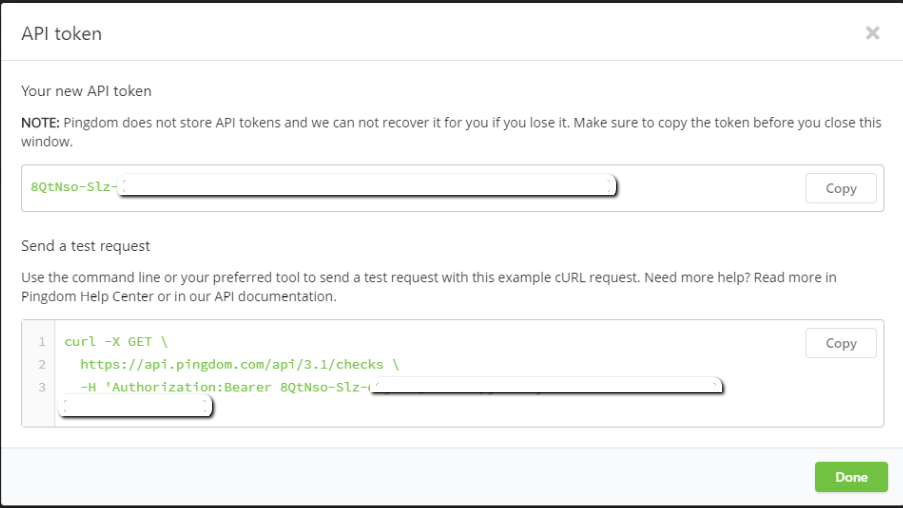
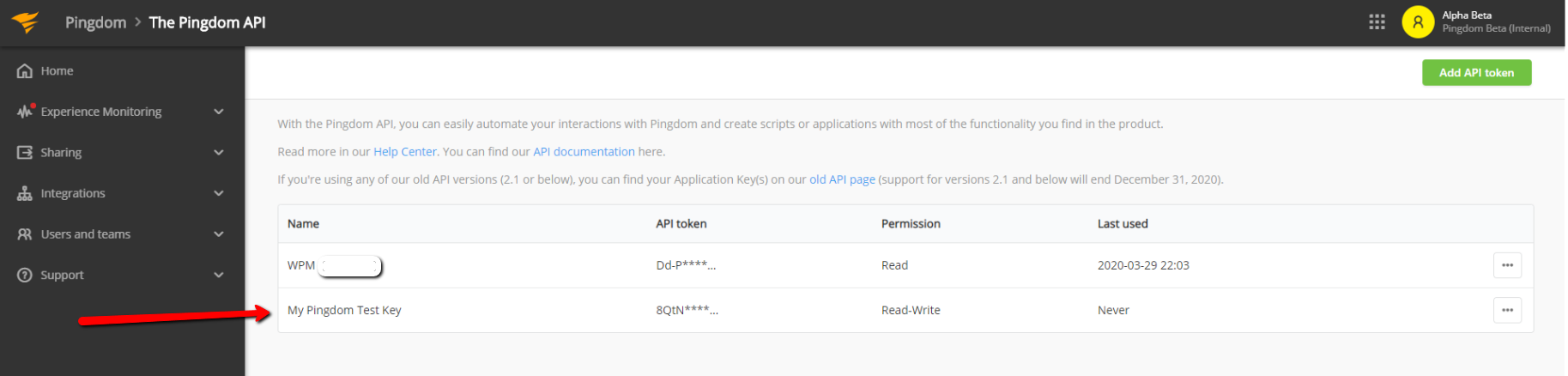
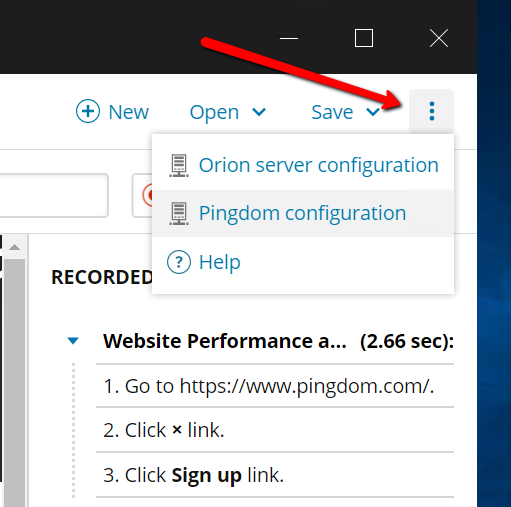
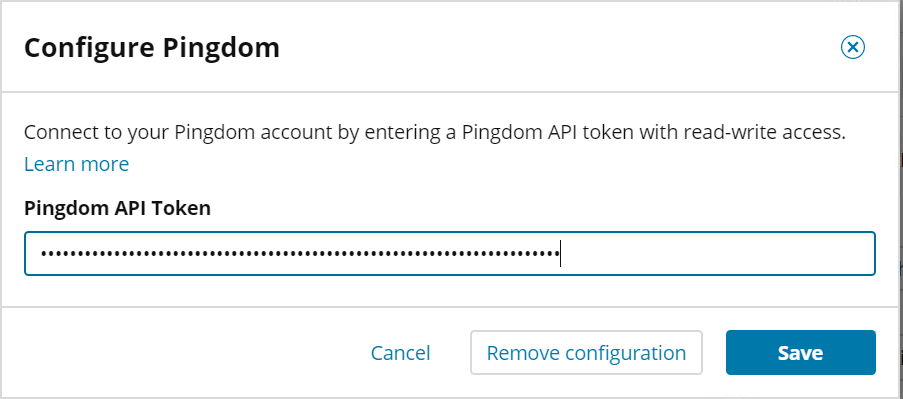
The first thing you will want to do is configure the recorder with an API token from Pingdom. This will allow the recorder to connect to your Pingdom account when you are ready to save transactions. Generate the token by logging into your Pingdom account, click on "Integrations", and then click "The Pingdom API". Once there, in the upper right hand corner click on "Add API Token". You will be able to name the token and you will want to select "Read-Write Access". The next screen will show you the generated token. Be sure to copy this and store it somewhere safe as Pingdom does not store the generated token and you will have to create a new one if you lose it. Finally you will be back at the main API token page and should see your new token listed. Now you can go to the recorder interface and click on the three stacked dots in the upper right hand corner. Select "Configure Pingdom" and paste the token you generated in the previous steps.
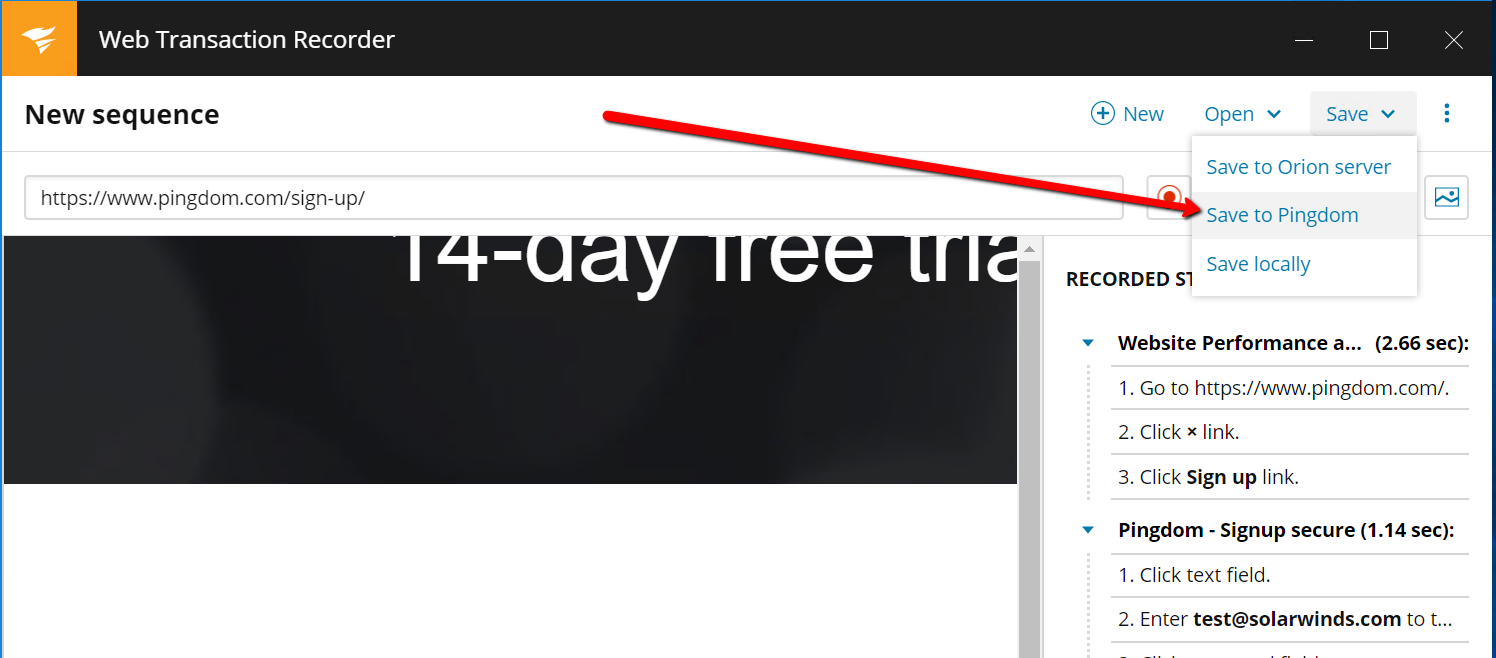
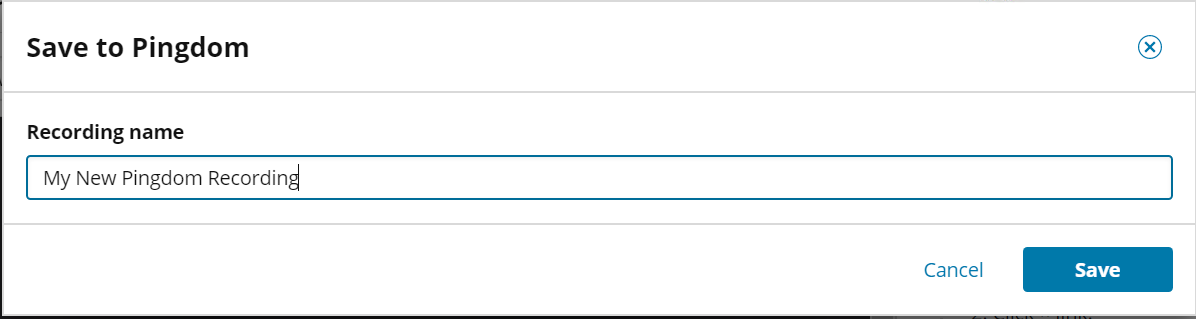
Now that you have the token generated and configured, you are ready to create a transaction using the recorder. When the transaction is complete save by clicking on the "Save" option to the upper right of the recorder and select "Save to Pingdom". You will be asked to name the transaction and then you will be presented with a prompt which will either confirm the transaction has been saved or it may tell you that you need to edit the transaction - there are currently some recorder features that are only supported in Orion and not Pingdom (see table below). It is also important to note that transactions on Pingdom have a limit of 60 seconds for playback so if your transaction is going to run longer than that you will be prompted with a warning that the 60 second limit has been exceeded. During this RC period you will be able to save transactions to your Pingdom account but won't be able to enable them as active checks. We are working quickly to remove this limitation as soon as possible.
| Recorder Features which are not currently supported in Pingdom |
- Image match
- Transactions that exceed 60 seconds in playback length
- File Upload
- File Download
|
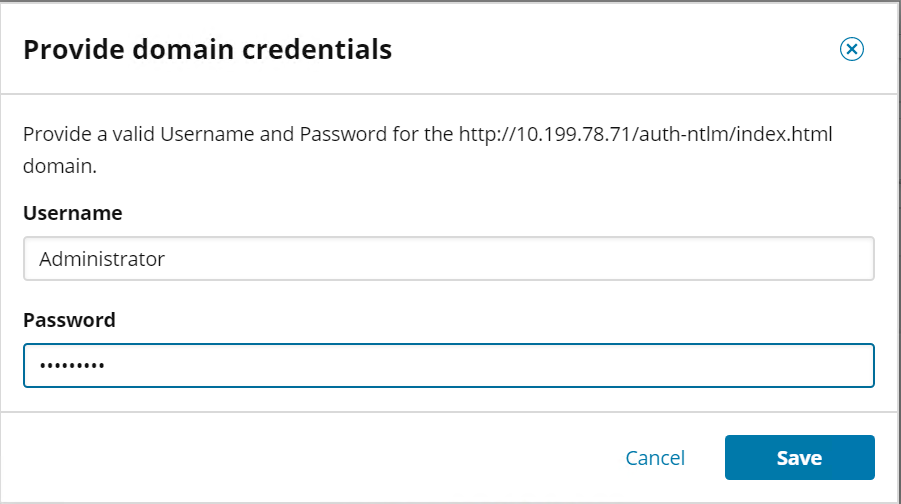
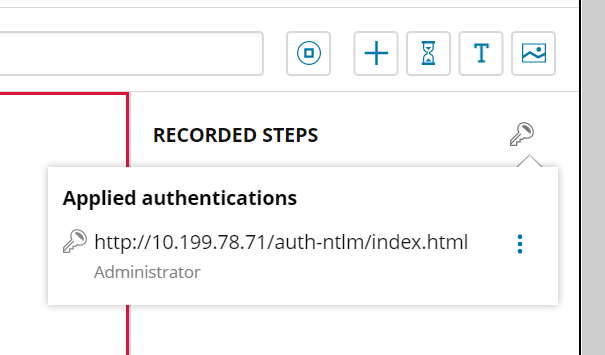
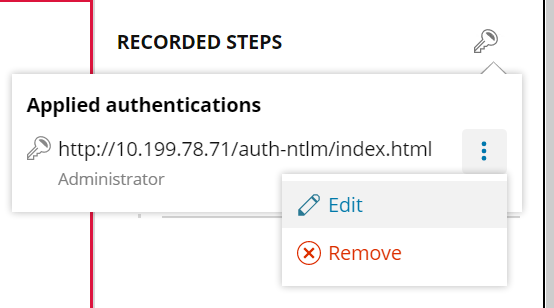
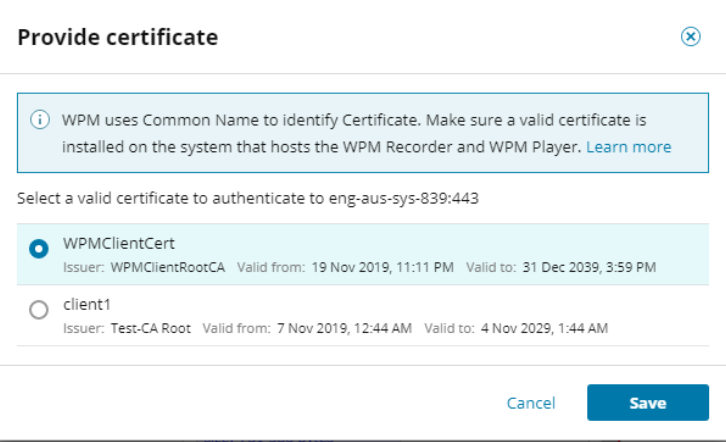
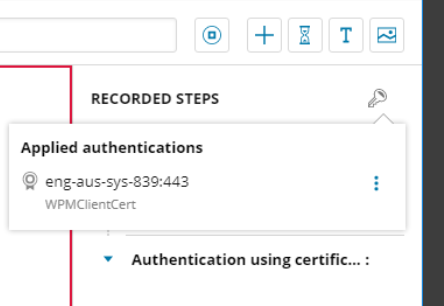
Finally let's discuss the feature parity items included in this release. Many folks have reached out to say they needed better support for authentication via NTLM and certificates. So we added those capabilities along with better support for environments where there are proxy servers in play. I've added a couple screen shots below to demonstrate some of those new capabilities.
New Orion Platform Features
With this WPM RC comes some fantastic new updates & enhancements to the Orion Platform which include:
- Monitor up to 1,000,000 elements per Orion Platform instance.
- For SAM components the limit is increased to be 550,000 components per SAM installation.
- An Orion Map to Success! - Orion Maps improvements, such as creating and customizing text boxes, labels, or layouts, incorporating custom icons, adding shapes, dynamic backgrounds, bulk administration and all new Time Travel.
- Performance enhancements
- Dashboards, Dashboards, Get Your Dashboards! All New Custom Summary Dashboards
- A Gateway To Your Fastest Upgrade Ever! - Upgrade improvements, such as pre-staging upgrades, upgrade plan reports, automating upgrades via Orion SDK
- Enhanced volume status
- 3rd Party Language Pack Support - scripts to extract UI texts from the Orion Web Console
Your Feedback Counts!
I'm incredibly interested in your feedback, and what's even better is that when you participate by downloading and installing the RC, you get thwack points. More importantly your feedback shapes our products. Post your thoughts, questions and concerns into the RC forum and not only will you be able to get some SolarWinds swag, but we the WPM team will be watching for input to make the product better and better. In addition, sometimes you'll come up with a brand new feature ideas that we would want to consider for a future version. The best place to capture those ideas would be Web Performance Monitor (formerly SeUM) Feature Requests and as you can see from our WHAT WE'RE WORKING ON FOR WPM page, we take those inputs very seriously.