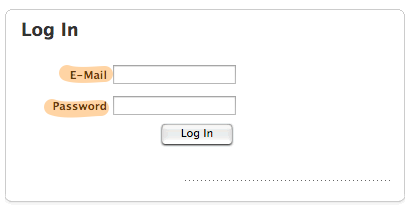
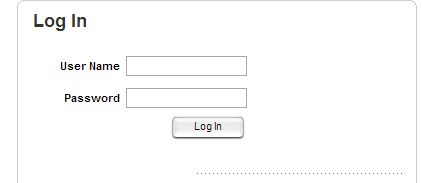
We'd like to change the verbiage next to the login and password box.
Go to Setup --> General --> Authentication --> its under show login message. You can make the text say anything you would like.
typhoon87's answer is correct
I am talking about modifying the text on the actual login screen.
What would you like it to say? The only other text I know of is below. Setup>Clients>Options and change the Client Login Attribute to Username. My users like this a lot better than typing their email address in each time.
You're getting into some potentially messy stuff...
Start by going to your \WebHelpDesk\conf\labels folder and making a copy of the Labels.properties file and rename it to CustomLabels.properties.
That is the file you're actually going to change as WHD looks for that file when starting and applies any tweaks made in it. (otherwise it just uses the Labels.properties file by default)
I believe you can make these changes by tweaking in/around line 1106. (download Notepad ++ if you're using Windows)
The value you're looking for appears to be "lbl.email = E-Mail" If you change the piece after the equals sign, that should be the text that shows on your login page.
You'll have to look in that same file at line 1780 and make the same sort of change.
To make the changes visible you'll have to stop and restart your WHD instance.
Let me know if that works! (and mark this as helpful if so... )
Is there a way to change the font? Increase size and bold it?