Hi
We've been having some AD replication issues, and SolarWinds does not seem to monitor this out of the box.
I've come up with the below script, which works fine locally, but when I test it via a new Application Monitor template it does not seem to pick up the '$ReplicationStatus' so the script does not run properly.
If I run '(Get-ADReplicationFailure x.x.x.x).FailureCount' locally on my Server 2016 SolarWinds server, which has the AD Module installed, this works fine.
I am using the same credentials, which is a Domain Admin.
This is what it shows locally:

And I'm getting this output in Solarwinds - this is via the 'GET SCRIPT OUTPUT' on the screen. (It is jumping to the bottom of my script as it can't find $ReplicationStatus)

Any clues to why this may be or tips to debug?
Please note I have hard coded an IP into this script for testing purposes where it shows x.x.x.x
Import-Module ActiveDirectory
# Get the replication status of the server
$ReplicationStatus = (Get-ADReplicationFailure x.x.x.x).FailureCount
# If there is a result, then for each replication partner do the following
IF ($ReplicationStatus) {
ForEach ($Partner in $ReplicationStatus) {
# If partner 'FailureCount' is greater or equal to 2, then stop and error.
IF ($Partner -ge '2') {
Write-Host "Message: More than 1 Replication Error Found";
Write-Host "Statistic: 1";
Exit 1;
} ELSE {
# Else, do nothing as we're still looping
}
}
# Once we've looped through and found no replication errors, we exit with a good exit code
Write-Host "Message: No errors found in replication";
Write-Host "Statistic: 0";
Exit 0;
# If there is no '$ReplicationStatus' found, then exit with a good exit code.
} ELSE {
Write-Host "Message: No Replication Partner found";
Write-Host "Statistic: 0";
Exit 0;
}
Thanks,
Here is more details on the monitor if it helps:
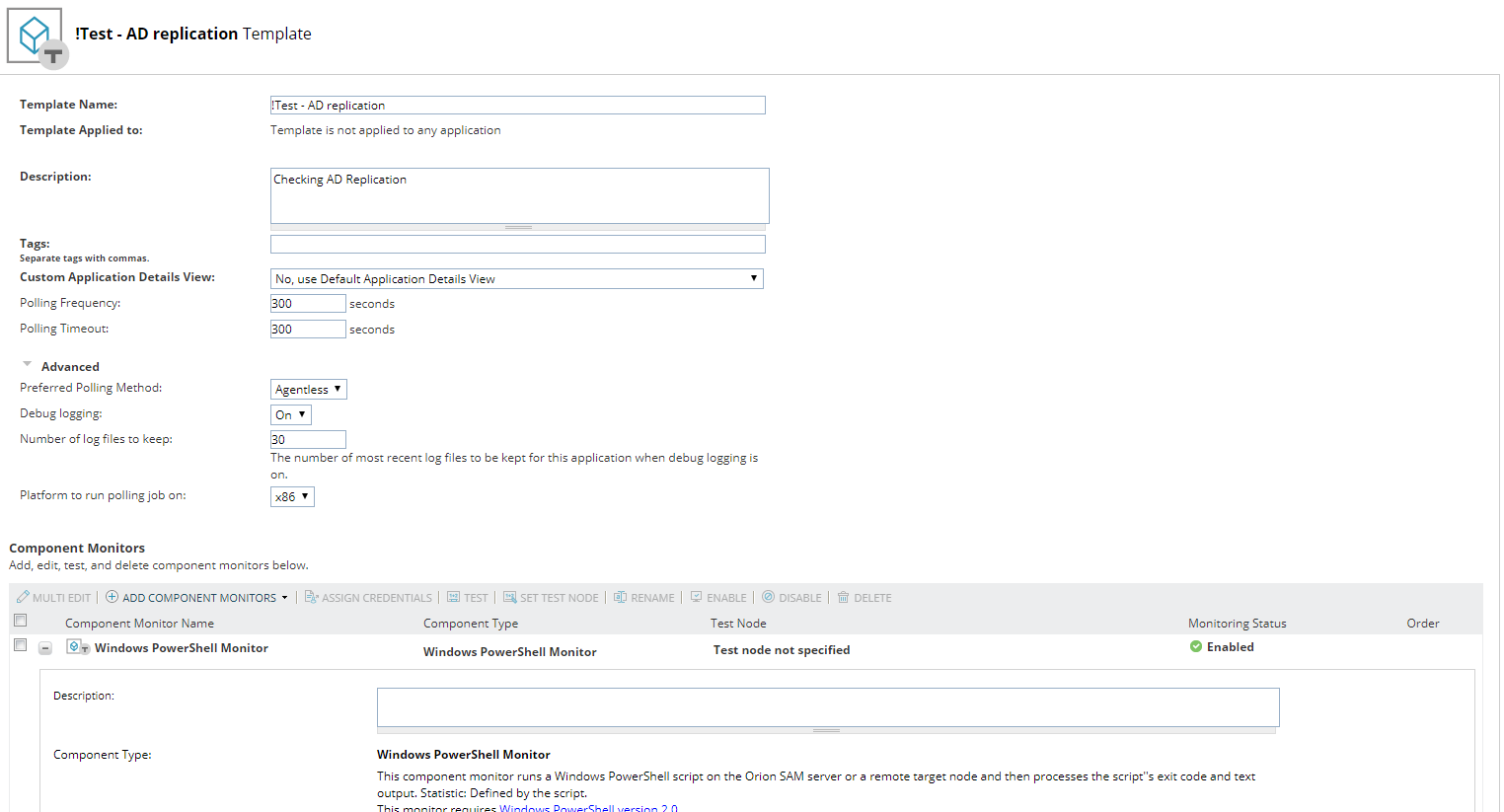
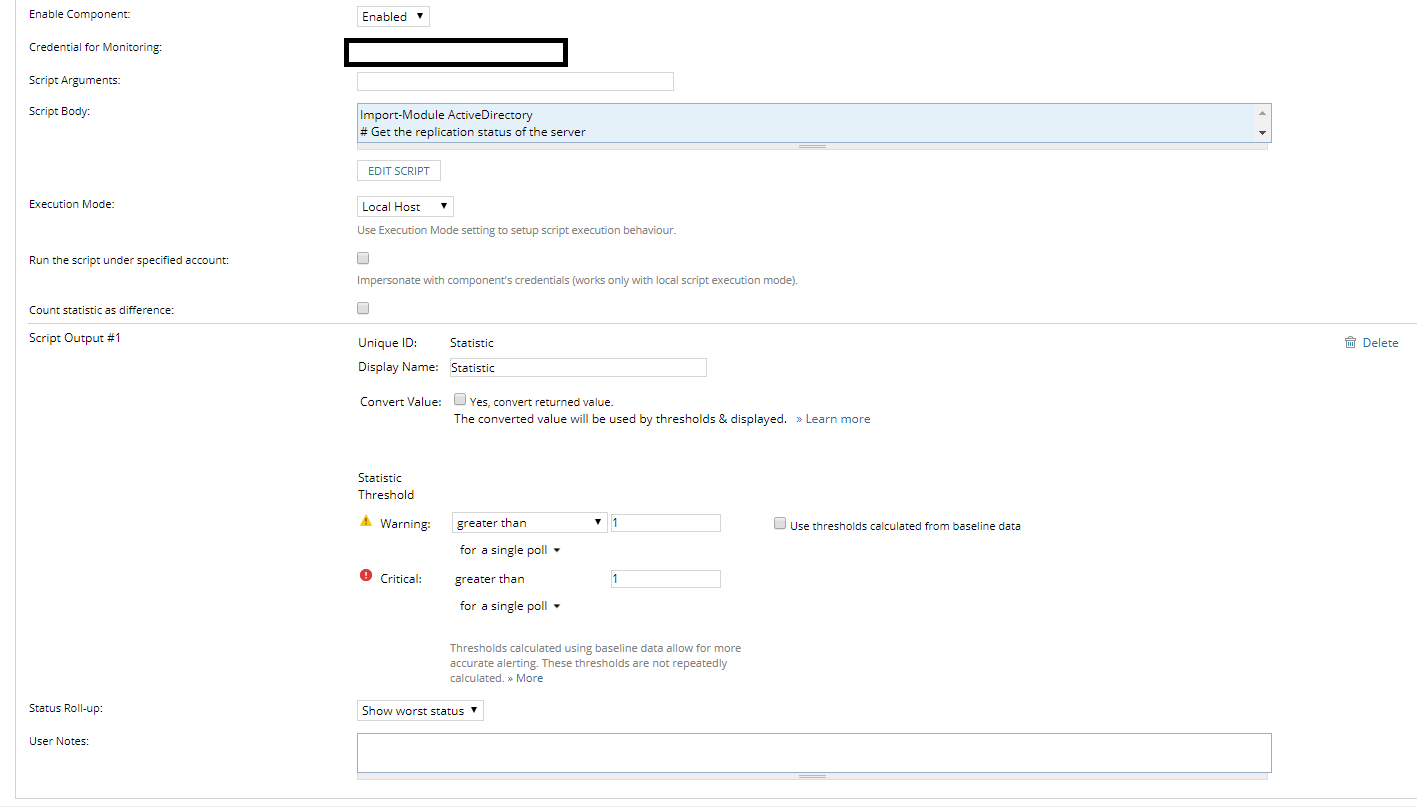
Edit
I've also looked at the existing templates:
Active Directory Replication > This one you have to specify manual parameters, which I don't really want to be doing due to my topology
AD Replication Monitor (PowerShell) Server 2008 - 2012 > This one does not seem to work out of the box even running locally, so that is when I started my one due to the new PowerShell commandlets.
