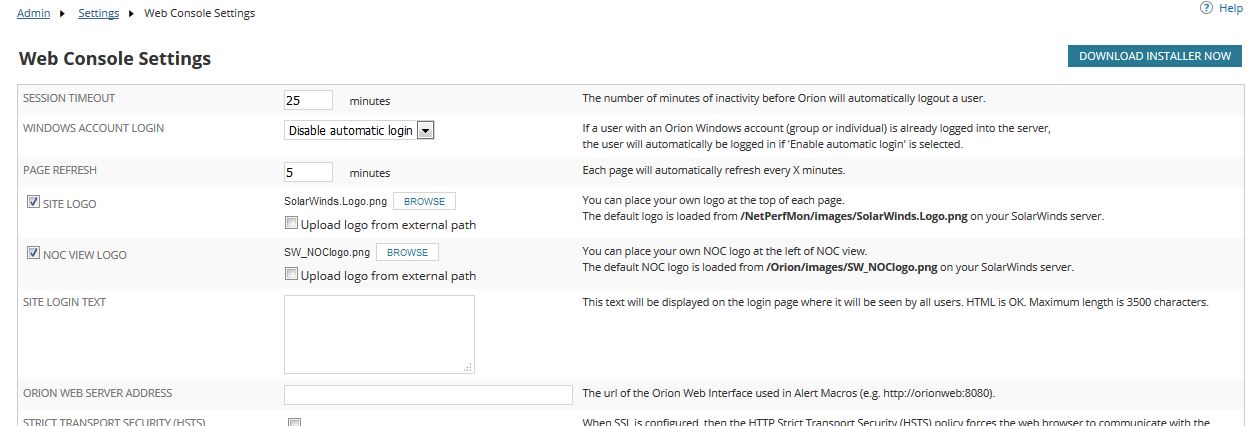
Is there a way to disable the auto logoff feature in web console settings?
The session timeout settings are found in Settings, General, Authentication:
Terry, I don't have that screen. I go to All Settings then I have seven different selections like Node & Group management, Alerts & Reports, Product Specific Settings ect. There I can manage an agent with a default setting of 24 hours. I would like to eliminate the auto log off feature completely.
Hi,
Sounds like you're describing the Orion Settings page rather than Web Help Desk so you may have posted in the wrong forum...?
Regards,
Terry
You're probably right. I thought because I was accessing Orion through a web client, that was the way I would follow up. Thanks for the help.
In Orion, the session timeout setting is in Settings, All Settings, Product Specific Settings, Web Console Settings:
Terry, I did find that setting, however it will only allow me to enter 1000 as the timeout. Can the timeout be disabled?
There is a feature request for disabling the session timeout at
If you vote it up, they may add this functionality.
If it's on a per account basis you can disable session timeout by editing the account in question in the All Settings, Manage Accounts page: