I am writing this in hopes that it may help someone else who runs into the same issue.
I decided to upgrade my Windows-based WHD to 12.8.5.108 today. The installation went smoothly until the first login, when it attempted to update the database. It tested the connection successfully; however, when I clicked next to start the upgrade, it gave an error message: "Unable to reload application configuration. Server Error."
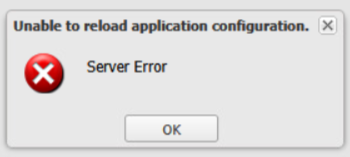
After a page refresh, it seemed like it logged in and attempted to do the DB upgrade, but after about 5 minutes it failed and said to contact the administrator. ¯\_(ツ)_/¯
I found the whd.log and saw that it had an error stating "Attempt to access resource '/helpdesk/system/appManager/reloadCOnfig' from non-privileged network: <whd VM's IP>"
I added the WHD VM's subnet to the Privileged Networks in the whd.conf and re-added my workstations while in there as well. I am not sure when it lost the list of privileged networks and I've never had to add the host's own subnet in there before, but once I did that and restarted the service again, it connected to the DB right away without asking for credentials and the upgrade was done in minutes.
To be clear, I was accessing the webpage to upgrade the DB directly from the VM hosting WHD, not via my workstation.