I'm getting frustrated on how to add the "actual expiration date" on the Component. In my monitoring,
the message only shows the remaining days.
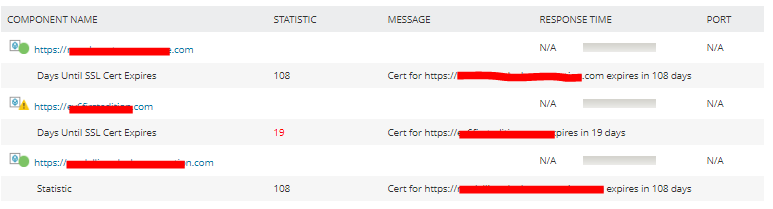
I'm hoping that I'll be able to view the "expiration date" it should be like this --> Cert for https://xxxxxxxxxx.dxxxxxx.com expires in 108 days - Expiration: 08/29/2022
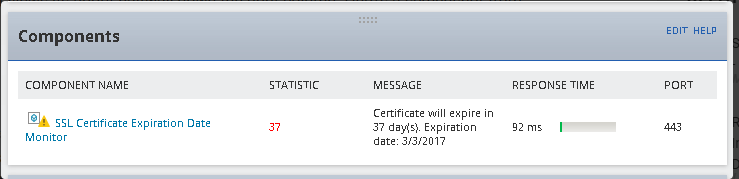
Is there any issue with the script that we are using??
$URL = $($args[0])
$WARN = $($args[1])
$CRIT = $($args[2])
$WebRequest = Invoke-WebRequest $URL -TimeoutSec 10 -ErrorAction Stop -UseBasicParsing
$servicePoint = [System.Net.ServicePointManager]::FindServicePoint($URL)
$StartDate = (Get-Date)
$EndDate = $servicePoint.Certificate.GetExpirationDateString()
$TimeTilExpire = New-TimeSpan -start $StartDate -End $EndDate
$Days = $TimeTilExpire.Days
$Hrs = $TimeTilExpire.Hours
$Mins = $TimeTilExpire.Minutes
if ($Days -le $CRIT)
{
Write-Host "Message: CRITICAL - Cert for $URL expires in $Days days $Hrs hours and $Mins minutes"
Write-Host 'Statistic: '$Days
exit 3
}
elseif (($Days -le $WARN) -and ($Days -gt $CRIT))
{
Write-Host "Message: WARNING - Cert for $URL expires in $Days days $Hrs hours and $Mins minutes"
Write-Host 'Statistic: '$Days
exit 2
}
else
{
Write-Host "Message: Cert for $URL expires in $Days days"
Write-Host 'Statistic: '$Days
exit 0
}