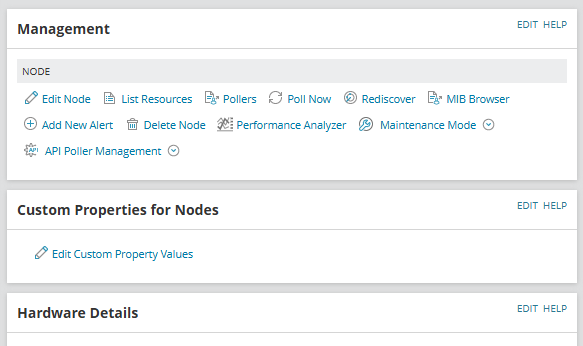
The widget is empty. In the filter all custom Properties checkboxes are selected. Any thoughts?
2025.4.0 .
YES, all problems are solved! Thank you!
What version are you running on ? Is this now resolved?
Looks like an issue, there are a few things that you can try, or best case is to raise a case with SolarWinds.
Thank you very much, sir! There was a bug when adding a node. The node was added without custom properties, even though the form contains required fields. Strange glitch. Thank you again!!!
Hi @ShoutDown
Only if the custom properties has a value assigned to them on this particular node, will they be shown on this widget.
Empty custom properties are not displayed.
I wanted to share a new dashboard a co-worker ( @mblackburn ) came up with to help us better view groups of interfaces and various metrics for each. Using a single HTML widget, we are able to visually compare numerous different interfaces by populating each interface dataset onto its own graph. We are able to view…
PALO-ALG - Logging.xmlPalo Alto Networks ALG Security Technical Implementation Guide :: Version 2, Release: 3 Benchmark Date: 27 Oct 2022
Alert Cleared.htmlHello, I would like to share the HTML template details we have prepared so that Solarwinds alarms can become more meaningful. It can list alarm object details and connected device details separately in HTML template. Except for object and device details, you can easily add custom property information…
Cisco ASR Devices.pollerCisco ASR Devices