Restarting all services related and in connection to the .NET service sometimes temporarily fixes the API issues, other SolarWinds services work, but the API calls fail due to this socket time out error.
Can you post the code you are trying to run?
What version are you running, as the api port changed from 17778 to 17774, the some admins might of closed the old port or they haven't open the new one.
Just using some simple test SWQL queries.
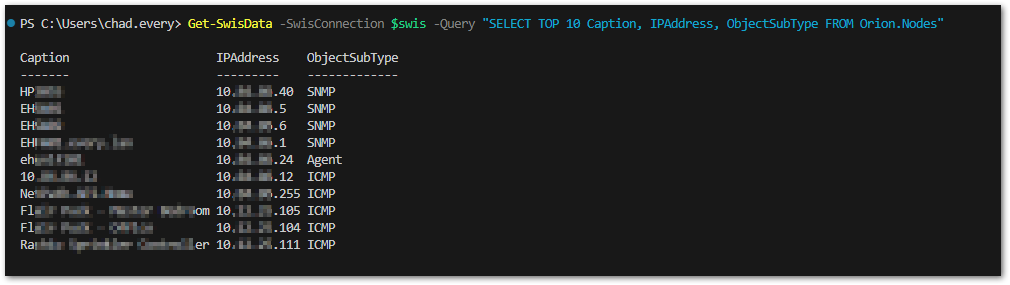
Get-SwisData -SwisConnection $swis -Query "SELECT TOP 10 Caption, IPAddress, ObjectSubType FROM Orion.Nodes"
The versions being ran are the following.
SolarWinds - 2023.4
PowerShell Module - 3.2.0.5.00.49
How are you building your Swis connection $swis, can you post that here?
Your issue sounds intermittent, I can confirm that the Get-Swis line you posted is correct as it returned data without any issue in my lab.
$swis = Connect-Swis -Hostname "x.x.x.x" then entering in credentials. Currently using username & password for testing.
Does the query work reliably using "SWQL Studio"? simple query like that should be well under a second.
The query works, the issues comes down to this. There are days where the API works great no issues, than other days socket time out errors appear and the API calls do not work. For example, Monday there was socket time out errors, but today the API calls work perfectly fine. The correct ports are allowed and enabled, as stated originally restarting services fixes the issue (sometimes). But oddly no services were restarted today and the API works.
I can confirm this isn't normal, and you shouldn't get timeouts for a select top 10.
Would assume this is networking issues between your terminal and the MPE
If you're running it locally and still having a problem something in your environment is having a very bad day
Well, at this point I would make a SAM monitor that calls a script to run that or similar query every 5 minutes. And a monitor on the tcp port 17777. When the monitor alerts then check swql studio to see what happens. Check server logs (there are a ton of them, and I don't know which would be the right one). Checking SQL server load at the same time. you know the typical grasping at straws looking for any correlation.
Are you running this on the main polling engine?
As a side note: SWQL Studio has a connection option for "Orion V3 over HTTPS". Does anyone know if that is possible using the powershell Connect-swis command?
I have not verified the local aspect of querying when having the socket timeout issues. When the issue arises I will attempt a local query. All query's thus far have been from a terminal querying the SW main polling engine.
test-netconnection $SWhostname -port 17778 or something like that to confirm
There are three ports you should check: 17777, 17778, and 17774. Those should all be open for connection to the SolarWinds Information Service. Note: 17774 was added recently (can't remember the exact version).