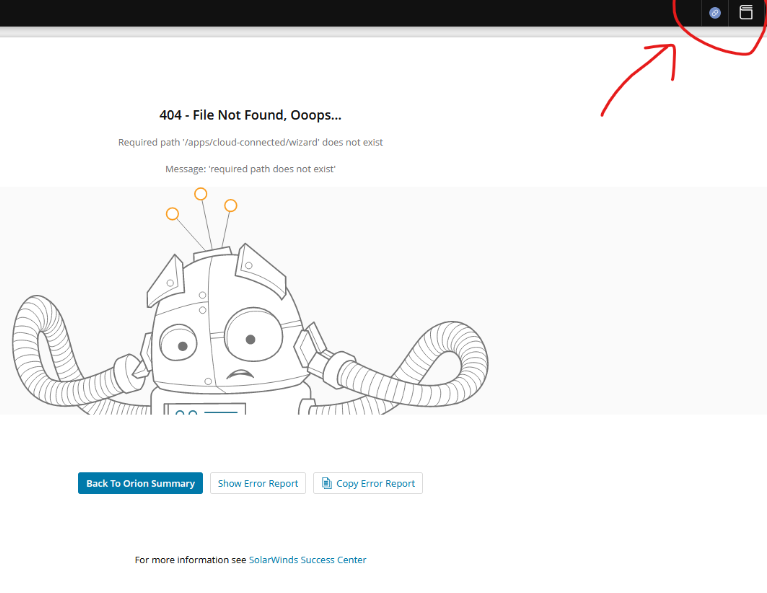
Hi Guy, Is there a way to hide or remove this icon, so that users can't see and click on it?
it will hide the web page element .sw-platform-connect-info so this should touch just the icon.I don't expect any side effect.
As a workaround for a big part of OrionWeb console, you can modify CSS this way:edit file\Program Files\SolarWinds\Orion\Web\SolarWinds.cssat this row to the end:.sw-platform-connect-info {display:none;}edit file\Program Files\SolarWinds\Orion\Web\ui\Views\Shared\_Layout.cshtmlat this row to the end:<style>.sw-platform-connect-info {display:none;}</style>After the change, force refresh Orion in browser.This should fix it for most parts of OrionWeb console.To fix other parts, you need to modify multiple files this way:
$orionWebsitePath = "C:\Program Files\SolarWinds\Orion\Web\apps\apps\"$fixPageStyle="`r`n.sw-platform-connect-info {display:none;}"Get-ChildItem -literalPath $orionWebsitePath -Recurse -Filter index.html | Foreach-Object { $content = Get-Content -LiteralPath $_.FullName $content += $fixPageStyle Set-Content -Path $_.FullName -Value $content}
Cisco Firepower Threat Defense FTD-1.3.6.1.4.1.9.1.2320.ConfigMgmt-CommandsExported with NCM 2023.4.2
AlertSummary.xmlHi All, I've done some work to tidy up our alert definitions (both the Alert Manager and Alert Actions) and the more important alerts have now been tailored and given a "[ *** ]" prefix so it is easy to see the alerts we have catered for versus those that might appear once in a while. I am monitoring this…
I wanted to share a new dashboard a co-worker ( @mblackburn ) came up with to help us better view groups of interfaces and various metrics for each. Using a single HTML widget, we are able to visually compare numerous different interfaces by populating each interface dataset onto its own graph. We are able to view…
PALO-ALG - Logging.xmlPalo Alto Networks ALG Security Technical Implementation Guide :: Version 2, Release: 3 Benchmark Date: 27 Oct 2022