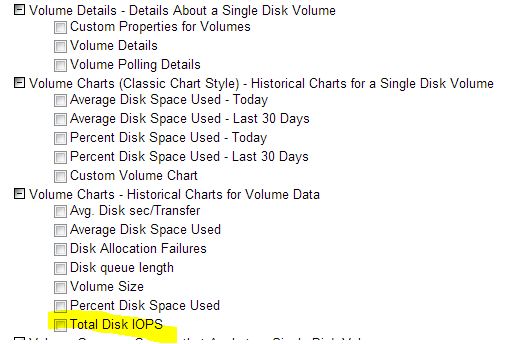
I was told SAM monitors disk I/O out of the box. I'm not able to find it in the web page. Can someone tell me where the disk I/O is at for my servers? thanks.
Select Manage views. Edit the Volume Details View and add it.
Disk I/O is available for volumes monitored on Windows hosts managed via WMI. Disk I/O metrics aren't available via SNMP. SAM 6.0 also includes disk I/O information to processes and services monitored via WMI.
How do I enable and moonitor VIA WMI?
You will need an administrator account on the server. Select Polling with WMI rather than SNMP and select the windows credential in the edit node (polling).
OK, I was able to switch to WMI polling. I am probably going to switch all my servers to WMI.
All my data from SNMP was deleted when I switched. Is there a way to still have my historical data and does SNMP do anything that WMI does not? Also will switching affect any alerts that have been configured?
When changing the nodes polling method it is not possible to retain historical statistics for volumes and interfaces because there is no constant and reliable way to accurately map SNMP index IDs to WMI properties, or vice versa.