Switch View tab not an option or visible for Cisco Catalyst 9300 switches . Can not visually see the switch and respective ports and in use/up/down status etc.
switch appears not supported.
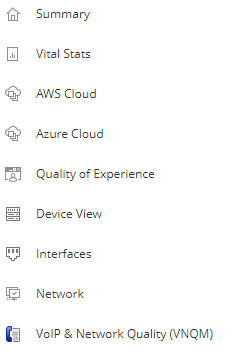
We have approx 50 Catalyst 9300's and SolarWInds recognises them out of the box.What exactly are you not seeing as I'm not clear on what you refer to when you say "switch view tab" ? Are you referring to the flyout on the left hand side - and if so, then you can add/remove views to suit.That said, I still don't know what a 'switch view tab' is.Show us a screenshot of what you mean if that helps? Thanks.
Hi
I think there is support for Juniper EX2200 and Cisco 29xx.
It's some kind "one of" deal... no work to keep update other models or new vendors (I know about more switch vendors :-))
I think you need to try find the PM and ask for "roadmap" ..
Howdy, it does recognise them however for example when you select a 9300 switch node then on the left hand size you will see a ribbon with buttons normally sits above the switch stack button. If you have 3750 you will it is visible. Basically it gives you a graphical of the switch front with each port status etc, green online and so on. Apparently with the 9300 not supported
Hi - yes that's what I said when I said: "Are you referring to the flyout on the left hand side".Ok - so you can add your own views to that flyout - click on the pencil icon (top left) and then add page. You then set about adding the widgets you want. Alternatively you could "Edit Node" and then change the view type - or assign view types from All Settings. But let me save you the trouble as I tried that myself before. Whilst the tab is there:
It won't show up due to Cisco not having released the full topology stack and other OID aspects to the world for Nexus boxes. In other words, SolarWinds hands are tied.
There catalyst 9300 not Nexus which is another issue but yeah makes sense unfortunately