This is regarding the integration of Solarwinds Alert with ServiceNow Instance. We use the steps below as a guide with our set up however during the testing we encountered some issue on the creation of Trigger Actions.
Downloaded Application: Solarwinds Alert Integration App
Step 1: Install and configure the SolarWinds Platform Alert Integration application in ServiceNow
Step 2: Configure a SolarWinds Platform product with ServiceNow
Step 3: Create a ServiceNow incident in the SolarWinds Platform (Testing)
Issues encountered in Trigger Actions > Add Actions > Create ServiceNow Incident
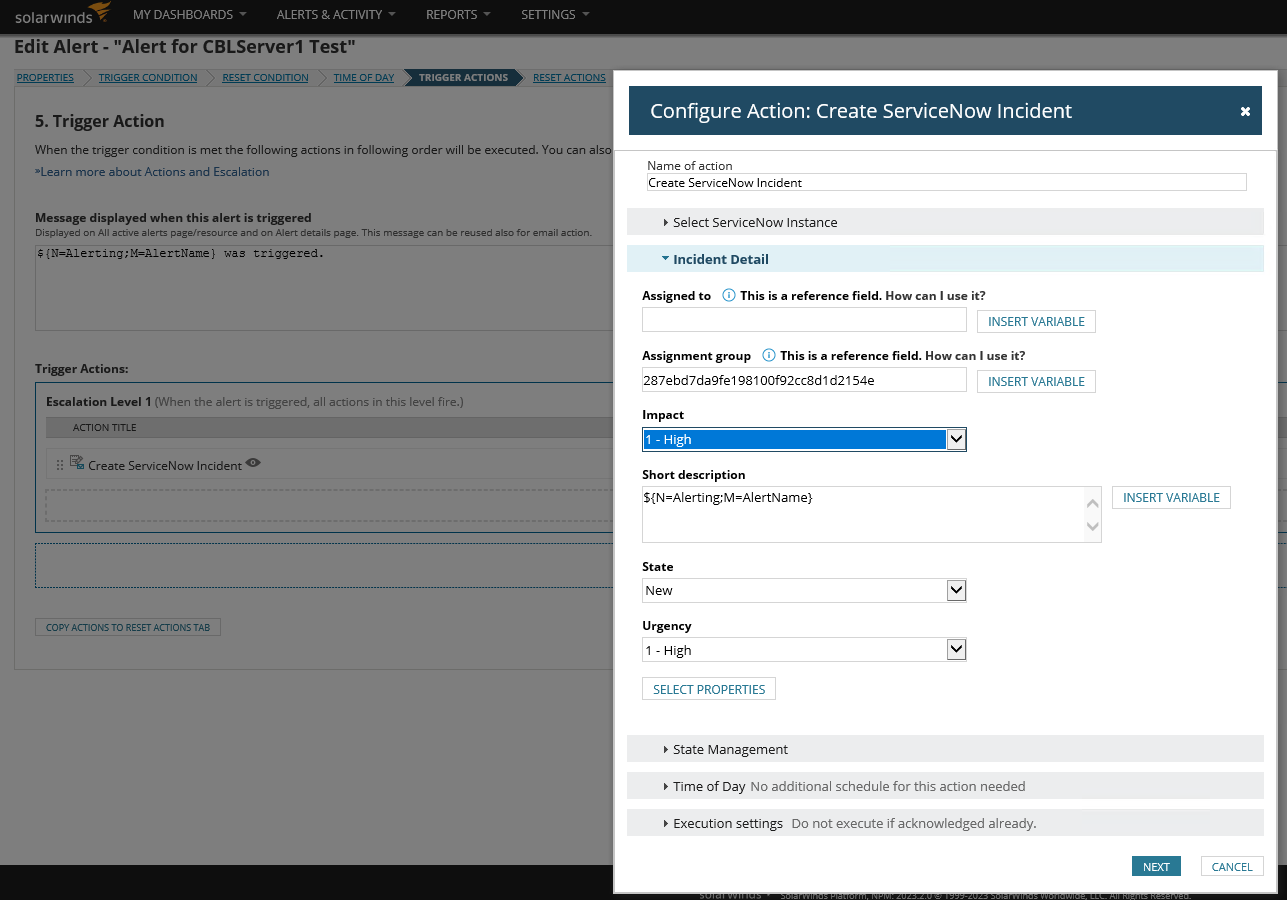
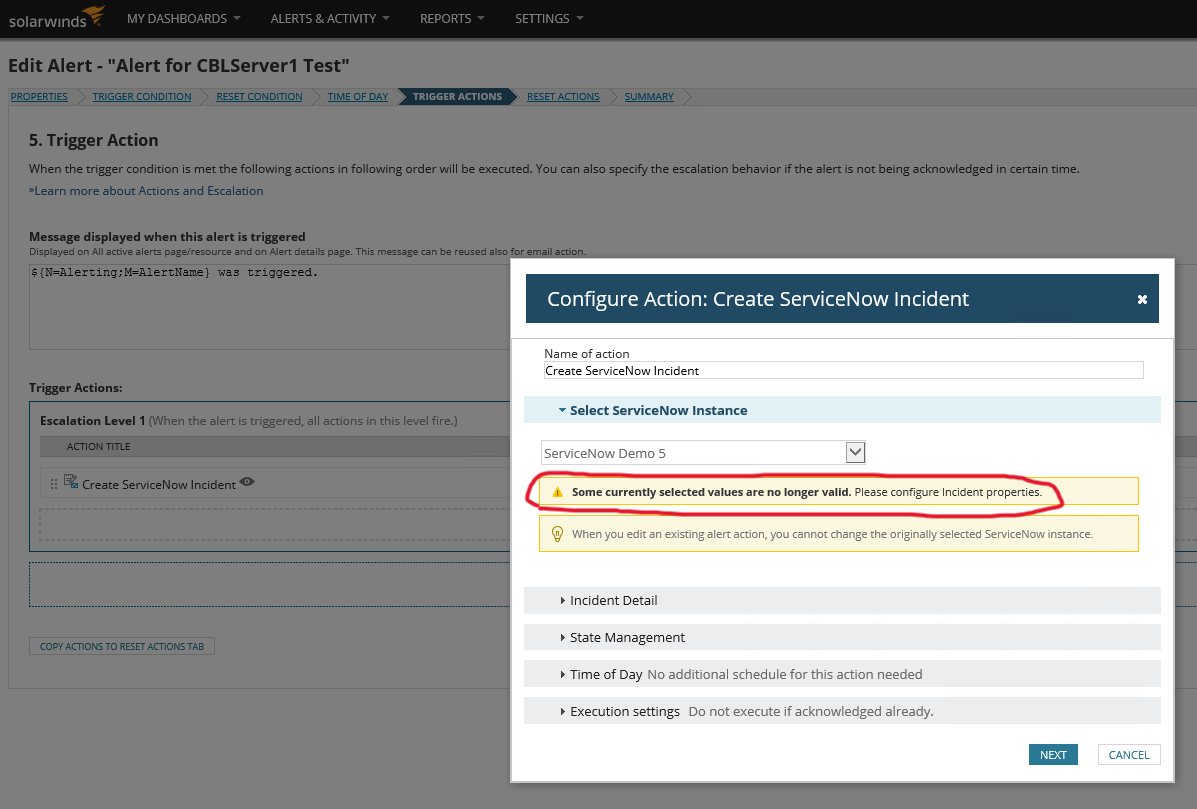
- A warning message (see attached) is displayed when we try to put values on the fields of Incident details section (Impact, State, Urgency).
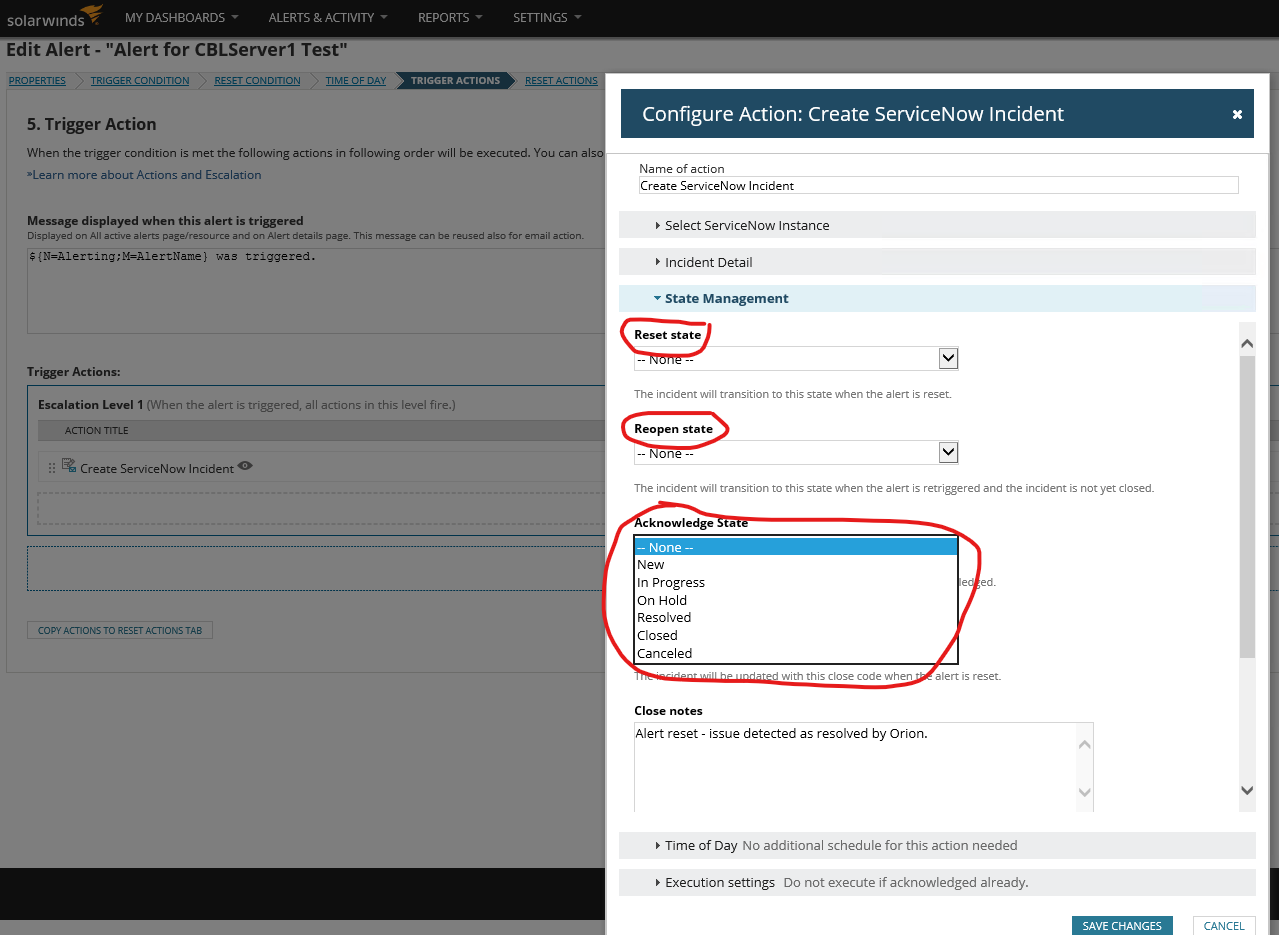
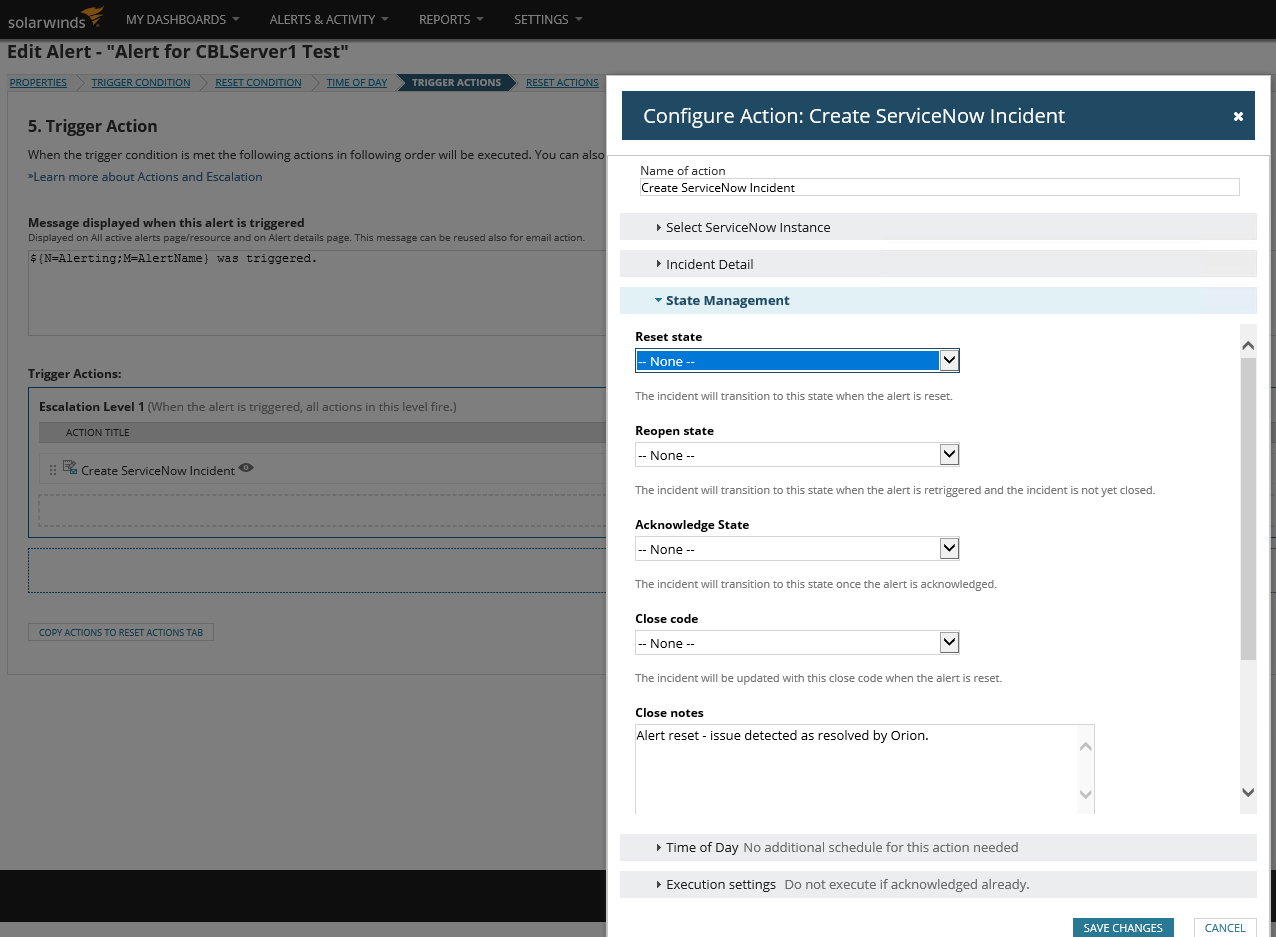
- Fields Reset State, Reopen State, Acknowledge State on State Management section can only save the values “None” and “New” from its dropdown. Values “In progress”, “On Hold”, “Resolved”, “Closed”, “Canceled” were not being saved.
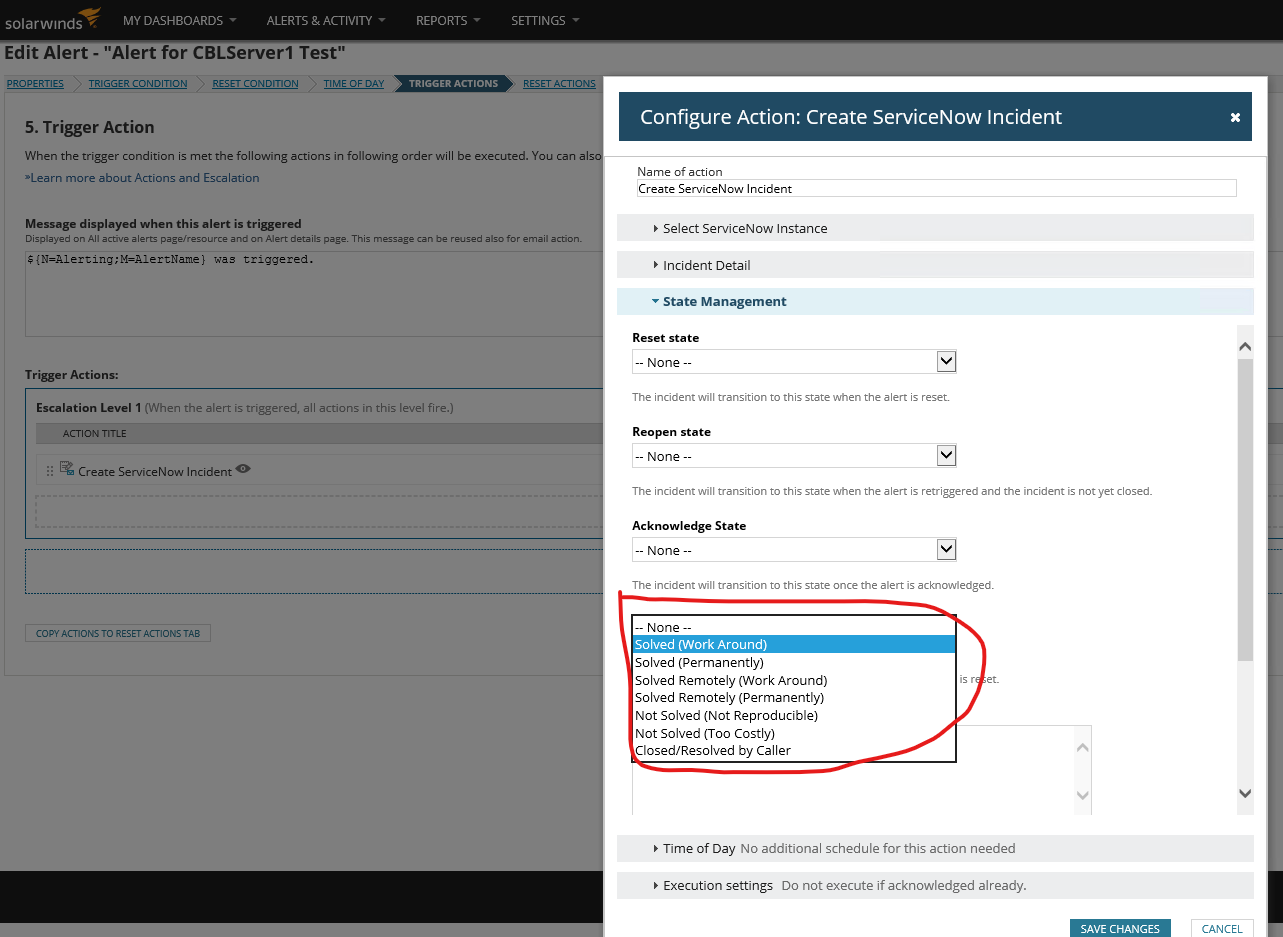
- Still on the State Management section, Close Code field can only save the value “None” and “Solved (Work Around)” other values were not being saved.
Troubleshooting made:
- In ServiceNow Instance: Checked permissions in ServiceNow – Integration User Account has all access on the Incident table.
- In Solarwinds: Unselect/Reselect properties on the “Configure Action: Create ServiceNow Incident” window.
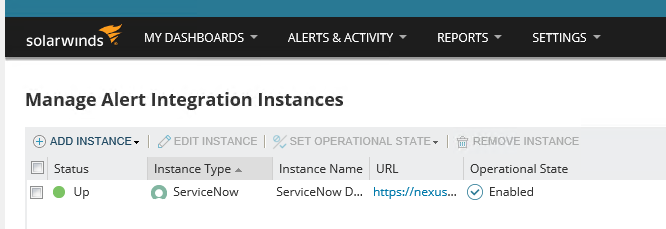
- Reconnect Integration – Operational State “Enable”, Status: Up
Hoping for your advise. Thank you!