Just sharing a learning experience I encountered when trying to set up a Disk Alert for Storage Arrays.
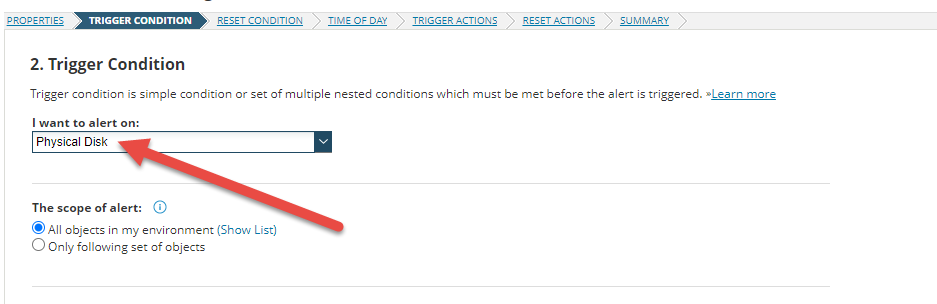
It seemed obvious now "Physical Disk" was probably the easier path, but who likes easy?
I focused on the Parent Object "Storage Array" and learned a bit. Maybe this will help somebody with SWQL JOIN's and Advanced SWQL Messaging.
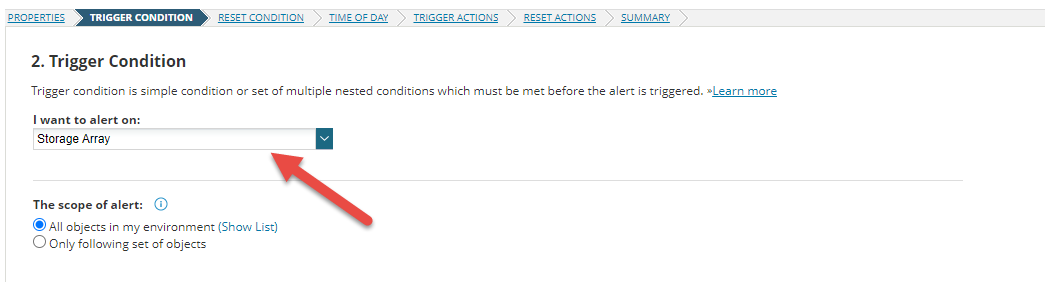
VS
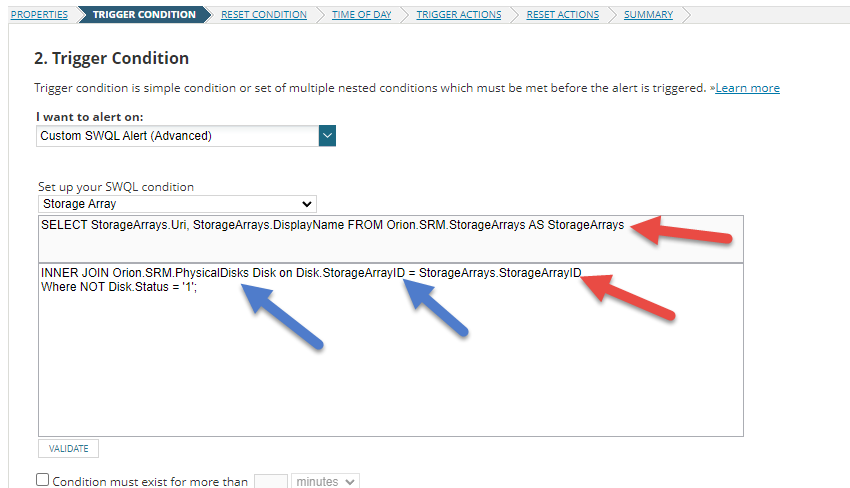
JOIN'ing a Table when alerting on a Custom SWQL Alert (Advanced)
There is already a "SELECT" that must be used (Orion.SRM.StorageArrays AS StorageArrays). The Physical Disk Table can be joined off of the "StorageArrayID" column.
It's best to test this SWQL Studio and then go back to the Alert Setup. This will come in handy later when inserting Message variables from SWQL
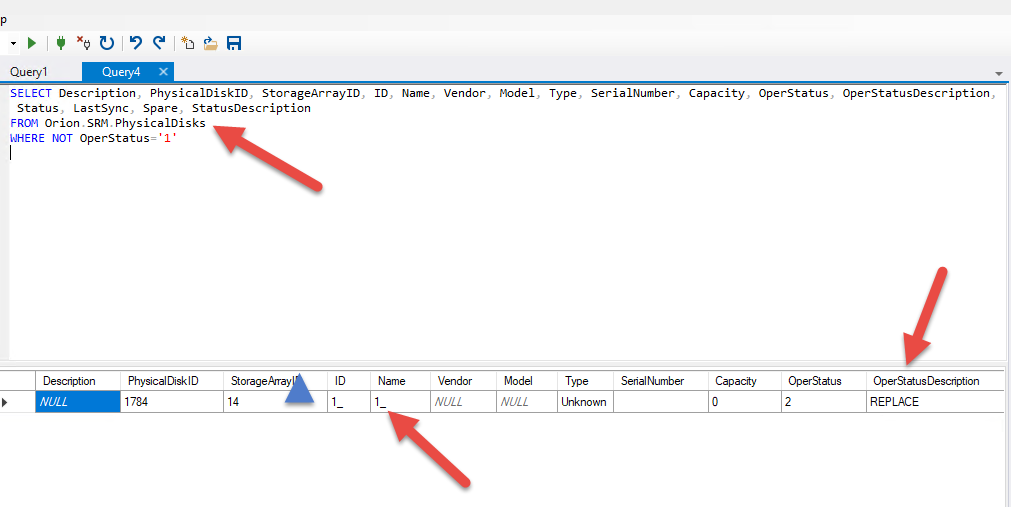
SELECT
StorageArrays.Uri,
StorageArrays.DisplayName,
StorageArrays.StorageArrayID,
Disk.Status,
Disk.OperStatusDescription,
Disk.SerialNumber,
Disk.Name

FROM Orion.SRM.StorageArrays AS StorageArrays

JOIN Orion.SRM.PhysicalDisks AS Disk
ON Disk.StorageArrayID = StorageArrays.StorageArrayID

WHERE NOT Disk.Status='1'
Now that you have JOIN'ed the table and included a "WHERE" clause to alert on. You can use the same information to build\insert a Custom Variable for the Message.
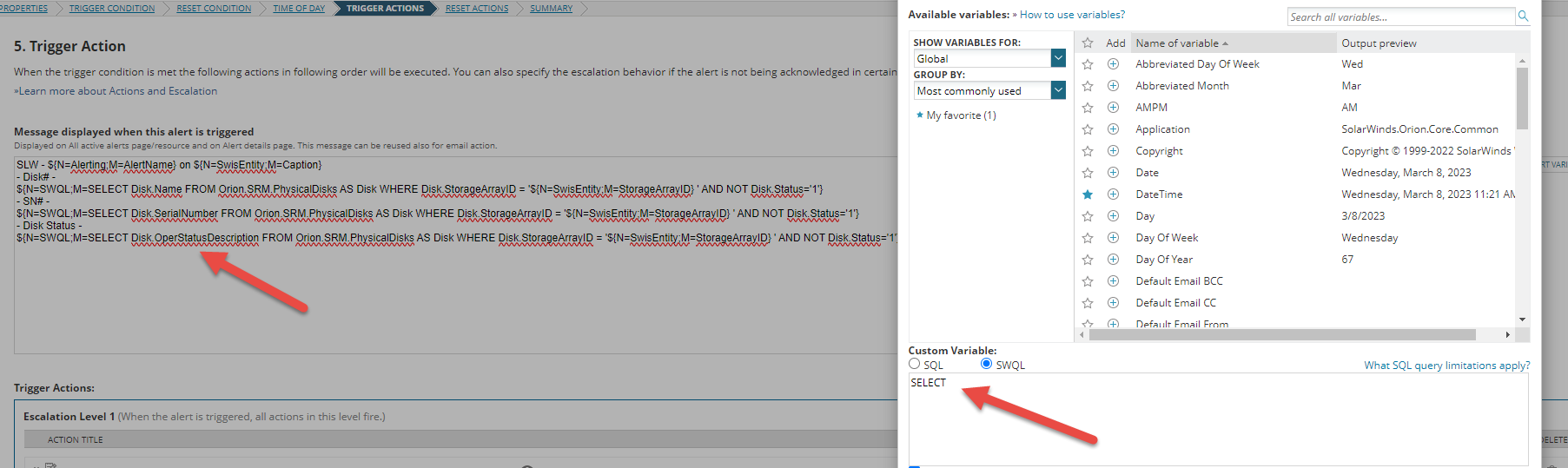
Also, note you can generate the SQL\SWQL statement from the "ALERT" content.
ie. WHERE Disk.StorageArrayID = '${N=SwisEntity;M=StorageArrayID}'
One anomaly I found is, the SQL\SWQL Advance variable insert will only return 1 item. It required 3 SELECTs to populate the information I wanted.
The below would only return the 1st item. "Disk.Status"
SELECT
Disk.Status,
Disk.OperStatusDescription,
Disk.SerialNumber,....
3 SELECTs with the same WHERE were needed.
SLW - ${N=Alerting;M=AlertName} on ${N=SwisEntity;M=Caption}
- Disk# -
${N=SWQL;M=SELECT Disk.Name FROM Orion.SRM.PhysicalDisks AS Disk WHERE Disk.StorageArrayID = '${N=SwisEntity;M=StorageArrayID} ' AND NOT Disk.Status='1'}
- SN# -
${N=SWQL;M=SELECT Disk.SerialNumber FROM Orion.SRM.PhysicalDisks AS Disk WHERE Disk.StorageArrayID = '${N=SwisEntity;M=StorageArrayID} ' AND NOT Disk.Status='1'}
- Disk Status -
${N=SWQL;M=SELECT Disk.OperStatusDescription FROM Orion.SRM.PhysicalDisks AS Disk WHERE Disk.StorageArrayID = '${N=SwisEntity;M=StorageArrayID} ' AND NOT Disk.Status='1'}
Thanks
