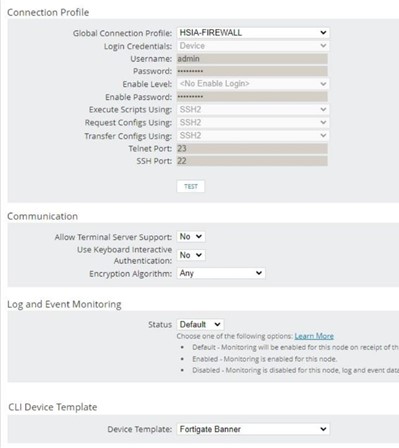
I want to update the Device Template of CLI Device Template of a NCM node. Is there any way using python sdk?
I am able to configure all the other parameters while adding a ncm node but not able to do so using python.
@enzamambashar, im not good at python but i'd imagine that the meat of what you'd need to get this to work is below.
    props = {
        'TemplateID': ,
        'NodeID': ,
    }
	results = swis.create('Cli.DeviceTemplatesNodes', **props)
@enzamambashar, so you have to do a create to "assign" a device template. Here's a link that demonstrates how to do a create within Python, and the following script is a PowerShell script specifically written to assign device templates to a node. This should be enough to get you started, if you need any other assistance let me know.
$query = "SELECT TOP 1 ID FROM Cli.DeviceTemplates WHERE TemplateName = '$TemplateName'"$Script:TemplateID = Get-SwisData $SwisConnect $query$TemplateID = Get-SwisData $Swis $query #Insert query to translate template Name to TemplateID Hereif($TemplateID){}else{$Exception = New-Object System.Exception ("Unable to locate a device template based on the template name provided.");throw $Exception}$CliTemplate = @{TemplateId = $TemplateIDNodeID = $NodeID}New-SwisObject -swisconnection $swis -EntityType 'Cli.DeviceTemplatesNodes' -Properties $CliTemplate $result= Get-SwisData $swis "Select top 1 Nodeid from cli.devicetemplatesNodes where nodeid = '$nodeid'"if ($result.count -eq 1) {Write-Output "Success"}
Thank you for your reply, Yes I am creating the nodes using python. Is that possible to translate this code to python? i am not good a PowerShell scripts.
Thank you so much. That makes sense now. I will let you know the update after testing.
Thank you. It worked.