I created the thin AP alarm and one of the APs goes UP 20 after it is down, but the reset mail does not come, I need urgent helpThank you from now
Just to clarify ... the vast majority of us in THWACK are customers of SolarWinds, just like you. We are just trying to help.
If you have an open case then you need to follow up on that. Contact your customer sales manager and ask them to escalate it.
I solved the problem. Actually, the source of the problem was that the incoming AP alarm was deleted after 10 minutes in active alarms, I fixed the problem by doing the following, so it started working on my alarms.
Resolution: uncheck 'RemoveDisappearedAPs' option from the advance configuration.
Note:To access the advance configuration:
http://YOUR IP OR HOSTNAME/Orion/Admin/AdvancedConfiguration/Global.aspx
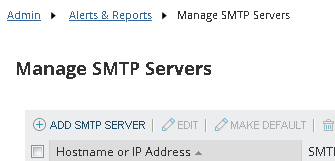
First off, have you configured a default SMTP server that SolarWinds can use, and if yes, does a test email work?
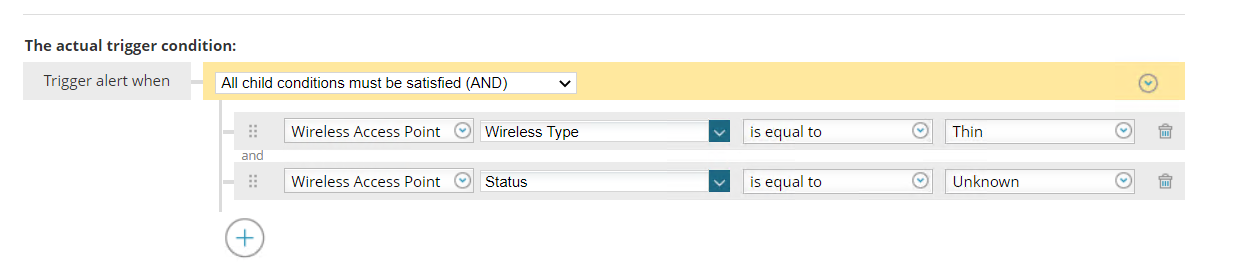
If yes, then can you post a screenshot of your trigger condition logic? And also confirm that your trigger action has a valid eMail action, with a working recipient eMail address?
Hi
There is no problem in SMTP settings, when I trigger it manually, the alarm comes. When an AP is down and 20 minutes have passed, the AP reset mail does not come. but if the AP with Down is up within 10 minutes, the Reset mail comes. Doesn't come when UP duration is increased
I'm very confused now by what you are saying ....
But, from my first reply...
>> can you post a screenshot of your trigger condition logic?
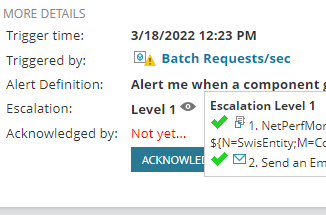
@seymanur, if your alert is triggered and you have not received the email one thing you can check is if the action executed properly, an easy way to check it is when the alert is active go to the active alerts page and hover over the eye icon next to escalation. It will tell you if the action was completed successfully, did not complete successfully, or didn't execute at all. If it didn't execute at all you need make sure that the trigger action is enabled, what you described is often a result of the trigger action not being enabled.
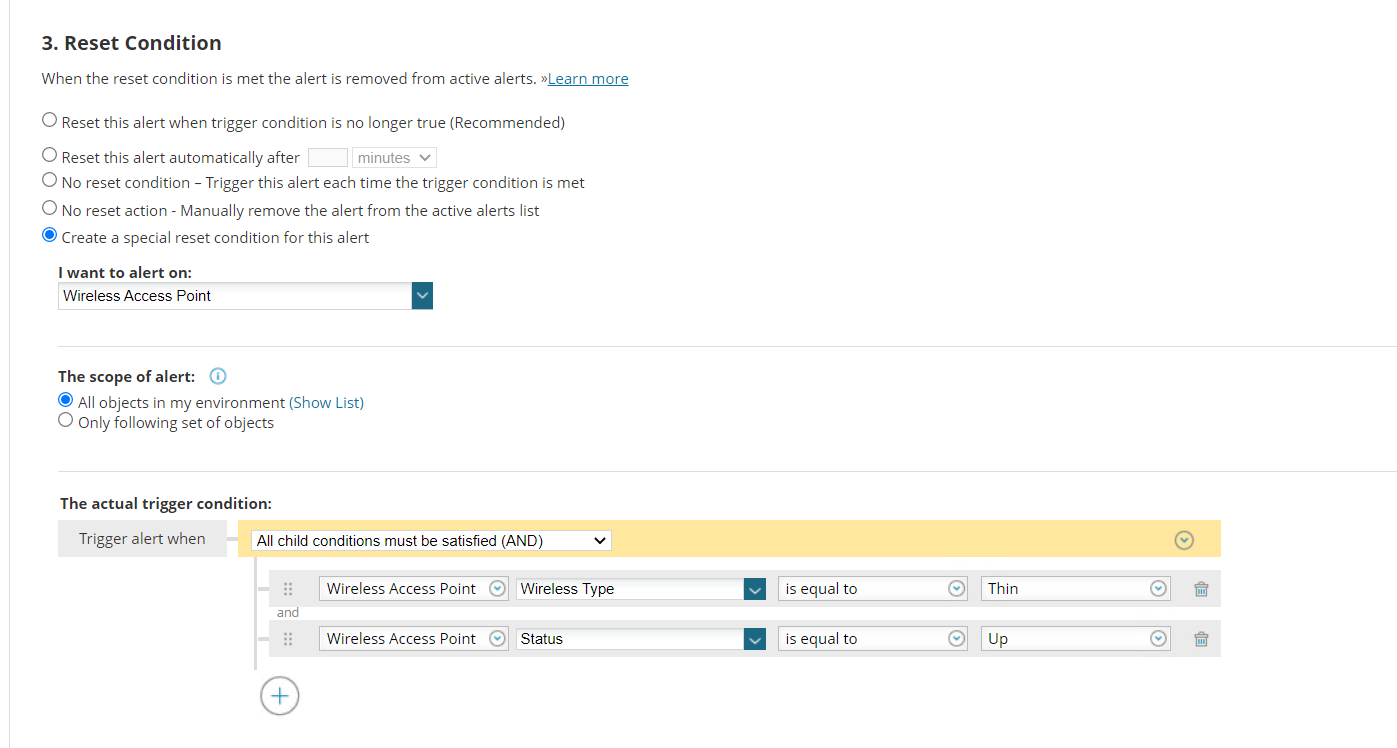
Reset:
I tried the recommended section, the problem was the same
WLC watches AP over SNMP so I can't see that part
AP goes down and appears in Active alarms for 10 minutes It does not appear after 10 minutes in Active alarms section