Since there is no Content Exchange section for SDK scripts or examples, i'm posting here something that might be useful to other admins:
I've built a small PowerShell script to get rid of superfluous volumes that are polluting our Orion environment. Whenever we add Juniper nodes (or use Network Discovery to fix some), a ton of volumes are added. Using this script, I identify all Juniper devices with specific Volume Caption filter (NOT LIKE '%/da0s%').
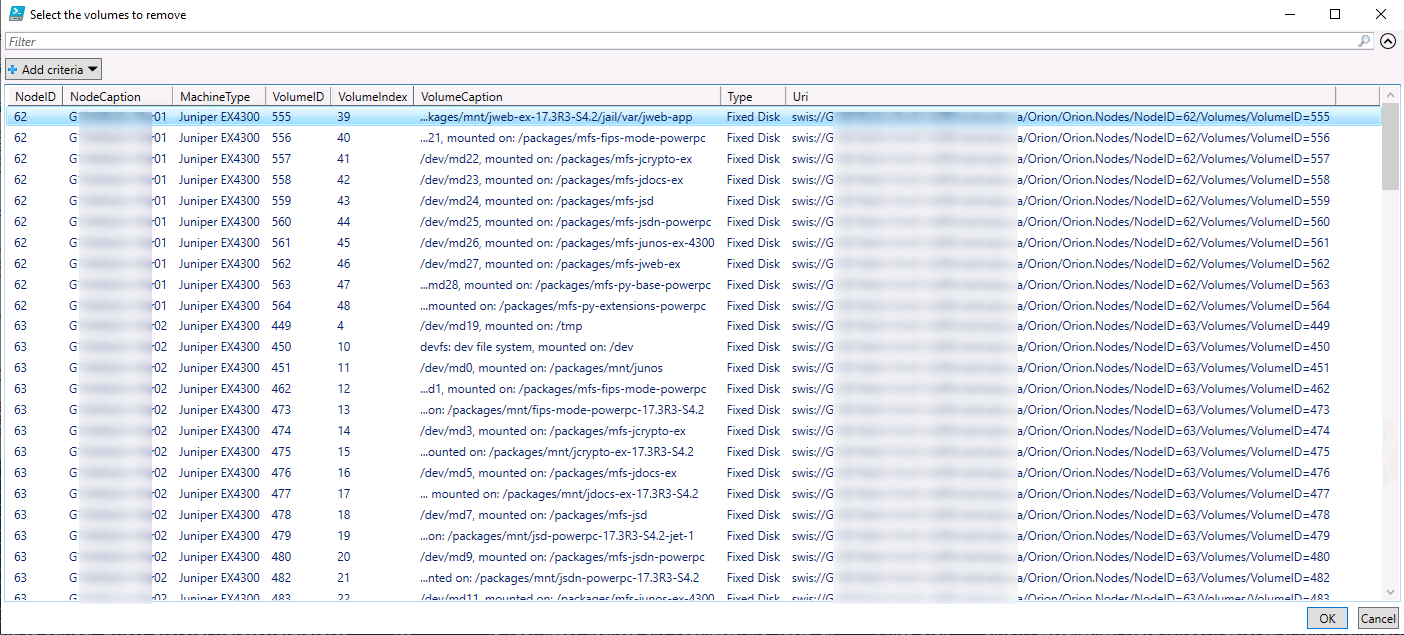
It will then offer you to fine grain the selection if needed (if not, simply select all (CTRL-A)):
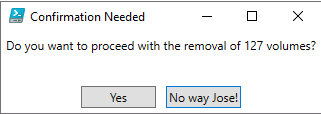
Then a final confirmation is required:
Here's the code:
# Title: Juniper Volume Cleanup
# By: PLanglois
# Version: 1.1
#
# This script provides a list of volumes for the SolarWinds inventory that are not matching certain criterias, and allow the user to remove them from monitoring.
#TO DO:
# Add progress bar
# Logging

#connect to Orion API
$swis = Connect-Swis -trusted -Hostname 127.0.0.1 #To forward current logged in username/password to server

$volumes = Get-SwisData $swis "SELECT v.NodeID, n.Caption as NodeCaption, n.MachineType, n.SysObjectId, v.VolumeID, v.Index as VolumeIndex, v.Caption as VolumeCaption, v.Type, v.Uri
    FROM Orion.Volumes v LEFT JOIN Orion.Nodes n
    ON n.NodeID = v.NodeID
    WHERE n.SysObjectID LIKE '1.3.6.1.4.1.2636.%' AND v.Caption NOT LIKE '%/da0s%'"

$totalvolumes = $volumes.Count
Write-Host "[INFO] There are $totalvolumes matching the criterias"
IF ($totalvolumes -eq 0) {
    write-host "[INFO} No volumes matching your search criteria! You are all set!"}
    ELSE {
          $selectedVolumes = $volumes | Select-Object * -ExcludeProperty SysObjectID | Out-GridView -PassThru -Title "Select the volumes to remove"
          $totalSelectedVolumes = $selectedVolumes.Count
          $title    = 'Confirmation Needed'
          $question = "Do you want to proceed with the removal of $totalSelectedVolumes volumes?"
          $choices = New-Object Collections.ObjectModel.Collection[Management.Automation.Host.ChoiceDescription]
          $choices.Add((New-Object Management.Automation.Host.ChoiceDescription -ArgumentList '&Yes'))
          $choices.Add((New-Object Management.Automation.Host.ChoiceDescription -ArgumentList '&No way Jose!'))
          $decision = $Host.UI.PromptForChoice($title, $question, $choices, 1)
          IF ($decision -eq 0) {
            Write-Host "[INFO] Attempting removal of $totalSelectedVolumes volumes"
            $start=[DateTime]::UtcNow
            $end=$start.AddMinutes(30)
            $removedVolumes = 0
            foreach ($volume in $selectedVolumes) {
                $volumeToUnmanage = "V:" + $volume.VolumeID
                Invoke-SwisVerb $SWIS Orion.Volumes Unmanage @( $volumetounmanage, $start, $end, "false" ) #To workaround issue CORE-17992
                Remove-SwisObject $swis $Volume.Uri
                $removedVolumes++
                }
            Write-Host "[INFO] Removed $removedVolumes volumes"
            }
            else {
                Write-Host '[INFO] Cancelled by user'
                }
        }
Enjoy!