For as long as I have used DPA (back to when it was ignite), I always dislike the fact I can't micromanage job failure alerts. It is an all or nothing, which mean, everyone get the failure alert even when the job doesn't mean anything to them. This cause my developers to get agitated and start complaining how they don't care of this job or that job and only certain job. Another vendor has a product called SQL Enterprise Job Manager, it seem very useful but after trying it out, it is a glorified SQL Job monitor. I'm going to show you what it takes to create your own central job manager using the data from SQL and DPA with custom alert and message.
Why do I need SQL and DPA to create a central job manager?
Pretty much all Database Administrator (DBA) knows that SQL server itself keep track of job failures in MSDB. It also has the capacity of alerting specific users or distribution list. But all this has be configured per job, per instance. If you have more than 50+ instances to support, you know it could be a P.I.T.A. With DPA, there's an alert that can track job failures and this data is contained in the DPA's repository, perfect for what we need.
I'm sold, tell me more!
With SQL's MSDB and DPA, a robust enterprise job manager can be created; however there are some prep work on your part to make this happen. I'm going to do my best to walk you thru it all. You will need the following:
- a. a database
- b. ssis service
- c. ssdt to create ssis packages
The database can reside on the same server as the DPA repository. The database will contain 3 tables:
- a. dbo.job: contain all the jobs from all your sql server (jobs.sql)
- b. dbo.jobfailure: collect job failures from DPA respository (jobfailure.sql)
- c. dbo.instance: contain all of your SQL instance that is being monitored by DPA, along with some additional data (instance.sql)
Workflow:
Firstly, populate the dbo.instance table with data.
Secondly, populate the dbo.job table with data. That will be very easy once you have data in the dbo.instance table. How? You are going to use SSIS to loop thru the dbo.instance table and gather the job name.
You will need 2 connections, I have 3 because I was developing against a dev environment. Gasp! holy cow, someone actually test against dev and not prod? yes, yes, people like me exists.
The ForEachLoop connection manager has an expression and the expression is basically the servername variable
You will need 3 package variables:
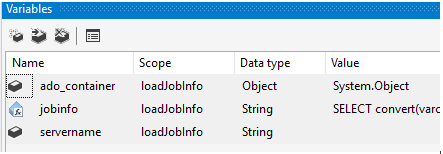
the jobinfo variable value is:
"SELECT convert(varchar(100),'" + @[User::servername] + "') as InstanceName
,convert(VARCHAR(100), j.NAME) AS JobName
,IsJobActive = CASE
WHEN enabled = 1
THEN 'Y'
ELSE 'N'
END
,convert(varchar(85), dp.NAME) AS JobOwner
,convert(VARCHAR(4000), j.description) AS JobDescription
FROM msdb.dbo.sysjobs j
JOIN master.sys.database_principals dp
ON j.owner_sid = dp.sid"
The control flow is going to look like this.
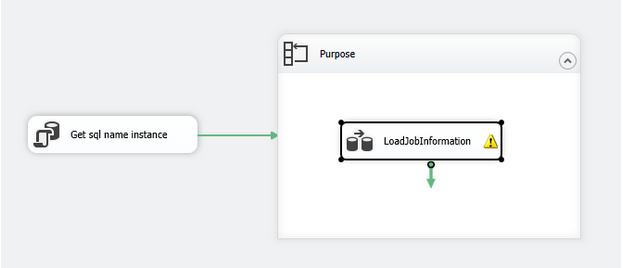
Get the sql instance name:
select name from.dbo.Instance
where InstanceFunction = 'sql'
and isactive = 'Y'
and name != 'unknown'
and Environment in ('Prod', 'DR')
order by name
Now setup the foreach loop:
nothing fancy in General
In Collection:
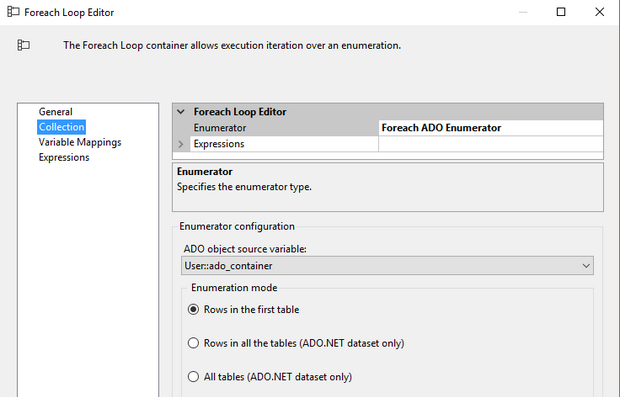
In Variable Mappings:
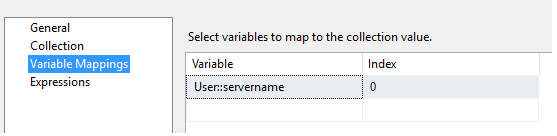
nothing for Expressions
LoadJobInformation Data Task Flow
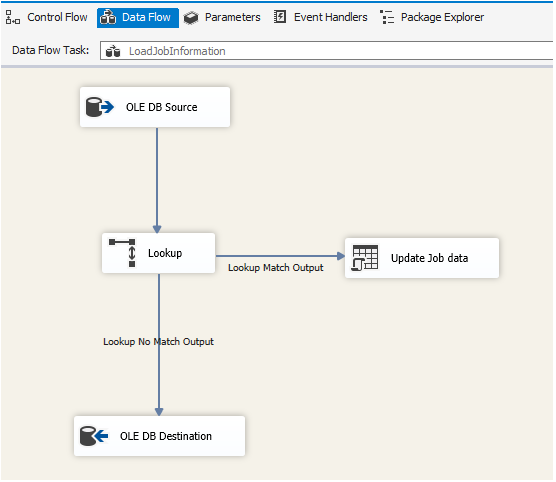
OLE DB Source:
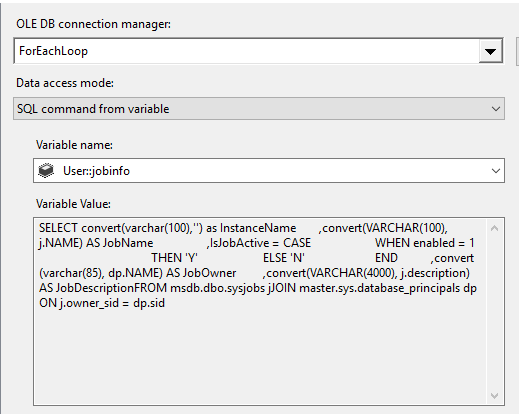
*note* you will have to first run this as a sql command to get the columns. after the columns are populated, you can switch to the variable
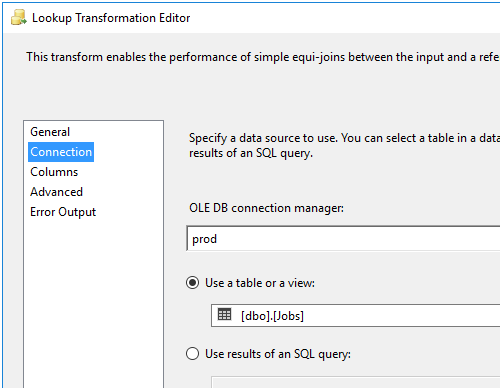
Lookup Transformation; fully cache
Connection setting:
Columns setting:
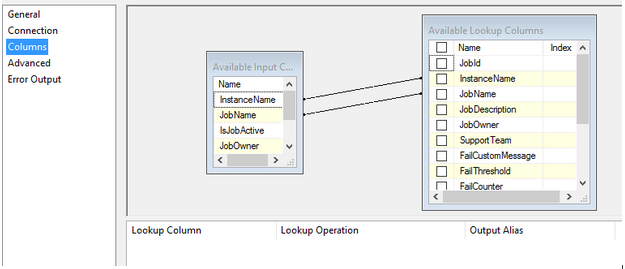
nothing for advanced and error output. you are welcome to adjust the error output but I didn't need to do anything special in there.
Lookup no match output --> OLEDB Destination
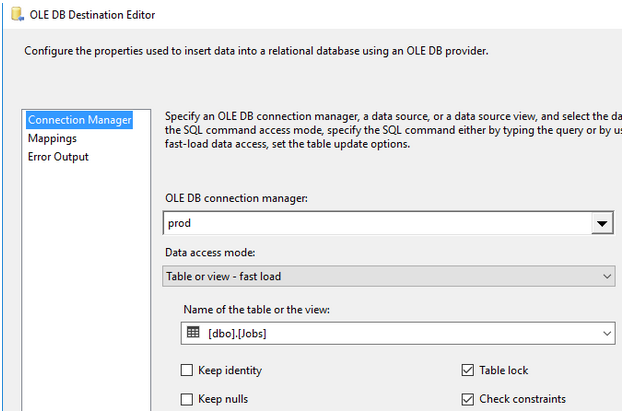
Lookup match output --> OLEDB Command
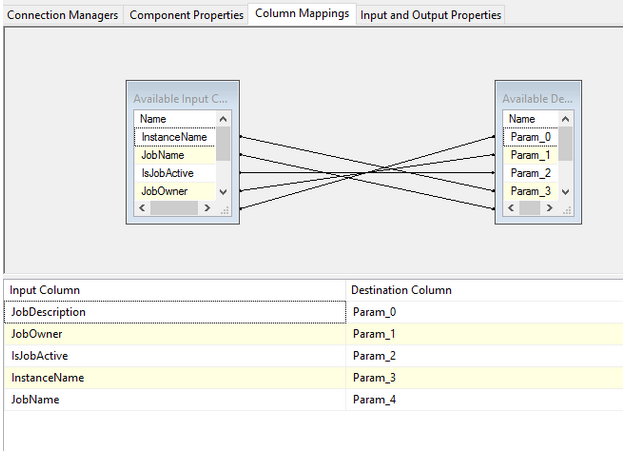
The oledb command is an adhoc query
Component Properties tab:
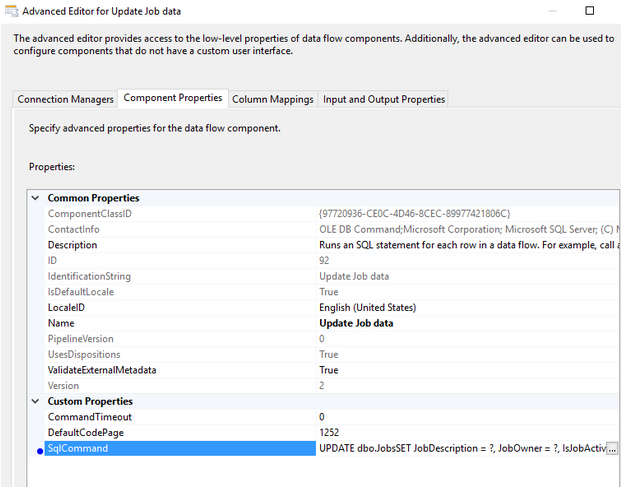
update statement is:
UPDATE dbo.Jobs
SET JobDescription = ?
, JobOwner = ?
, IsJobActive = ?
WHERE InstanceName = ?
AND JobName = ?
Column Mappings tab:
Wow, that's a lot of work for just getting the job names! But it was easy right? Because I gave you all those pretty screenshot and the code!
