Hi All,
If you are upgrading Solarwinds environment from 2019.2 to 2020.2 and if you are using HTTPS as a method for secure URL access. You might face the below issue after installing 2020.2 installer and while running Configuration wizard .
Configuration wizard configures all Services except SWIS & Information service and completes with an error -
Services configuration failed: • Connection to SolarWinds Information Service did not succeed. Last error: The specified value is not valid in the 'SslProtocolType' enumeration. Parameter name: sslProtocolType.
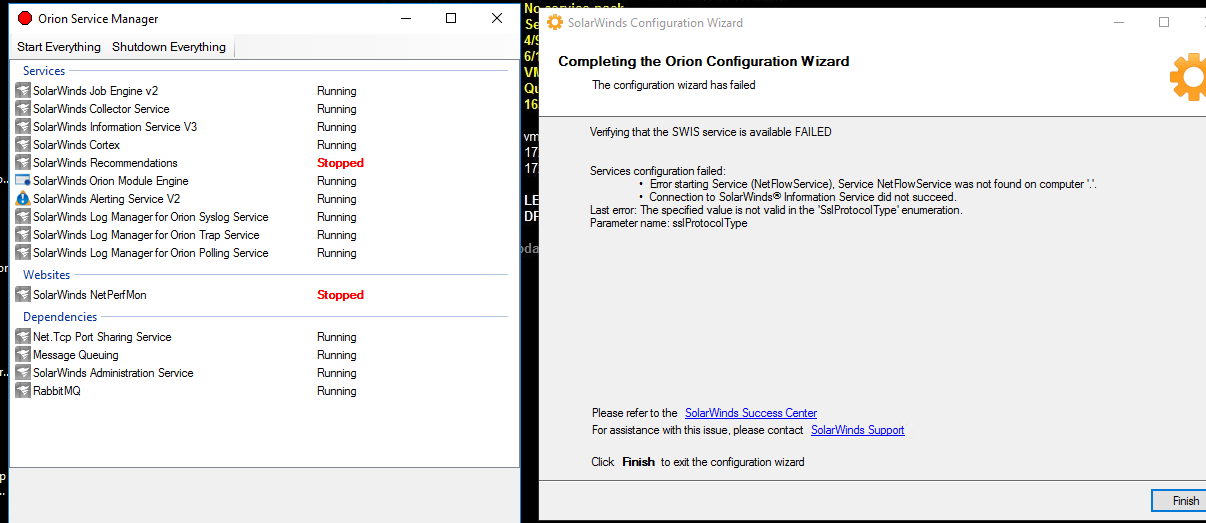
Issue - This is a problem with TLS Configuration in the Server.
Resolution steps -
1- If You have enabled TLS 1.0,1.1,1.2 check with Cipher . (You can use IIS Crypto) tool to enable the required Ciphers and also you can chose Best practice .
2- Check TLS version enabled on Registry or not . To do this -
Got to "Run" -Type " Regedit" ---- HKEY-LOCAL_MACHINE ----SOFTWARE ----WOW6432Node ---- Microsoft --- .NETFramework ----V4.0.30319 . (Select the same location)
3- Find -Systemdefulttlsversion - Change the value to 1 from 0 and make sure value set in Hexadecimal.
4- Once Done Reboot the server.
5- re run the Configuration wizard.
Hope this Post will help to resolve your issue.
Thanks