The VoIP call details screen has a lot of options. But a client didn't all those options or the always used the same options. If that's the case, it's easy enough to write a script for it to quickly get the needed information.
This is the result of the default VoIP search.

The custom script gives us just the fields we are interested in. A no-frills approach.
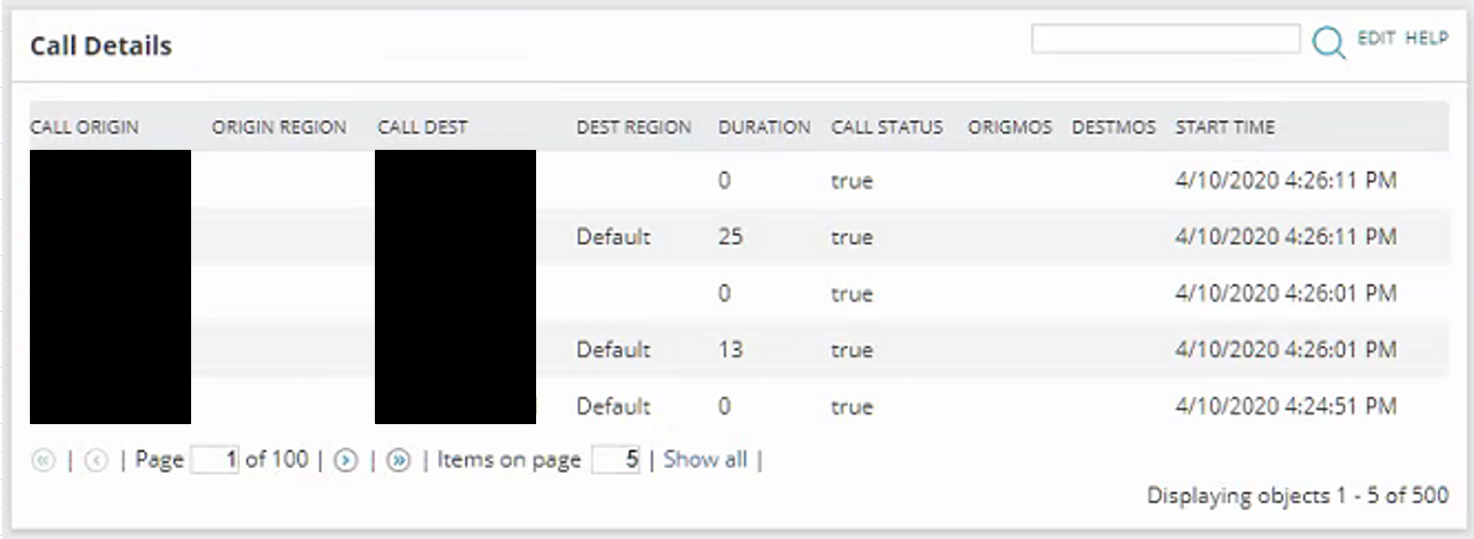
SELECT TOP 500
CallingPartyNumber as [Call Origin]
,DetailsUrl as [_Linkfor_Call Origin]
,OrigCCMRegionName as [Origin Region]
,FinalCalledPartyNumber as [Call Dest]
,DestCCMRegionName as [Dest Region]
,Duration
,CallSuccess as [Call Status]
,OrigMOS
,DestMOS
,tolocal(ObservationTimestamp) as [Start Time]FROM Orion.IpSla.VoipCallDetails cd
order by ObservationTimestamp desc
Thank you
Amit
email: ashah@loop1.com
Loop1 Systems - SolarWinds Training and Professional Services
