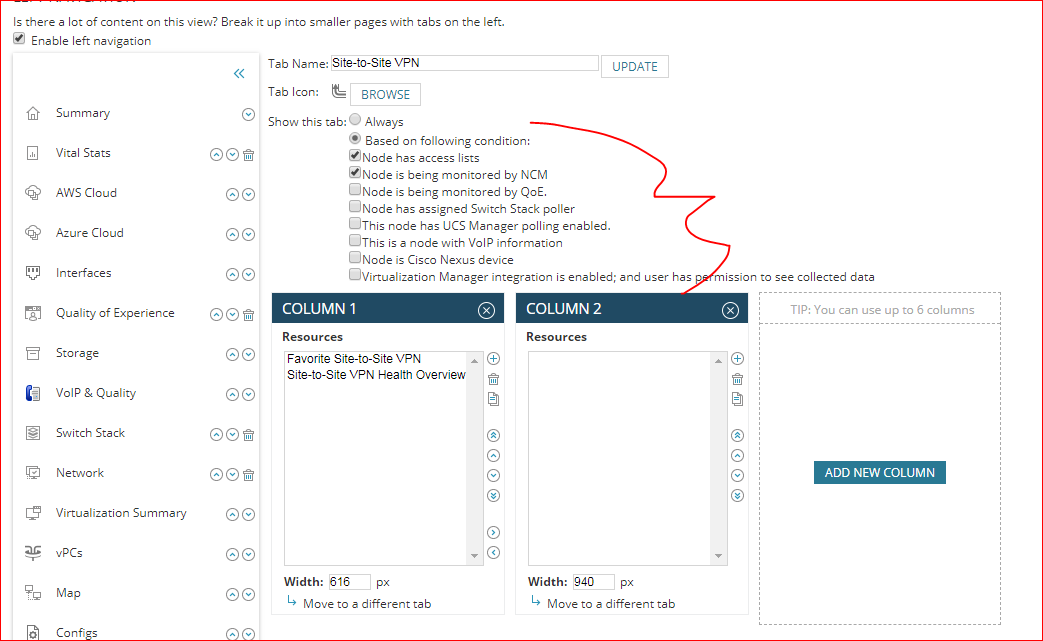
I feel like I'm missing something regarding the filtering options for automatic network discovery. Under "Monitoring Settings" within one of my discoveries I have it set to "Automatically monitor based on my defined monitoring settings". Within "Define Monitoring Settings" I want to make it so that things like removable media, Windows Scheduled Tasks, and some interface descriptions simply don't show up in the results. To this end I've tried numerous different things within the interface settings, where it currently looks like the image below:
I've also tried setting the drop down to "does not match regular expression" with a value of "ISATAP|Miniport|Teredo|Lightweight|Async|Software Loopback|Multiplexor|Kernal|sit0|Null|Backplane|Extended", which did not work. Further within the "Define Monitoring Settings" my volumes and applications settings look like this:
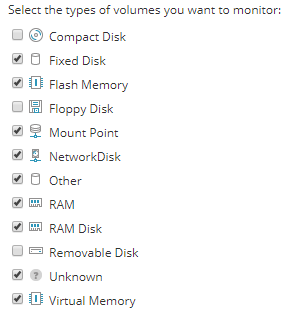
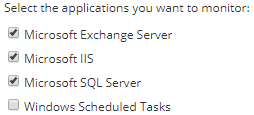
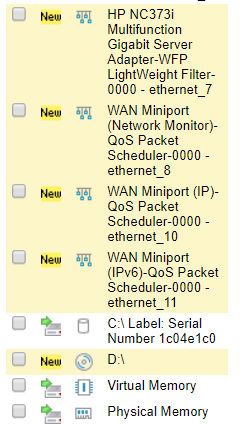
However, regardless of these settings (or any others I've tried) I *always* get those interfaces, Compact Disks, Floppy Disks, and Windows Scheduled Tasks. For example:
What am I missing?