I hope I can write this to where it makes sense....
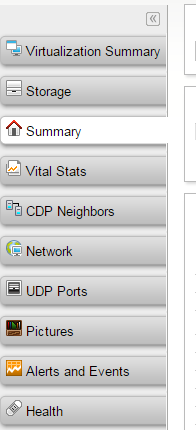
When I add a node to NPM, the Node Details page automagically shows 8 tabs on the right. 10 If they are a VM (ICMP Only) node that I am watching using Virtualization Manager with vCenter. Is there a way that I can Hide/remove 7 of the tabs for only the nodes in vCenter, even though I am also monitoring them as ICMP nodes?
In other words, if someone clicks on a VM I would only like to show Virtualization Summary, Storage and Summary if possible. If there was a way to modify 'Show this tab - Based on the following conditions and you could do that based on Custom Properties, this would be easy.