While browsing Swagger UI I came across this gem:
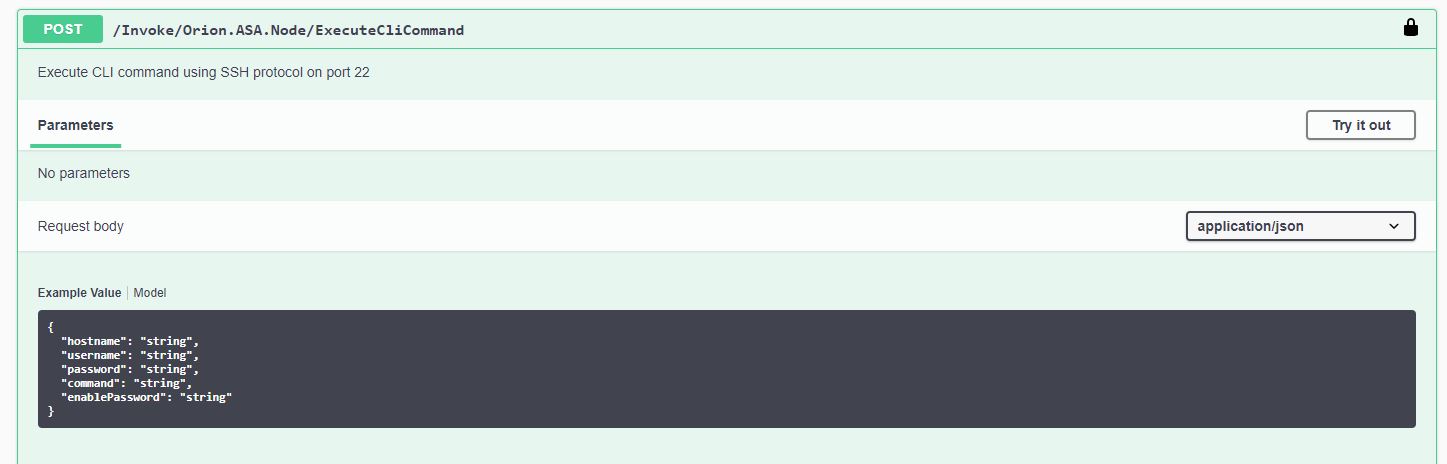
I found it to be a far more quicker and cleaner alternative to the method described here NCM Config Transfer · solarwinds/OrionSDK Wiki · GitHub. Execution time in my case is somewhere between 4 and 8 seconds per device and you can even string multiple commands together.
This endpoint was probably developed for ASA firewalls, but it works perfectly for other Cisco devices. If the account that you are using has a higher privilege level configured (so that enable password is not required) you can omit the "enablePassword" parameter from the request body.
You can use it via REST (useful for displaying commands outputs directly in a Custom HTML widget with a little JS magic) or via your programming/scripting language of choice.
As a bonus, here is the PowerShell function that I wrote as part of my SolarWinds API utilities module:
Function Execute-CLICommand
{
  <#
        .SYNOPSIS
            Run CLI commands on Cisco devices via the SolarWinds API.

            Parameters - SWIS Connection
                       - IP or FQDN
                       - API Username
                       - Password
                       - Script - multiple lines can be run, sepparated by `n

        .PARAMETER SWISConnection

        SWIS Connection

       .PARAMETER Device

        Device IP or FQDN

        .PARAMETER UserName

        API username

        .PARAMETER Pawword

        Password for the API Username

        .PARAMETER Script

        CLI Script; multiple lines can be run, sepparated by `n

    #>

param
(
$SWISConnection,
[string] $Device,
[string] $UserName,
[string] $Password,
[string] $Script

)

$out = Invoke-SwisVerb $swis Orion.ASA.Node ExecuteCliCommand @($device,$UserName,$Password,$script)
return $out.'#text'

}