I am wanting to be able to compare running configs across multiple routers concurrently. The doc I can find says it can do it, but everything I can find compares running to startup. Any answers to clear up the haze?
You can do this with NCM. Download the running configs you want to compare. Then just select the ones you want to compare and right click and select "Compare Selected Configs"
You may want to download a free trial of network configuration manager
Sounds to me like he's looking more for a way to compare configs against a baseline, which once again NCM will do. You can't compare configs from different routers I believe though within NCM.
If you're downloading the files to a windows box before comparing, try "WinMerge". Excellent tool for comparing any files to eachother, I believe you can only do 2 at a time though...
You can also do it with WinDiff and VIM, but I think WinMerge is easier. Link below to the site...
WinMerge
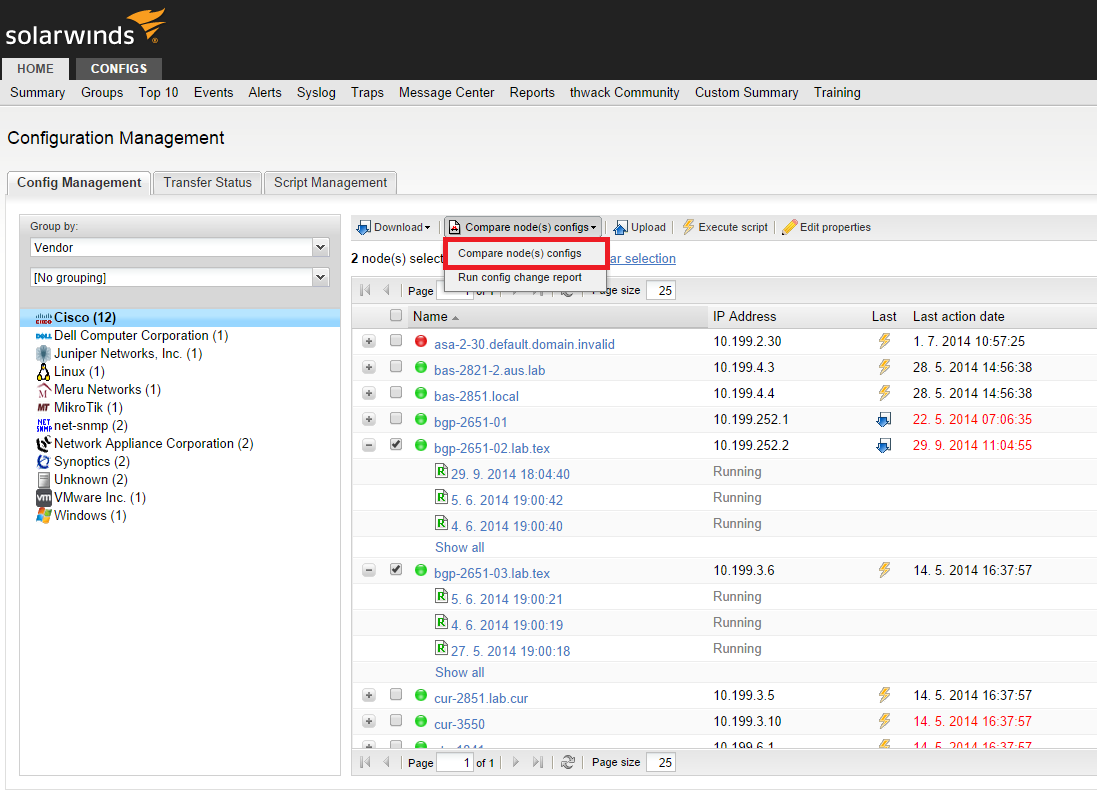
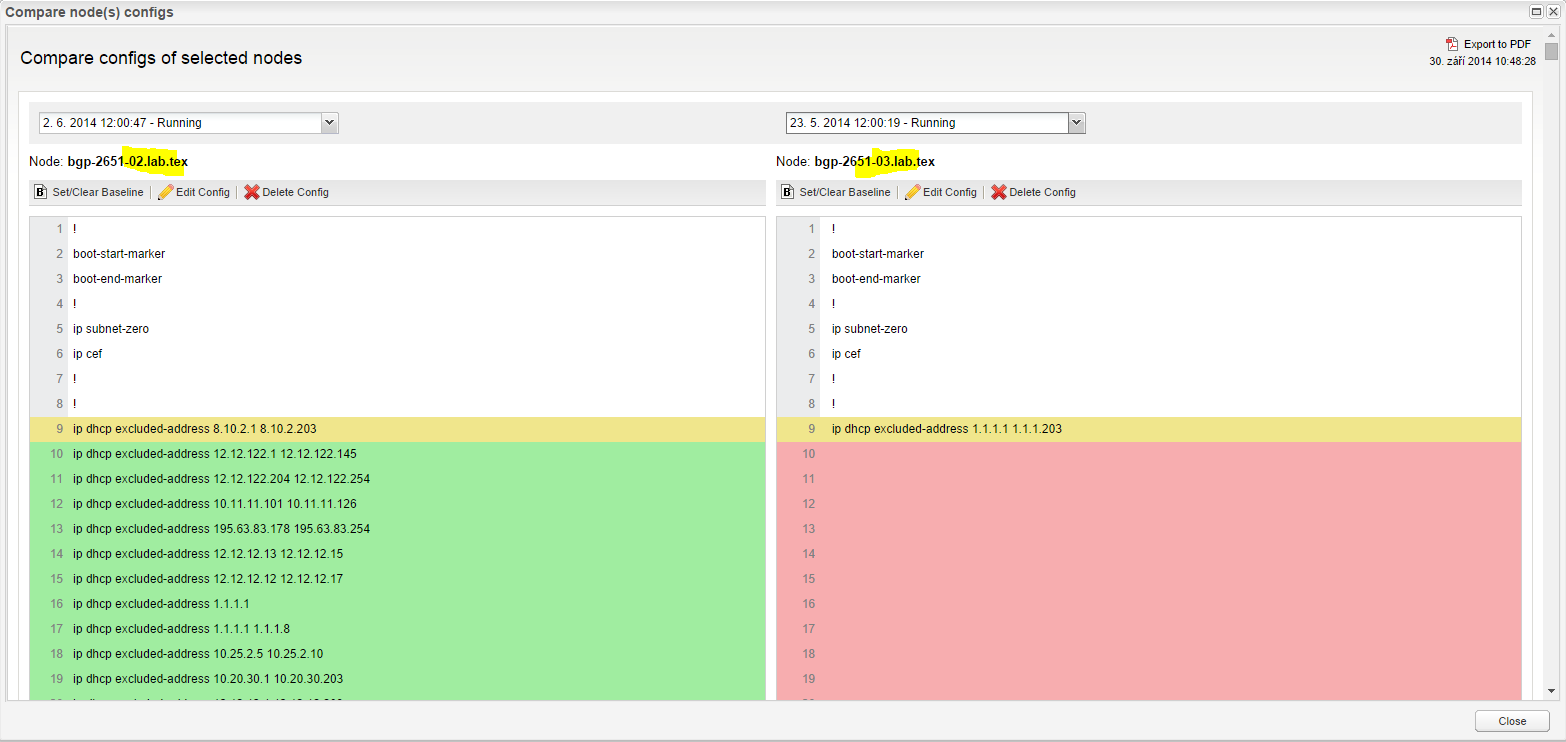
Actually, you can compare configs from different devices. Steps in NCM 7.3.x:
Regards,
Jiri
Craig Norborg wrote: You can't compare configs from different routers I believe though within NCM.
Craig Norborg wrote:
You can't compare configs from different routers I believe though within NCM.
As Jiri mentioned you can do this. I'm still using the GUI tool on the Solarwinds server. On the left hand side in NCM I just highlight the configs from whichever devices I wish to compare (hold down the control key as you select the configs). Once done, I right click on one of the highlighted configs and select Compare Selected Configs.