Hi,
I would like to ask anyone with regards on why Real-time detection is not working, done with syslog and trap config but still getting some sort of issues. Please help to provide better procedures on how to work in this problem.
Excellent, your syslog is receiving the messages so now you just need to set the alerting up.
So go into syslog viewer and into View and select Alerts/Filter Rules. Mine had created a rule called NCM Rule: Cisco IOS Realtime Change Notifications. If you don't have it then Add New Rule.
General Tab: Give it a name
DNS Hostname Tab: leave as is
Message TAB: Add the following into the Syslog Message Pattern.
*Configured from console*
It needs the asterisk.
Severity/ Facility: leave as is
Time of Day: leave as is
Trigger Threshold: leave as is
Alert Actions: I have to following - change it to the correct path.
C:\Program Files (x86)\SolarWinds\Orion\SolarWinds.NCM.RTNForwarder.exe ${IP_Address},RealtimeNotification,${DateTime},${Message}
This is also written starting on page 123 of the NCM Administrator's Guide.
Now open up Solarwinds web, Go to Settings, click on NCM Setting (in the Settings section).
Now click on Configure Real-Time Change Detection (in the Real-Time Change Detection section).
Now fill out step 3, 4 and 5 and on step 6 Enable the real-time notifications.
If you have any issues, let us know!
Have you followed the guide on sending over the syslog messages to the Solarwinds Syslog tool from your main syslog? We send certain syslog messages from our Kiwi Server to the main NPM server where it has the Solarwinds Syslog tool running, then it see's those messages, which if you open it you will see too. From there it will spawn the configuration download jobs.
My apologies but you did not provide any information besides it's not working. What have you done? Where are you at? What part is not working?
On the syslog server, are you seeing the syslog there from the device which indicates that the config has changed?
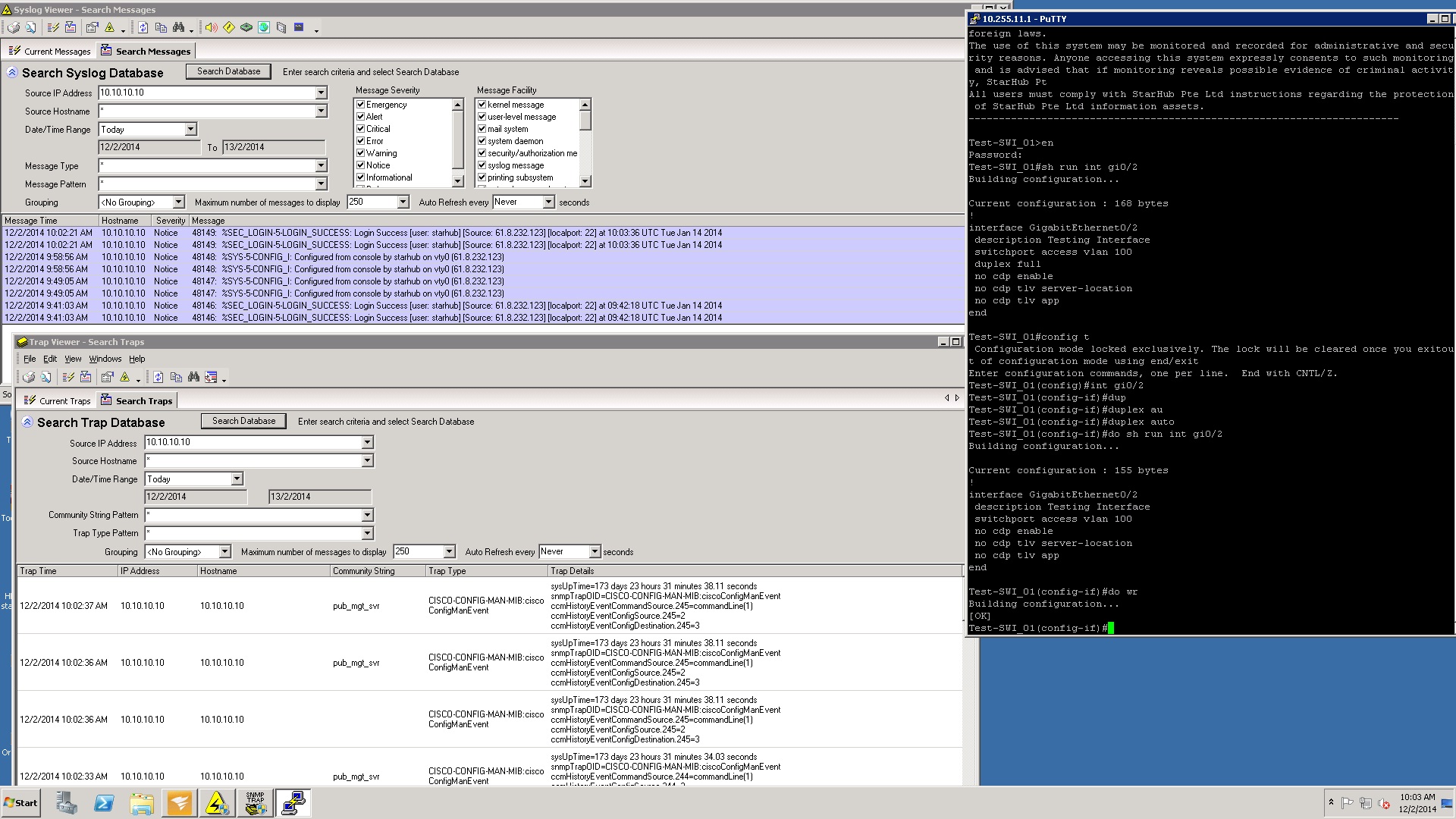
It shows that SW server receiving trap and syslog from one of our test device but when config changes made on it, we're not receiving notification from SW-RTD. See the attached file for your reference.
Are you seeing the "configured by" notifications in the current messages window? Are you using multiple pollers or the same server for polling/syslogging?
Also have you followed the following steps:
Pre-requisite steps for NCM Real-Time Change Detection Setup
Step 1: Manually configure your devices to send syslog or trap messages
» learn more about how to configure your devices to send messages
NCM Process
Step 2: Configure alerts and filters triggered by:
o Syslog Messages
Start > All Programs > SolarWinds Orion > Syslog and SNMP Traps > Syslog Viewer)
Go to the "View" menu and select "Alerts / Filter Rules"
o Trap Messages
(Start > All Programs > SolarWinds Orion > Syslog and SNMP Traps > Trap Viewer)
Step 3: On the Config Changes page:
o Enter device login information
Step 4: On the Config Downloads and Notifications Settings page:
o Select a download option (running or startup)
o Select a baseline config file (last downloaded or baseline)
o Enter email address(es) for receiving notifications
Step 5: Enter NCM SMTP Server details to specify which server to use for email notifications
Step 6: Enable Real-Time Config Change Notifications
Enable Disable
superfly99,
thank you, it works on that way!