Hey everyone!
Each day brings another step on the process of getting Orion running at my environment.
We finally got our service accounts built, which means I can start monitoring nodes. Naturally, the first one I installed was on the Orion App server itself.
This went smoothly, until I turned on AppInsight for IIS to monitor Orion (specifically the website NetPerfMon)
When we built out our Orion environment, we decided on physical hardware. Further, our sysadmins have teamed the system's 2 NICs together. This seems to be fine, except now we have an interface just called "Ethernet" out there... and for some reason, AppInsight for IIS assumed that interface, and not the NIC one, was the one to use.
I've been checking off problems related to this, specifically:
- I turned off the HTTP bindings monitor because I'm not even running HTTP on this box.
- I turned on an override for the HTTPS bindings monitor to point to the IP of the teamed NIC.
- I added an account to Orion for the monitoring service account, because the "login with windows credentials" was preventing the system from logging in (this is likely going to start its own discussion)
So now, I've got a nice, green HTTPS monitor... and an unknown status on my IIS.

When I go into "Edit Thresholds," it shows the SSL Certificate Monitor in an unknown state.
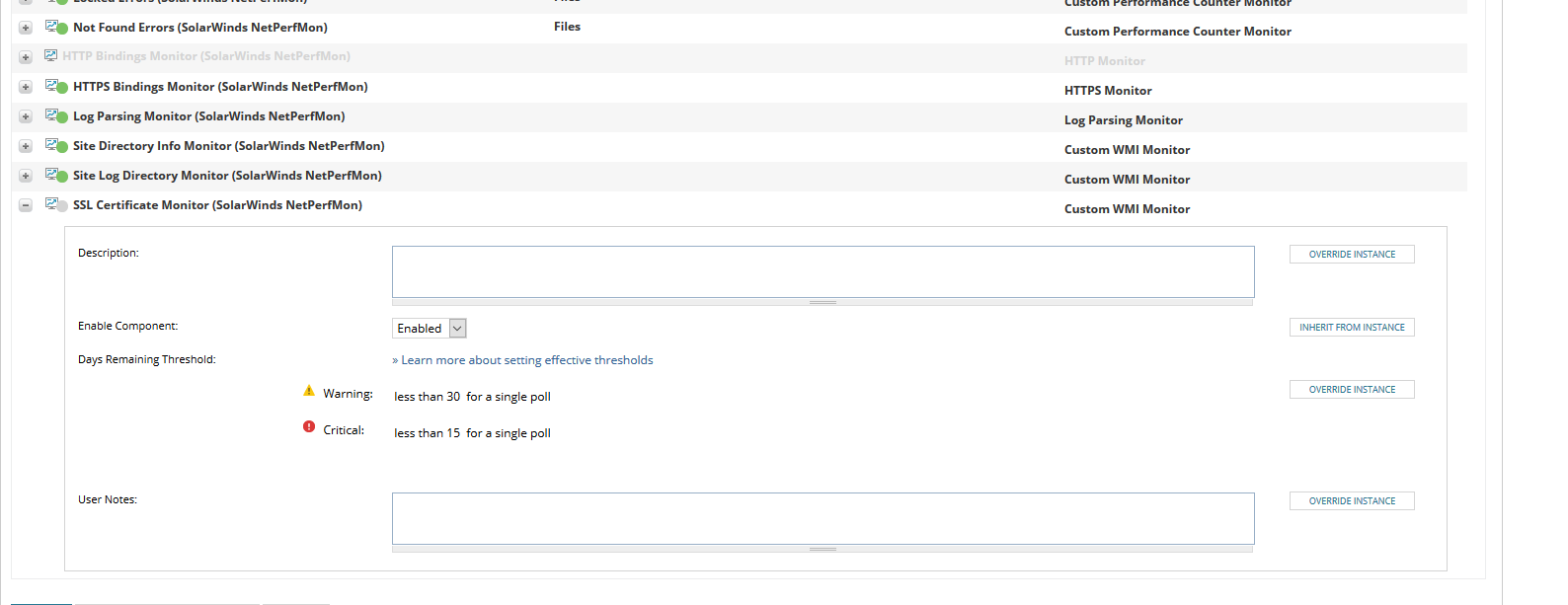
Unfortunately, I can't get the exact error to pop up, but it was displaying an error to the effect of the search being on a "169.254" IP address. So I think it may still be trying to pull down the certificate from the wrong IP, and/or it is running into issues because I turned on Windows Authentication for the Orion website.
Has anyone run into these kinds of issues before, where a teamed NIC and Windows Authentication causes issues with the IIS AppInsight Monitor? I could just turn off the components and ignore them, because we are still getting a large amount of data. But I'd prefer to make the out of the box components as healthy as possible.