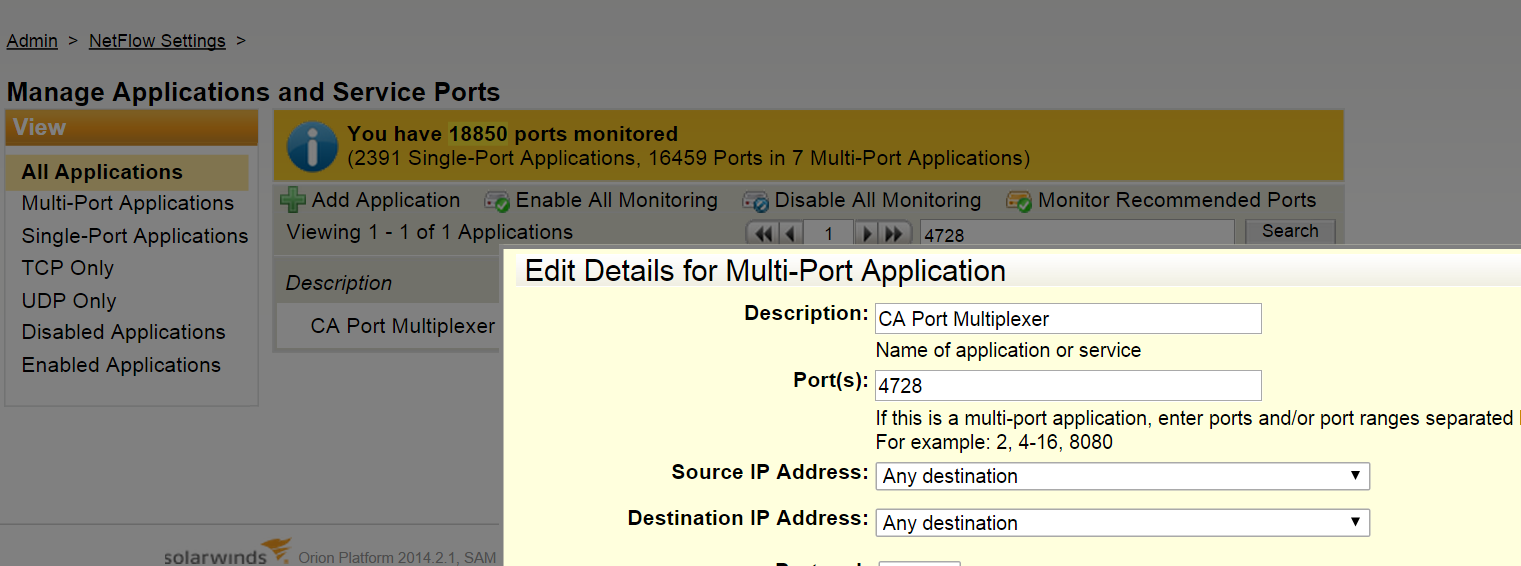
Hi, we are trying setting up a NetFlow page (view) that shows the top 25 conversations using port 4728. Please let me know if this is possible. I appreciate your feedback very much.
Best,
Ziba
Yes. Go to NTA Settings, 'Application and Serivce Ports' and enable monitoring for Port 4728.
You can then drill down to an application and an interface
http://oriondemo.solarwinds.com/Orion/TrafficAnalysis/NetflowApplicationDetails.aspx?NetObject=NA:80;I:2220;T:Last%20Hou…
Thanks Holy, this is already enabled. I am trying to find a way to find the correct resource to create a view showing the top 25 conversations using ‘CA Port Multiplexer’ (port 4728). I tried many NetFlow resources but none would give me to point to this one. Ziba
From the 'netflow sources' resource on the NTA Summary view, drill into a specific interface first. click the 'flow navigator' button (you will find it on the left with vertical text alignment). Choose this port from the list of applications and apply a filter. At the bottom of the flow navigator options, you will find a button to save as a custom view. In this view, you can edit the top x conversations to display 25 of them.
Thanks Holy again for your great instruction. We created it but how can we only view it on it's own view (using custom view and provide it to team)?