Hello All,
Anyone know how to force the "REFRESH Suggested Dates" option for NCM Webui.
I just upgraded to 7.2 and that option is greyed out (none of my devices are showing any dates.
THANKS
From that screen click on the node(s), that should bring you to the node specific with all the modules and their individual EOS dates. It is a little confusing since it says "sugested dates found" and you need to go into the node to see the dates, instead of showing in the EOS search window.
Thanks
Hi,
Are you logged in as Administrator?
Regards,
Jiri
I wasn't.. but just logged in as admin.. Still greyed out
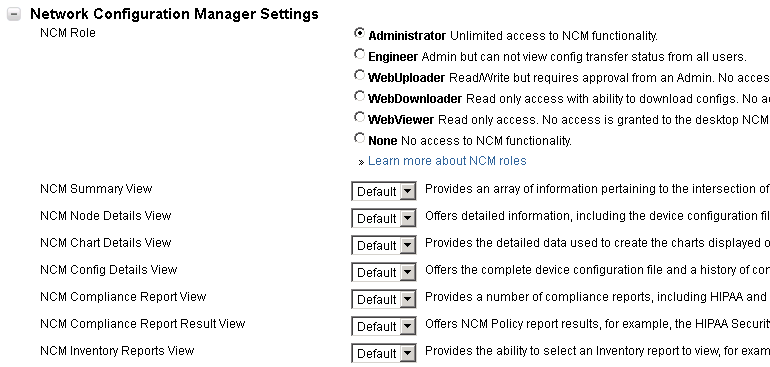
Just to be sure: Does the account have the right NCM role?
Settings -> User Accounts -> Manage Accounts
Thanks Jiri,
I checked 2 accounts, one had the privelages, one did not.
I updated both to unrestricted, but no change, refresh was still greyed out.
I changes the EOS auto update time from 2:15 am, to a few minutes ahead of me, and now I have "suggested dates found" but no actual dates.