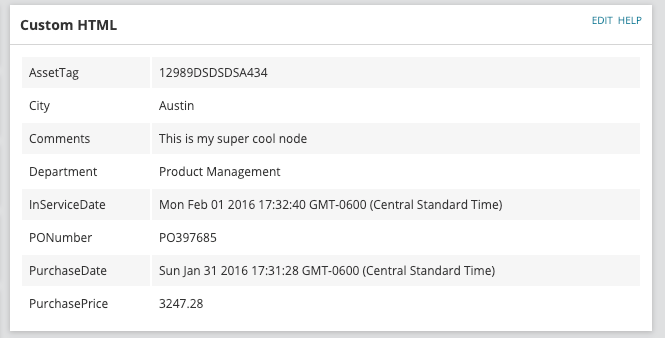
Create your own customized version of the Custom Properties Resource
- Start by adding a new ‘Custom HTML’ resource to your ‘Node Details’ view.
- Edit the newly added Custom HTML resource then copy and paste the code snip-it below into the HTML codeblock field.
<table id="custompropertieslist" class="NeedsZebraStripes"></table><script>Information.Query("SELECT Field FROM Orion.CustomProperty WHERE Table='NodesCustomProperties'", function(result) {var cps = [];for (var y = 0; y < result.Rows.length; y++) cps.push(result.Rows[y][0]);Information.Query("SELECT " + cps + " FROM Orion.NodesCustomProperties Where NodeId = ${NodeId}", function(result) {for (var x = 0; x < result.Columns.length; x++) $("#custompropertieslist").append('<tr><td>' + cps[x] + '</td><td>' + (result.Rows[0][x] || '') + '</td></tr>');}, function(error) {});}, function(error) {});</script>- Adjust the ‘Title’ and/or ‘Subtitle’ of the resource to your liking
- Click ‘Submit’ to save your changes
You should now have a new resource on your Node Details page similar to the following