Hi Everyone,
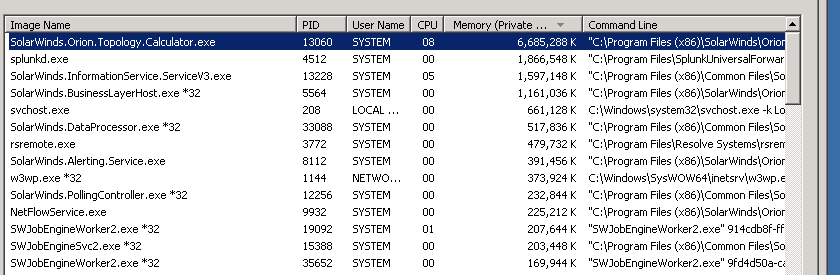
Can anyone tell me why or if this is needed on the Orion Main Poller? Seems since we upgraded to 11.5.3 this is hogging a lot of CPU.
This Topology Calculator is what is looking up Layer 2 and Layer 3 topologies based on discovery protocol such as CDP and LLDP (L2).
you can in fact check this information on the SQL Box you can see the Source Node, destination node and the link they use and what Layer type is used.
select * from TopologyConnections
You can turn this off you will need to go to C:\Program Files (x86)\SolarWinds\Orion.\
select SolarWinds.Orion.Core.BusinessLayer.dll.config
change the value from "true" to "false"
You will need to stop the services before hand in the Orion Service manger
What will happen if I turn this off, besides the obvious it won't discover Layer 2 and 3?
i haven't turned mine off before. But yep it just wont discover the topologies but this can have a knock on effect for example:
The Connect now feature in World Atles uses the L2 and L3 protocols to connect the nodes so if you use Maps to show Node placement on a MAP i would guess that would have a negative effect on that.
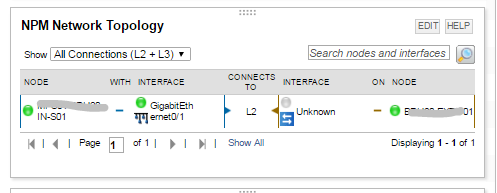
Also this resource will not work if you disable
Well guess I can't turn it off then...Just seemed to spike a bit higher since 11.5.3 upgrade this past weekend.
Thank you for all the information.