Hi Guys, i am sure you see this question alot, but i was unable to find a specific answer to what it is i am trying to do.
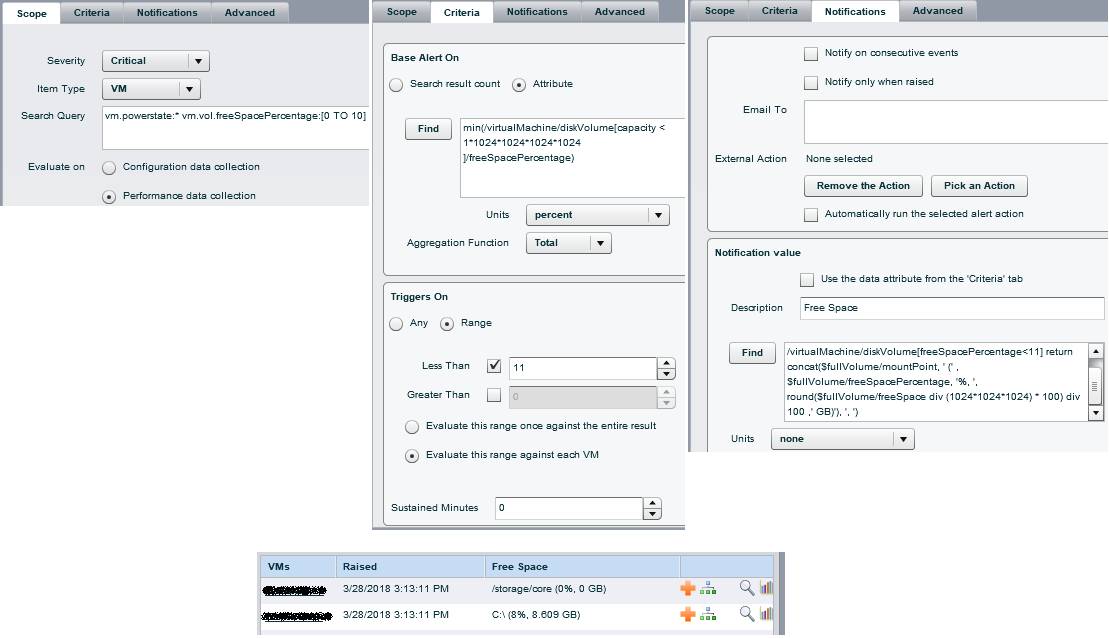
I have been able to put together an alert that shows % of disk space remaining etc , but we have a few Virtuals with quite large drives ( some 1 - 4 tb in size ) if i do an alert based on pure percentage it alerts on these drives because yes technically they may have 10% left, but that 10% could be 500gb, which is not a concern.
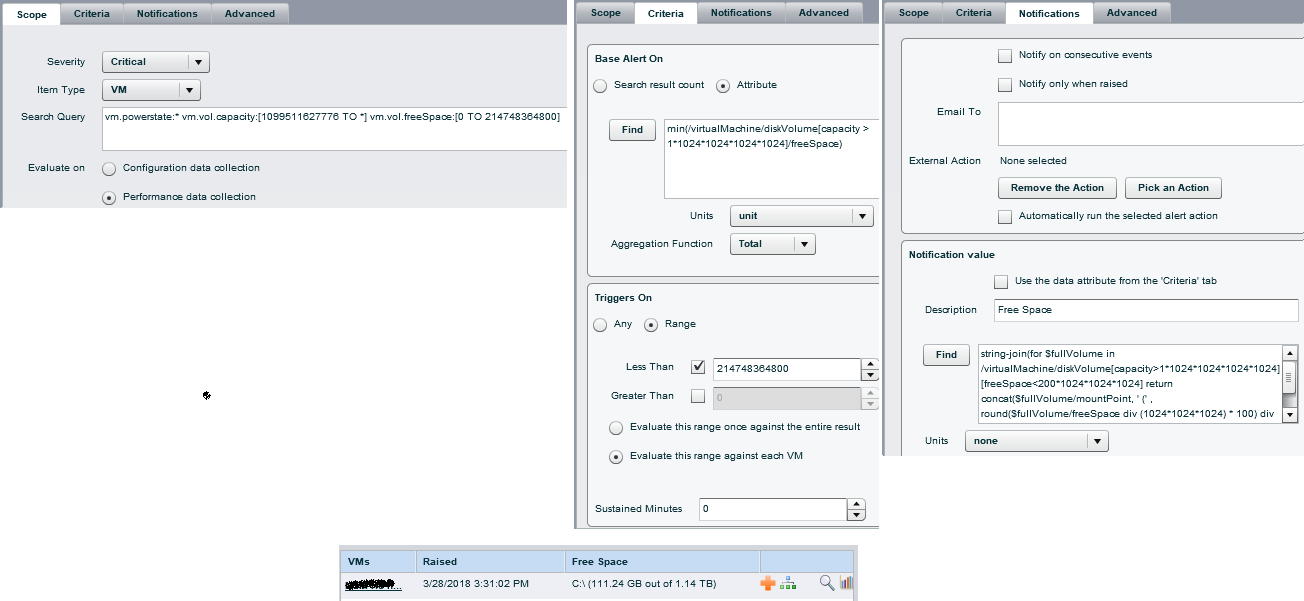
Is there a way to calculate the alert to alert if at under a specific size and a percentage together?
I was able to do it in a widget with this :
vm.vol.freeSpace:[0 TO 5368709120] AND vm.vol.freeSpacePercentage:[0 TO 10]
but i cannot seem to find how to add it to the alert.
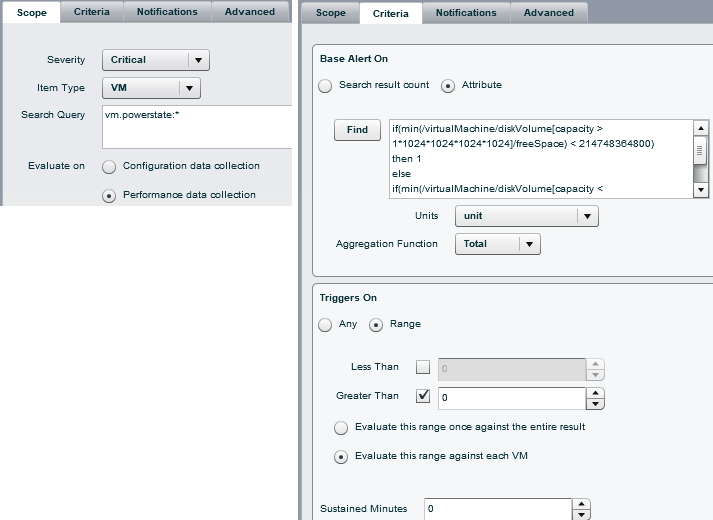
I am using this currently :
if(/virtualMachine[./name="xxxx"]/diskVolume[./mountPoint="E:\"])
then 100
if(/virtualMachine[./name="xxxx"]/diskVolume[./mountPoint="E:\"])
then 100
if(/virtualMachine[./name="xxxx"]/diskVolume[./mountPoint="E:\"])
then 100
else /virtualMachine/diskVolume/freeSpacePercentage
also can you combine an alert to include both % and FreeSpace remaining in the email ? i tried to combine :
string-join(for $fullVolume in
/virtualMachine/diskVolume[freeSpacePercentage<=10] return
concat($fullVolume/mountPoint, " (" ,
$fullVolume/freeSpacePercentage, "%)"),",")
string-join(for $fullVolume in /virtualMachine/diskVolume[freeSpacePercentage<=10] return concat($fullVolume/mountPoint, ' (' , floor($fullVolume/freeSpace div 1024 div 1024 div 1024), 'GB)'), ', ')
in the notification value, but no such luck
Thanks