Hello,
I'd like to publish a report which shows me the status of a specific update for every computer of my WSUS server. In other words: I'd like to have the "Computer Summary" report tab scheduled as a XLS file.. Has anybody done this before?
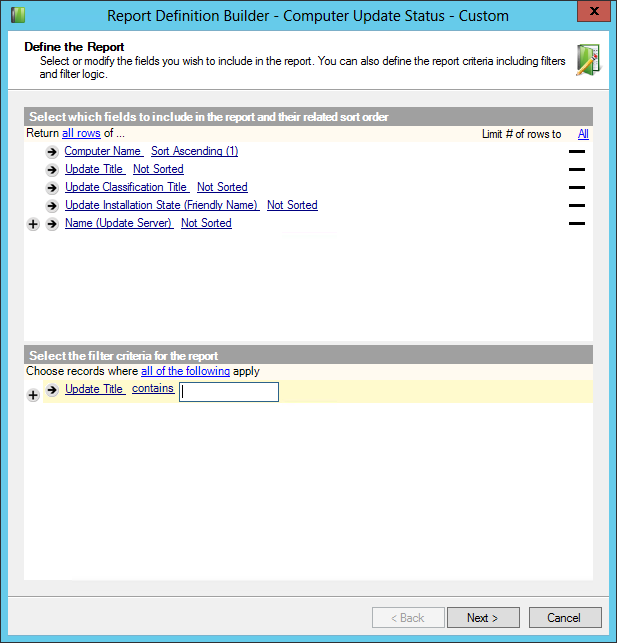
I was able to accomplish a similar report by utilizing the "Computer Update Status With Details" datasource, which can be found in WSUS Reports > Windows Server Update Services Analytics. I just used a "contains" filter as they are easier for me to work with, but you may choose to be more specific. Here's a screenshot of what the report looks like.
This information is available easily through the Patch Manager web console via the "All Patches" resource and can be exported to PDF.
Unfortunately we do not have the web console at hand. I'm already using scheduled reports and a scheduled copy script do publish certain reports as excel files to our sharepoint. I'd like to extend this for the update details.
Hi callidus,
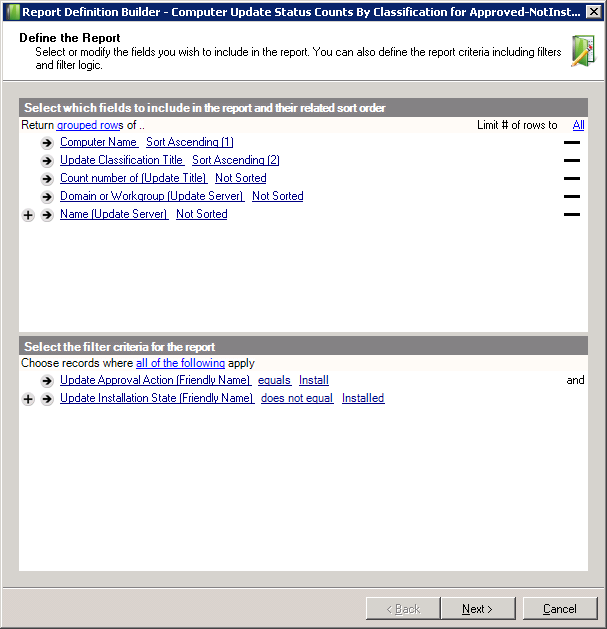
I use this one:
I use the same datasource as David on the previous example but group the updates by their classification. This way I can see how many updates for each computers distributed by classification. To transform this report on a per update basis just remove the count on Update Title. From here you can either filter by Update Title on the report or filter on the CSV produced at a later stage.
Helped some more?
Thanks everyone, it's working for me now.