In this post following explained.
How Orion will count Multiple CPU from the Node ?
How Orion will collect load on each CPU from the Node ?
You can verify and count yourself if there is any mismatch between the Node and Orion .
In order to verify the CPU for (Windows / Linux / Unix ) nodes following OID's should return the value for each CPU core .
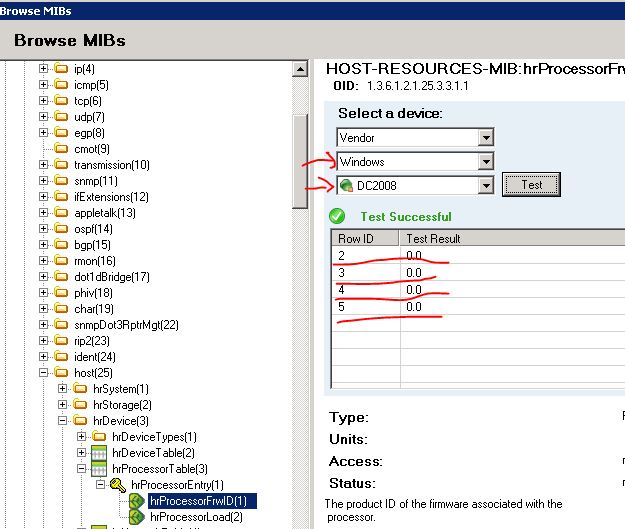
1.3.6.1.2.1.25.3.3.1.1 (hrProcessorFrwID) (Number of CPU Core )
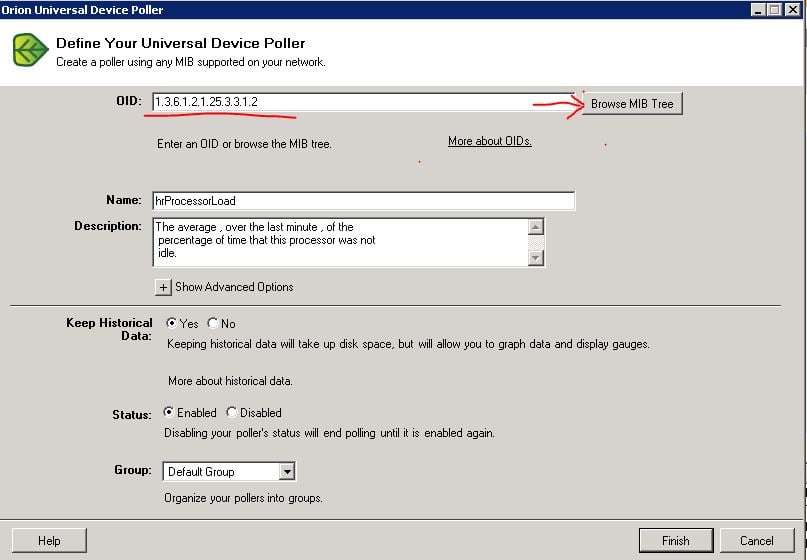
1.3.6.1.2.1.25.3.3.1.2 (hrProcessorLoad) (Each CPU Load )
(For Cisco )
1.3.6.1.4.1.9.9.109.1.1.1.1.2 (Total Physical Index of CPU )
1.3.6.1.4.1.9.9.109.1.1.1.1.7 (Total 1 min for each CPU)
1.3.6.1.4.1.9.9.109.1.1.1.1.8 (Total 5 min for each CPU )
For Cisco Extreme Switches
1.3.6.1.4.1.1916.1.1.1.28.0 ( extremeCpuAggregateUtilization )
| Foundry | extremeCpuAggregateUtilization | 1.3.6.1.4.1.1916.1.1.1.28.0 |
CPU and memory utilization Object IDs (OIDs) NPM can poll - SolarWinds Worldwide, LLC. Help and Support
Free CISCO-PROCESS-MIB SNMP MIB Download - Free MIB Download - Search MIBs - OiDViEW
Monitoring CPU utilization on IOS-XR based platforms using SNMP tools - Cisco Support Community
You can create Universal Device Poller in order to verify the Value is been returned correctly by the Node for each core .
Launch UDP.
Start > All programs > SolarWinds Orion > Network Performance Monitor > Universal Device Poller
place the OID click Browse MIB Tree
Select your Node and Test in this Node can see 4 CPU is been presented
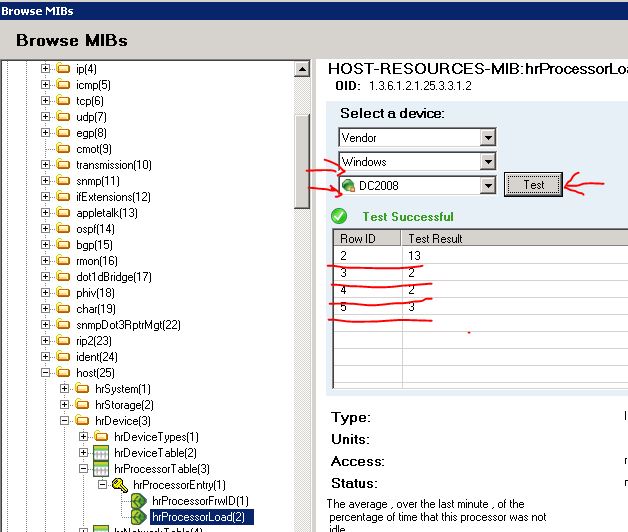
How Orion will collect load on each CPU from the Node .
Now make sure Processor Load is been also presented for each core
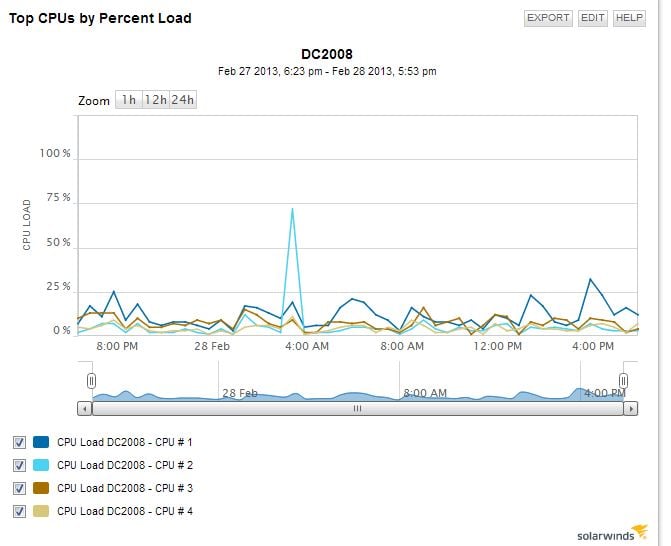
Orion will not show that CPU Core in Graph if the load is not been presented by the Node for that Core CPU .
Now Test the same for hrProcessorLoad and make sure the value is been returned by the node.
You should be able to see the result below on node detail page.
If you are running Wireshark the packet should return load for each core.
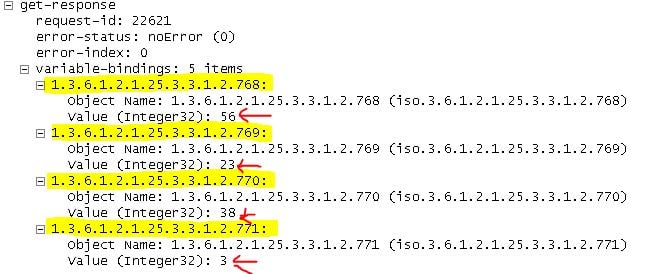
here is an example of the Node which is not showing the load for each processor and there for Orion will display only graph for single Processor .
we can see the 4 processor however the processor load is returned only for single core by the node .
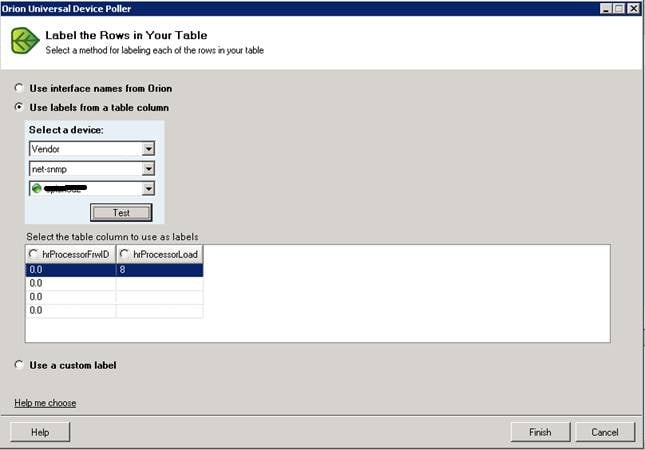
and here is the results for this Node ( only showing single CPU ) as we have not received the process load for other 3 cores from the Node's MIB's

For more OID's for Vendors please see following KB
http://knowledgebase.solarwinds.com/kb/questions/1195/What+CPU+and+memory+utilization+object+IDs+%28OIDs%29+does+Orion+NPM+poll%3F