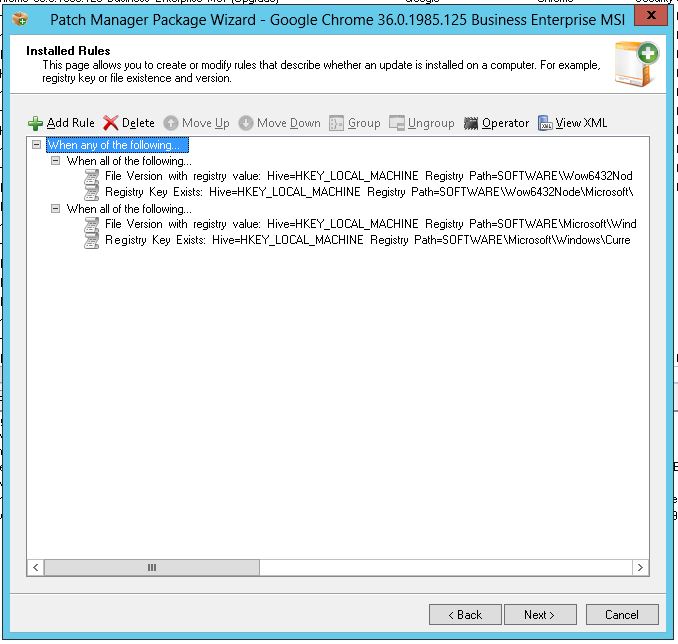
How can I create a group of rules like the Installed rules for Google Chrome? I have tried Everything but the Group button is greyed out.
This is what I want to do:
1. Create the rules that will be defined within a group.
2. Select those rules. It is not necessary for them to be sequential in the display, but they do need to be in the same heirarchy; if they're not in the same heirarchy, the Group button will not be enabled.
3. The Group option is now highlighted. Click the Group button.
This will, by default, create a "When all of the following..." (AND) group.
To change that to a "When any of the following..." (OR) group, select the group header and click on Operator to toggle beween "all of" and "any of".
To create nested logic groups, simply start from the top and drill down.
E.g. in the above example, create the outer "When any of the following..." group first, and then create the inner "When all of the following.." groups.
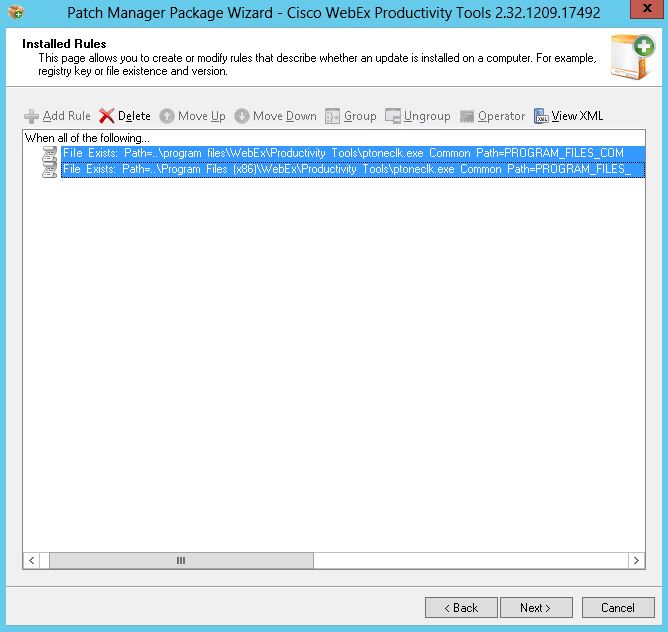
Thanks for your quick reply. I think my 2 rules is in same heirarchy. I marked them but the Group button is still greyed out.
Those two rules are already IN a group.
Creating an additional group without more rules is logically inconsistent (and pointless).
PLUS... unless you're explicitly testing for the presence of the 32-bit version of the app AND the 64-bit version of the app, the above ruleset, as defined, will return FALSE 100% of the time.
If your intent is to CHANGE this from "... all of the following.." to "..any of the following.." which actually does make sense, select the "all of the following" line and click on OPERATOR.
If your intent is to nest these two rules in an "any of the following" subgroup, then you'll need to add the additional rules first, before you can create the subgroup.
Also, I see the first rule uses the PROGRAM_FILES_COMMON path identifier, and then (incorrectly) attempts to reverse path into the 64-bit Program Files\WebEx folder.
Try using the PROGRAM_FILES path identifier and define the relative path as "WebEx\Productivity Tools\ptonclk.exe"
The second rule should also use the PROGRAM_FILES path identifier, and not PROGRAM_FILES_COMMON, but in the second rule's case, the relative path is properly defined.
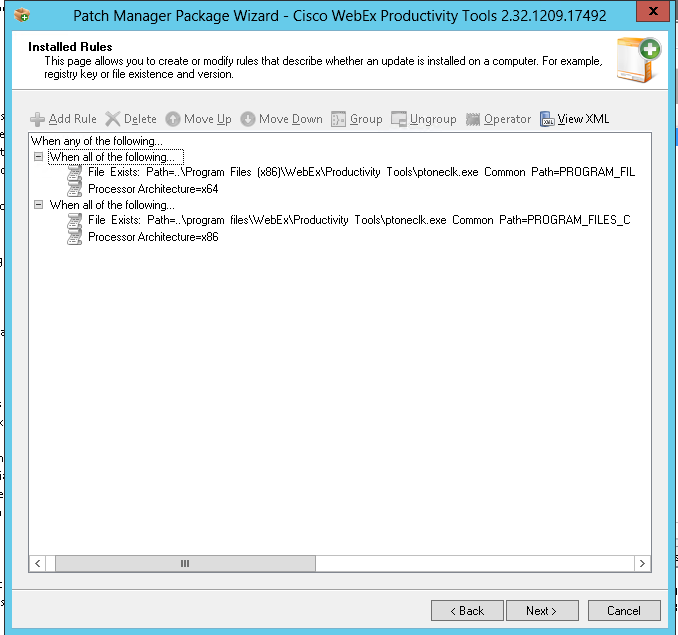
Now I understand how I make groups, thanks! What you you think of this rule? Is is rule ok?