I want to create a report showing the analysis that how many VMs are created in each month ? and which VMs are they ? since beginning.
Hi,
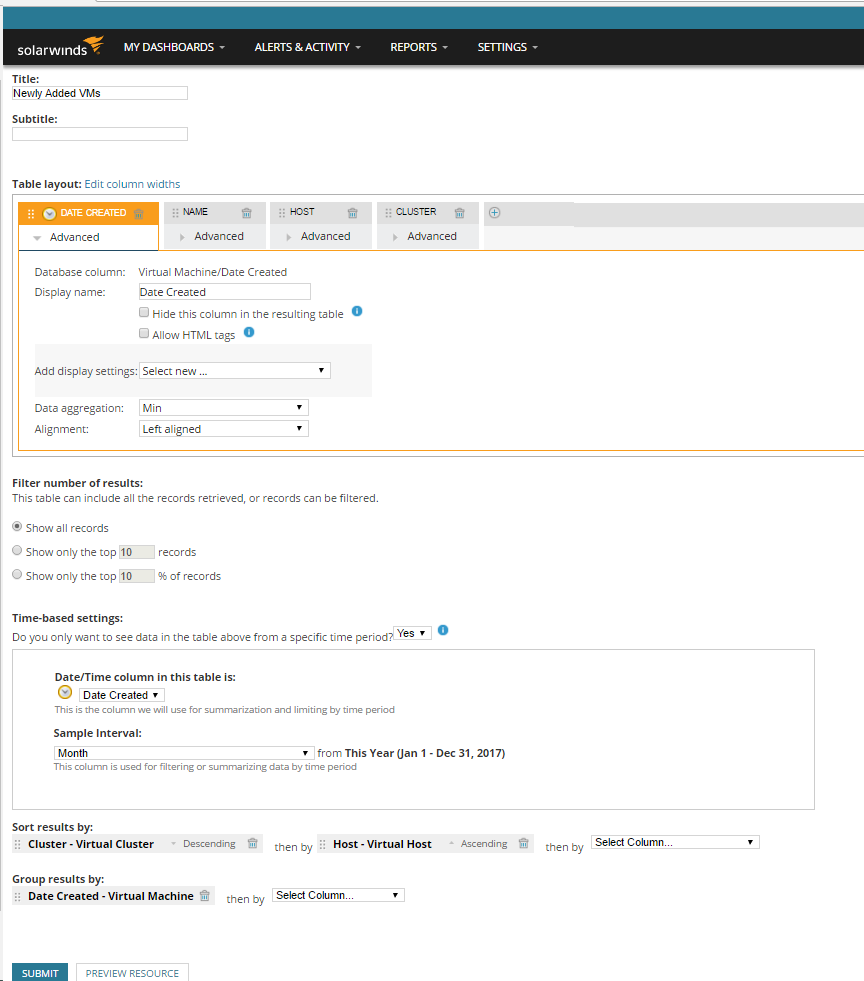
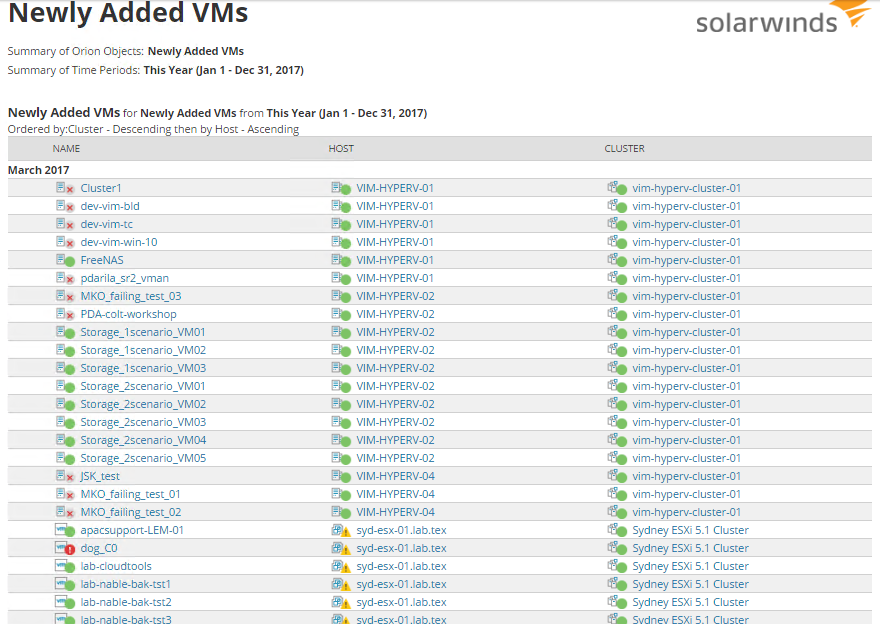
We already have such report. It's name is Newly Added VMs. You can open it, select time interval (in my examle 'This Year') and click on Edit Table.
Here you can edit report as you want. In example:
Hi Darila
Thanks for your precious reply, i am unable to find the window as shown in the figure, may be due to change of version. The exact version of SW Virtualization Manager which i am using is 7.0.0.1367.
your version 7.0.0.1367 is version of VMAN Appliance. My example was created in VIM (in Orion). That is the reason why you didn't find these screens.
Did you consider installation of Orion VIM and then integration with VMAN? (There will be only quick synchronization in Orion and VMAN will be automatically sending data to Orion). Orion offers you some nice features, like Recommendations, Reporting easy to modify and so on...
Its deployed in a critical production environment so can't go for up-gradation that easily and quickly. Highly appreciate if you could suggest any solution/Workaround in the current scenario.
Regards.