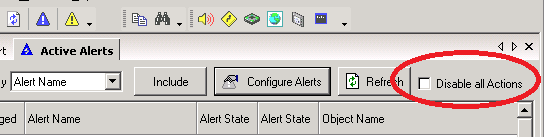
I have a requirement to disable certain alerts, or maybe all alerts, during maintenance windows. That part is easy, but the requirement is to continue monitoring during the window, just suppress alerts, and once the window is over re enable alerting without flooding everybody’s phone with pages for the devices that went down during the window.
So I think I know how I can do most of this. If I disable the Advanced Alerts I have created (all advanced alerts here) then clear the events of any device that went down during the window before re enabling the alerting, I think this gets me most of the way there. Here is the problem. What if I have a device that had been down for 3 days, and still is down, that is part of the Alert I am about to turn back on. Well unless I go hunt down all of the trigger events for all the devices that might be in alerting status but had nothing to do with the impacted devices in my maintenance window, everybody on my team gets woke up by those pages going back out when I turn alerting back on.
Do you know anyway around this issue? Many NMS solution have an option to suspend alerting, then re enable it without all the alerts that had been already triggered prior to the suspension of the alerting going back out? I have case 181794 but so far support has been stumped.