On refreshing after restart you see a licensing screen requesting you to renew maintenance or reinstate the old version:
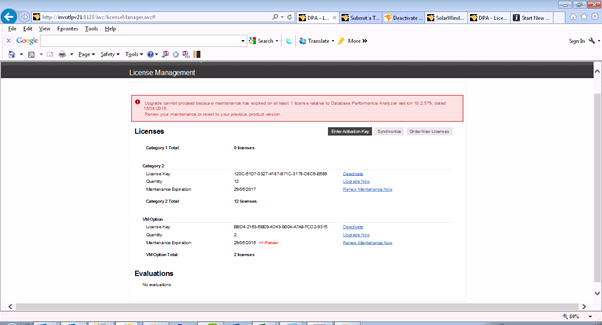
Trying to deactivate expired VM Option after upgrade to DPA 10.2.597 will nit work and will generate the lowing error: An error occurred
deactivating license with key: Error: Error returning license for key:
BBD4-2163-6BE9-4D43-B004-A7A8-FCD2-9315. [Connection timed out: connect]
You have another option if you do not wish to renew the maintenance. Its is to rename the licensing folder to licencing_old at:
C:\Program Files\SolarWinds\DPA\iwc\tomcat\licensing
Then: Restart the service Ignite PI Server.
Which will deactivate all your licenses and then you can:
Log in to DPA again and you should see the following screen allowing you to activate the licenses you want.
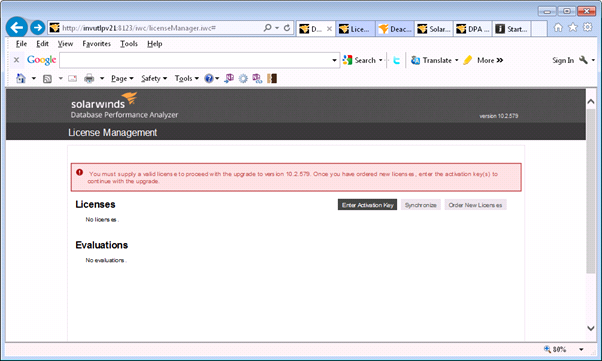
click on Enter Activation
Key and you will get the following screen:
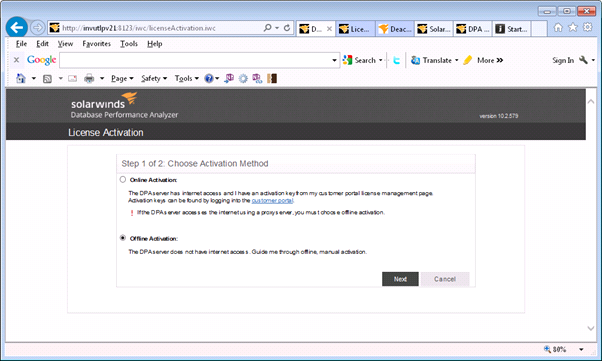
Select the activation mode you require and click on next. If you select offline activation you will see:
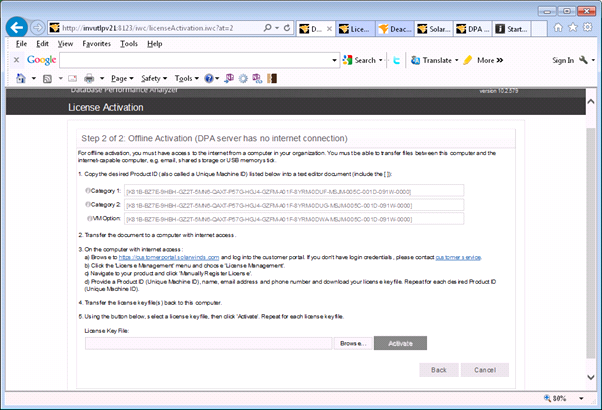
Select the licensing category you require and copy the machine Id and follow the instructions.
At this time, you will need to
contact Customer Service and request that they RESET your DPA license
key. After they have confirmed it has been reset, move on to the next
step.
Download the license Key Activation file after supplying the machine ID.
Browse to the filet in DPA web page completed the required information,
and click “Activate” and you will get:
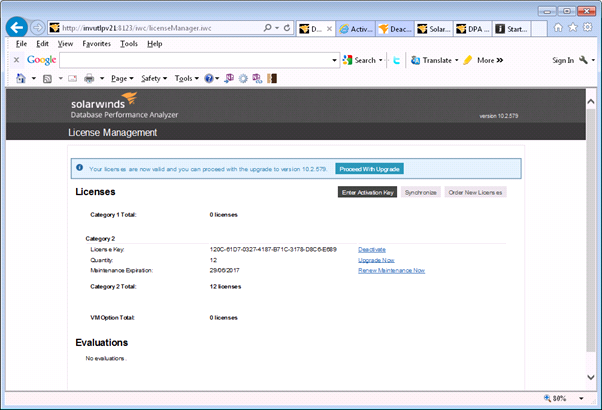
Allowing you to complete the update.
