In UDT, there are different Port type. You will find it on Settings >> All Settings >> UDT Settings >> Advanced settings.
My question is how would I be able to determine which Port type should I be putting a check on aside from the default ones?
Get the SNMP walk of the device and then look for OID below.
1.3.6.1.2.1.2.2.1.3
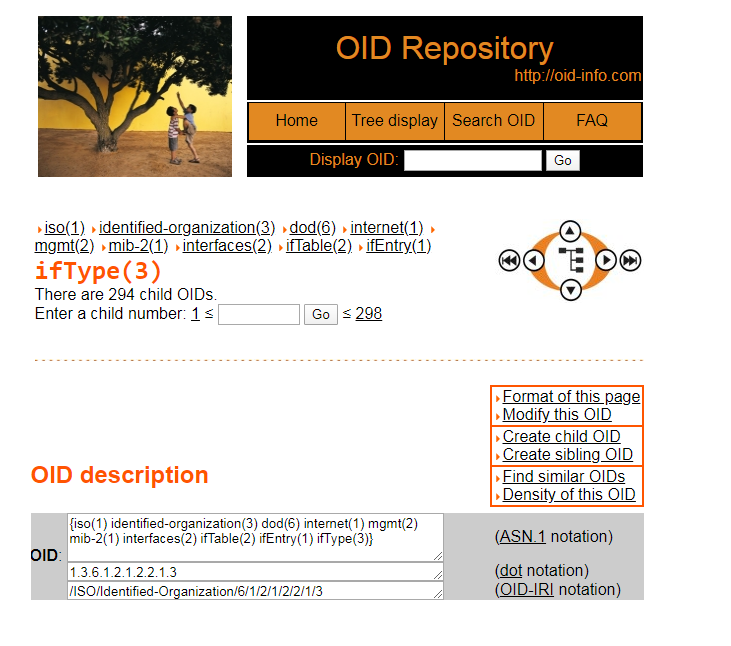
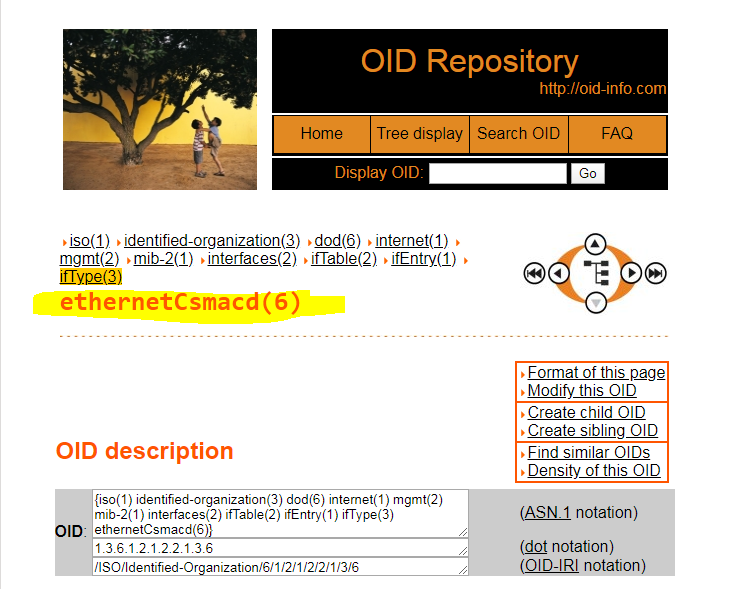
Once you get the results, it will show you individual Ports/Interface with it's a unique ID. The thing here is for you to get the integer Results and check it over the website. Below are sample screenshots.
http://oid-info.com/index.htm
@donrobert5 wrote: Get the SNMP walk of the device and then look for OID below.1.3.6.1.2.1.2.2.1.3Once you get the results, it will show you individual Ports/Interface with it's a unique ID. The thing here is for you to get the integer Results and check it over the website. Below are sample screenshots.http://oid-info.com/index.htm
yes, but for sure it would be best to remove the VLAN. Since monitoring VLANs nets you 00:00:00:00:00 in the mac address field and also it won't tie into user information
I don't want to monitor VLAN information. so I at least got rid of