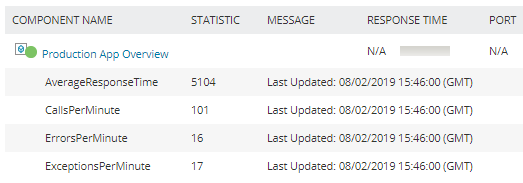
I needed/wanted to capture metrics from my AppDynamics SaaS environment. This seems worthy to share with my fellow Thwackers.
All the required variables are at the top of the script. In the AppDynamics UI, you will have to create an API Client and get the RestURLs (available in the metric browser.) Consult the AppDynamics documentation as needed.
In Orion, create a new template and add the script with the variable specific to your environment as a Windows PowerShell Monitor.
In the end you will see something like this in the Orion Application Details view