Will work with Cluster VIPS as it’s Firewall friendly and works with Natting
Prerequisites
Make sure ports are opened from your Poller to the Remote Server
Download and Install PassPort port forwarding utility on a Remote server. https://sourceforge.net/projects/pjs-passport/
(there are other ones could also use)
How to
Remote Side
Once installed open and click on Define/View Forwards
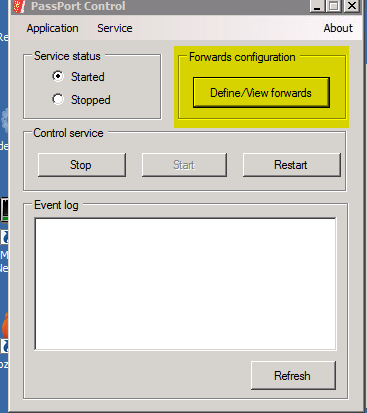
This will open up the rules table so can create the listening and forwarding ones.
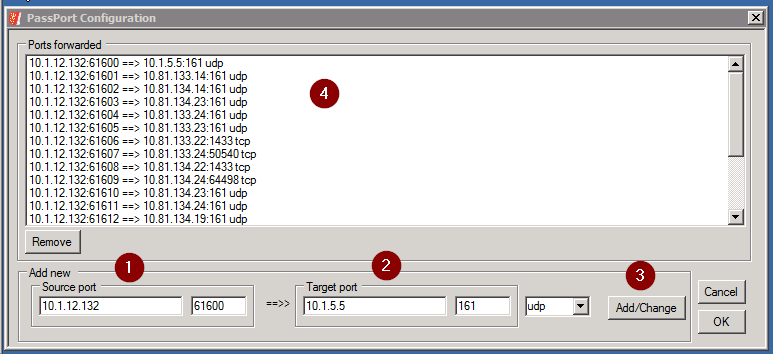
1 will be the IP address of the Remote Server running the software and the port that will be used for redirecting to the device required
2 is the IP Address of the remote device looking to monitor and the standard SNMP port 161
3 click add/change
4 shows the list of existing rules.
One the Orion Poller Side
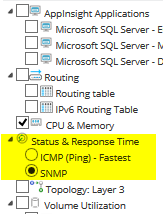
In Orion when adding the node use the IP address for the Remote Server running PassPort software and change the port to the port number you’ve used for the rule.
As availability is using ICMP you need to change this to SNMP under list resources so that availability is using the target server and not the IP Address of the server running the Passport proxy software