How to install Virtualization Manager in existing Solar Winds server .I already have 8 components s with that how to include this also.
The Virtualization Manager (VMAN) is a prepackaged virtual appliance. It can be deployed to VMware or Hyper-V. Once deployed and assigned an IP address browse to that IP with a web browser.
If Vmware, you'll only add your vCenter server info.
Once that is up then on your SolarWinds Orion web console go to Settings (All Settings) > Virtualization Settings
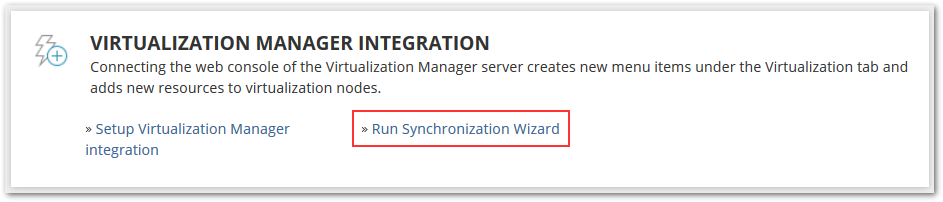
Inside there run the synchronization wizard.
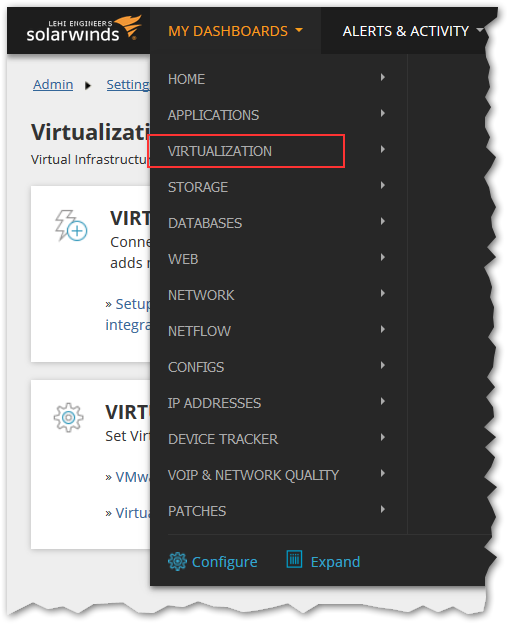
That should set up the integration and add the Virtualization dashboard
Whether we need to install any agent on vcenter server to communicate ? getting not able to find host error
You don't need to install anything for VMAN to work. You just need to make sure that you are connecting over the correct port (default 443) and that the account you are using has read permissions.
"Unable to connect to the specified address"
Getting the above error. Kindly help.
Hi there! I just posted a new VMAN Installation Guide here that can be helpful, especially the Port Requirements post: VMAN Installation Guide - SolarWinds Worldwide, LLC. Help and Support
Also we just released a new VMAN 7.2 appliance today running on CentOS 6! You can't upgrade to it, but must migrate.
Release Notes: VMAN 7.2 Release Notes - SolarWinds Worldwide, LLC. Help and Support
Migration Guide walk-through: VMAN 7.1 to 7.2 appliance migration for CentOS 6 - SolarWinds Worldwide, LLC. Help and Support
Cheers!
Oh and a side note, many folks hit issues with the permissions needed in vCenters/VMware and VMAN.
Never a bad idea to double check accounts and permissions. This info should help on that: Account permission requirements for VMAN - SolarWinds Worldwide, LLC. Help and Support