In my last post, we discussed uncovering issues with CSS. Let’s look at another aspect of website performance, HTML, to understand the causes of HTML performance issues, as well as how to identify them.
There are a few signs you should watch out for when your HTML page loads:
• How quickly your page responds to requests
• Whether the page elements are loading slowly
• Whether pages simply are not loading at all
Whatever the cause, website performance problems are worth looking into before your users are affected and you start getting trouble tickets.
What are Some Common HTML Issues?
• HTML Requests: Many times, HTML requests can take longer than usual to process, causing websites to load slowly. This can happen if there are poorly written queries, or if the server does not have enough physical or virtual memory.
• Non-compliant HTML Tags: If there are HTML typos or in cases of non-compliant HTML tags, the webpage would be displayed with errors.
• Missing Links to Files & Images: In many cases, files and images are uploaded but not linked in HTML. As a result, they do not get displayed in the website.
How to Detect an HTML Issue Before End-Users Call the Help Desk
Monitor page element load speeds and receive alerts when they exceed normal rates.
Monitor HTML page elements and their load times to ensure they come up consistently each time. For example, monitor how long it takes for hi-res images or JavaScript within Web pages to load.
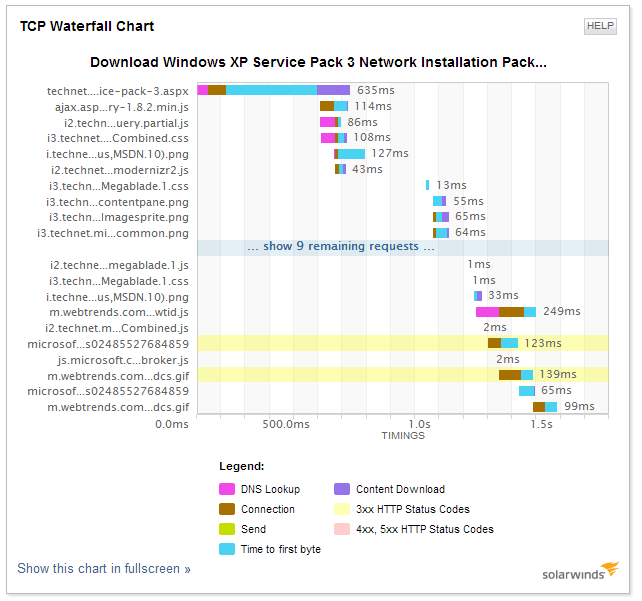
Identify which element is causing the issueusing the waterfall chart
Monitor images and file load times
To proactively monitor for issues involving non-compliant HTML tags and missing files/images, you can use image matching. Image match monitoring defines the number of seconds it takes for an image to load. Monitoring this will tell you if the image is loaded within the specified time. Then you know if the transaction passed or failed. You can also use this capability to validate if the image is displayed as intended.
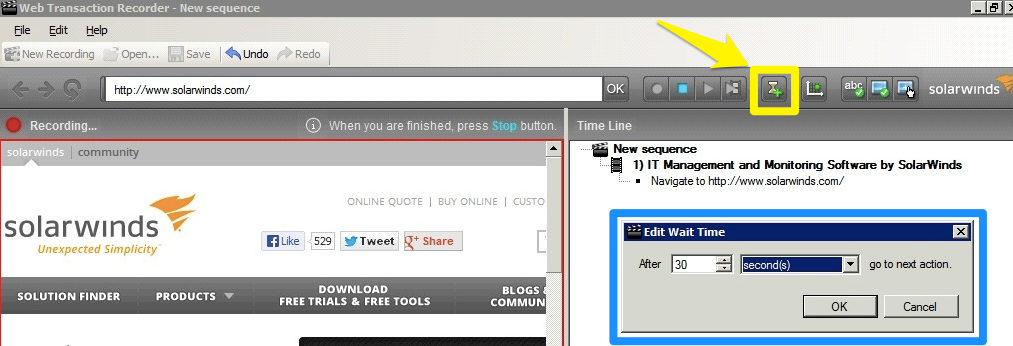
Image match highlighted in yellow will allow you to edit load times for images in your HTML page.
Manage queries and HTML requests
Monitoring response times for SQL queries will show if the query is taking a longer time to process. You should also monitor if your servers have enough memory to handle the site load. Most server monitoring software can be used to monitor issues related to server memory.
Website Monitoring Simplified
SolarWinds Web Performance Monitor will ensure your HTML pages (and other front-end applications) will not affect your website performance, by letting you:
• Proactively monitor internal (behind the firewall), external (customer-facing) & cloud-based web applications
• Monitor HTML applications & its elements – images, scripts, etc. & their load speeds
• Record, replay & edit each step of a Web transaction
• Monitor HTML performances for multiple locations to ensure there is no drop in performance
• Enjoy a user-friendly graphical interface that monitors all components of your website
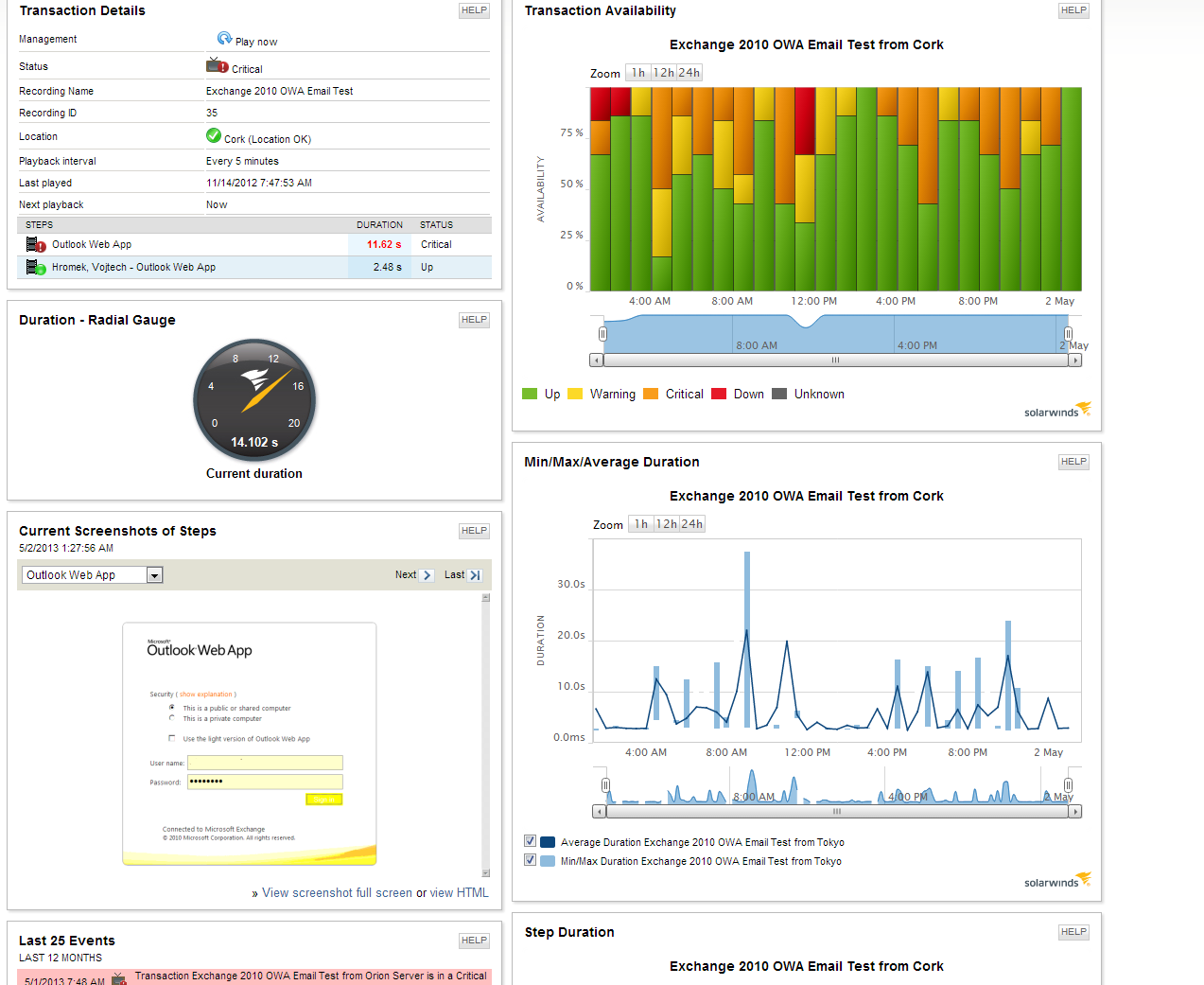
I encourage you to try a fully-functional 30-day free trial of SolarWinds Web Performance Monitor to experience it for yourself in your own environment.