We have completed the bulk of the development effort and are now focused on testing the latest release of Network Configuration Manager (NCM); NCM v7.2 has reached Beta status. This is your chance to install the latest version and provide feedback on the new features and fixes. Providing feedback during the beta is the best way to ensure that your feedback will be incorporated in to the release. To participate, simply fill out this survey and you will be sent the download links for the Beta. Remember, Betas cannot be installed in production and you cannot upgrade the Beta to any other future versions.
The following enhancement have been added to NCM:
- Continue moving functionality from Win32 client to Web UI
- Job management (Windows Task Scheduler not used anymore)
- Config management (edit, delete, set baseline)
- Possibility to test device login credentials
- Import config from file
- Provide End-of-Life information for managed devices.
- Multiple global connection profiles
- The execution of Config Change Templates can be scheduled.
- Change Approval System enhancements
- Approved requests to be executed at specified date/time
- Approved requests to be returned to requestor for execution
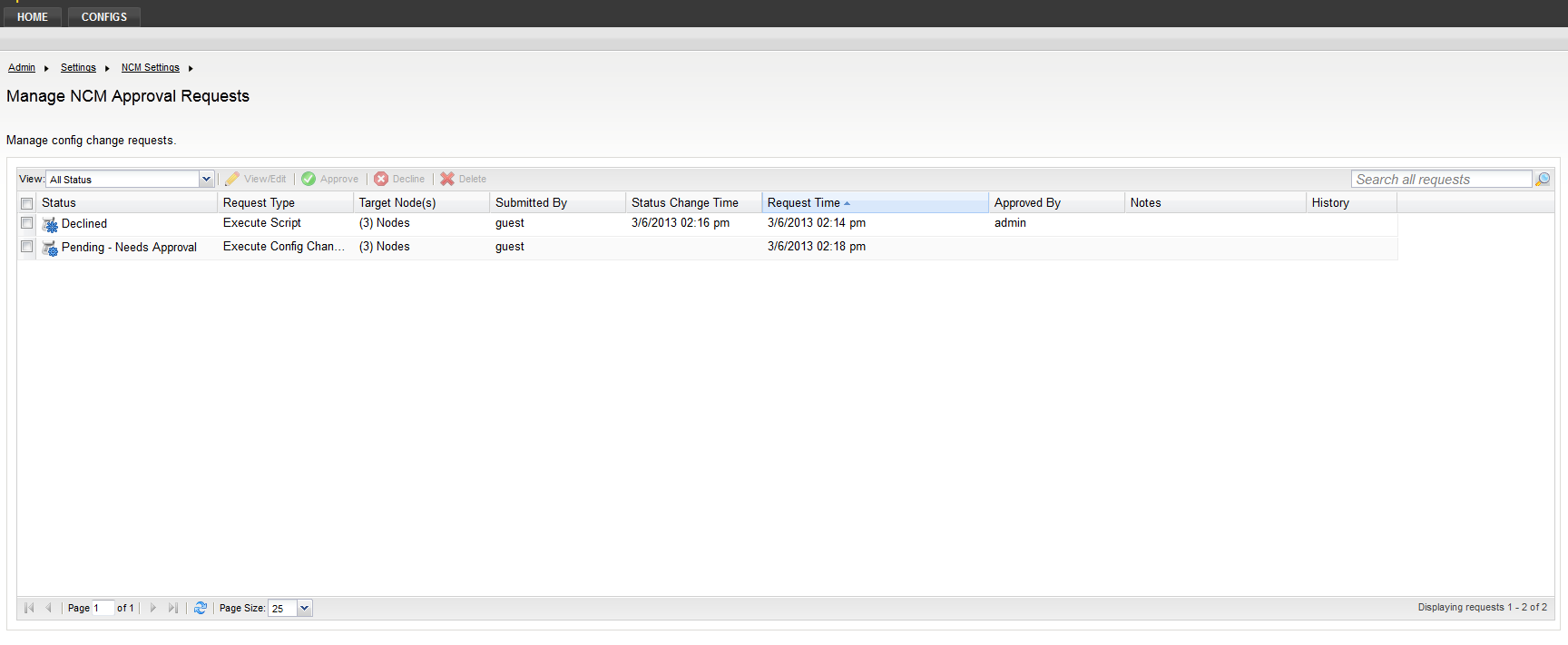
- Requesters can see a history of what they requested and was approved
- Approvers can see a history of what they approved
- SNMPv3 -- Support of AES-256 encryption
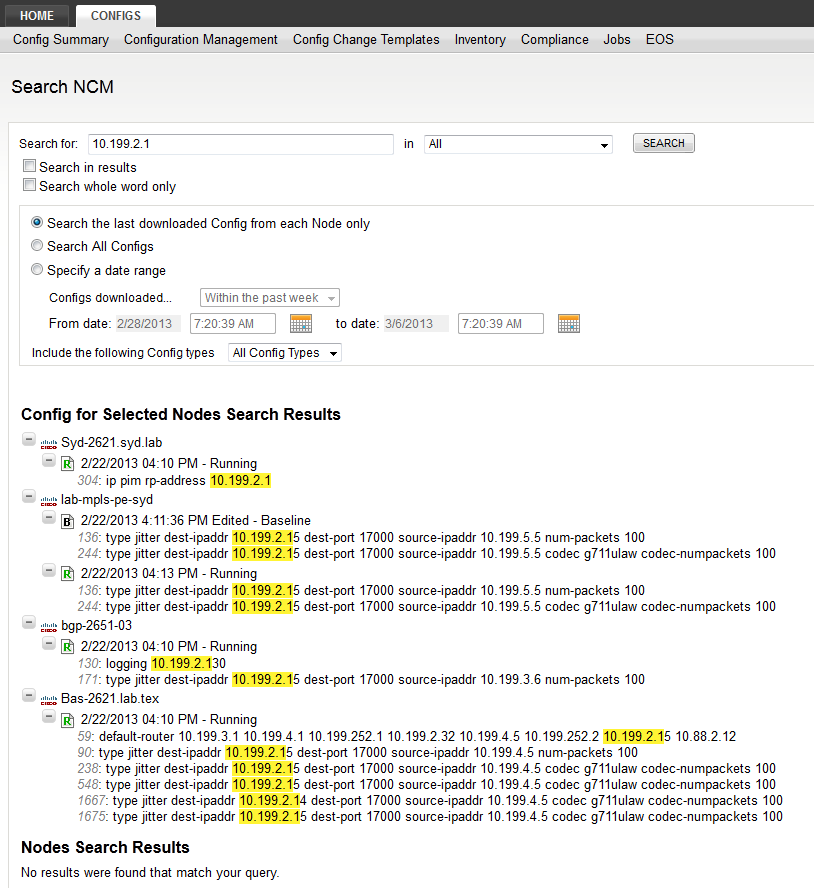
- Make downloaded configurations searchable for IP addresses with FTS enabled.
Continue Moving Functionality from Win32 Client to Web UI
Job Management
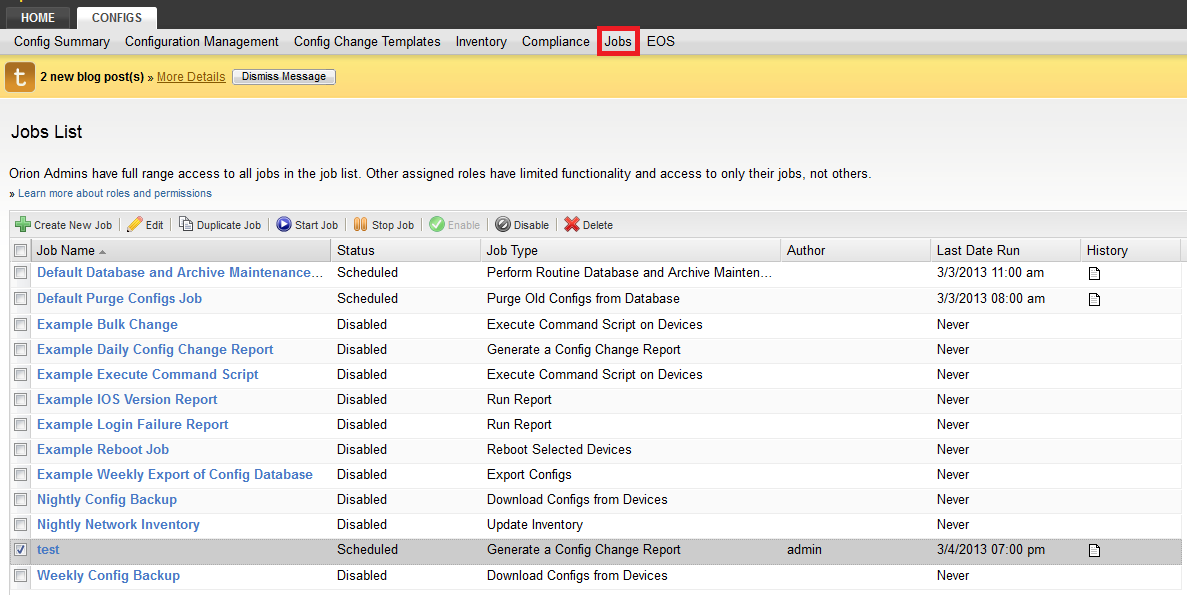
The Job management UI has been migrated from the Win32 application to the Web UI. Jobs are executed within Orion Platform infrastructure; there is no dependence on the Windows Task Scheduler anymore.
The summary page allows you to perform basic tasks like create, delete, enable/disable, or edit a job. You can also inspect the log for each job.
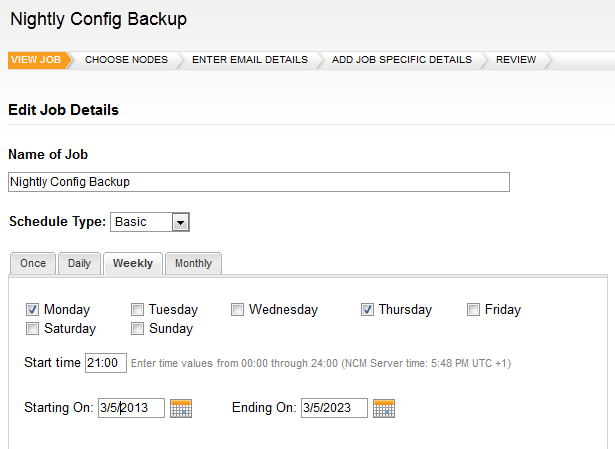
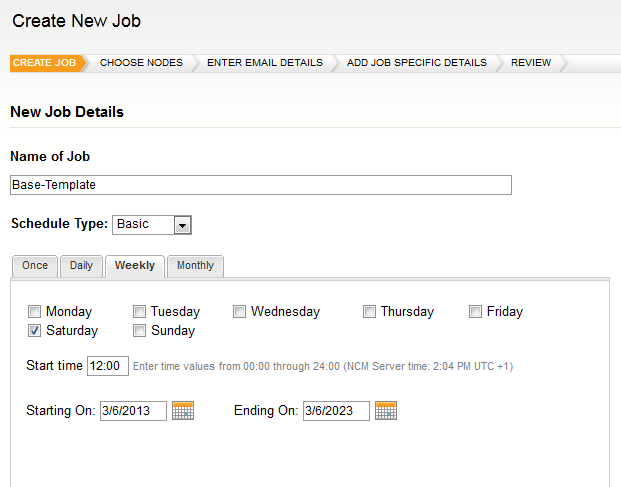
There is wizard that helps you with editing jobs. Schedule can be entered either using user-friendly, intuitive controls (basic setup):
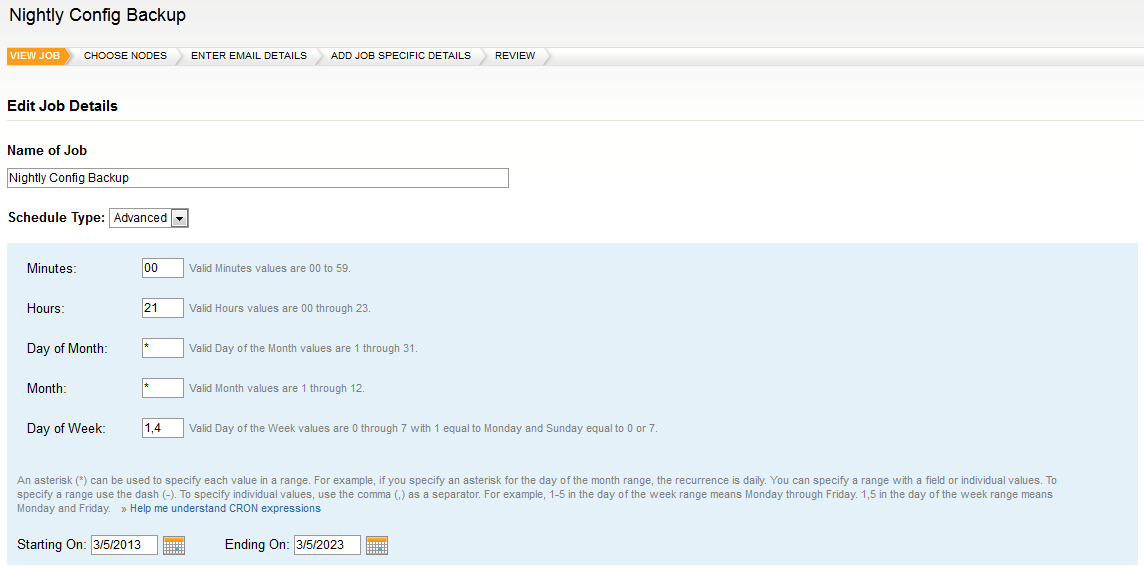
Or there is advanced mode that gives you more flexibility. If you are familiar with CRON, then it will not be difficult for you.
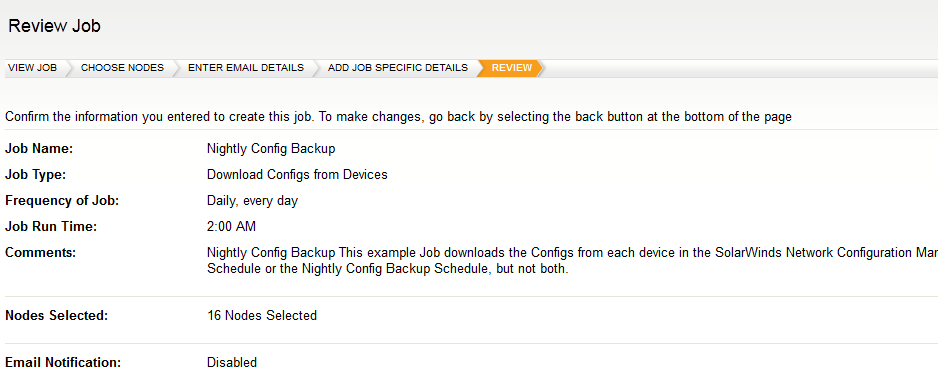
After you go through all the steps, you can review job details again to ensure correctness of the properties.
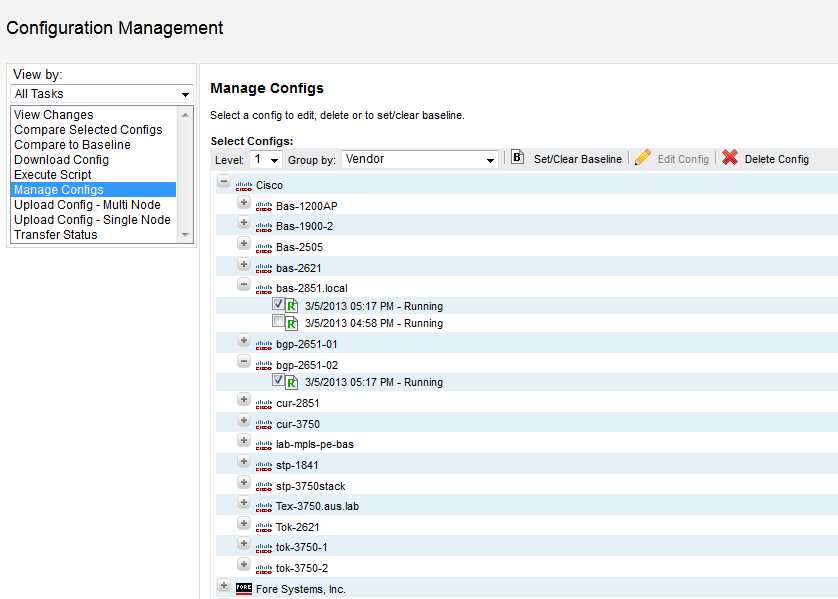
Config Management
You can edit config, delete it or set baseline in the Web UI.
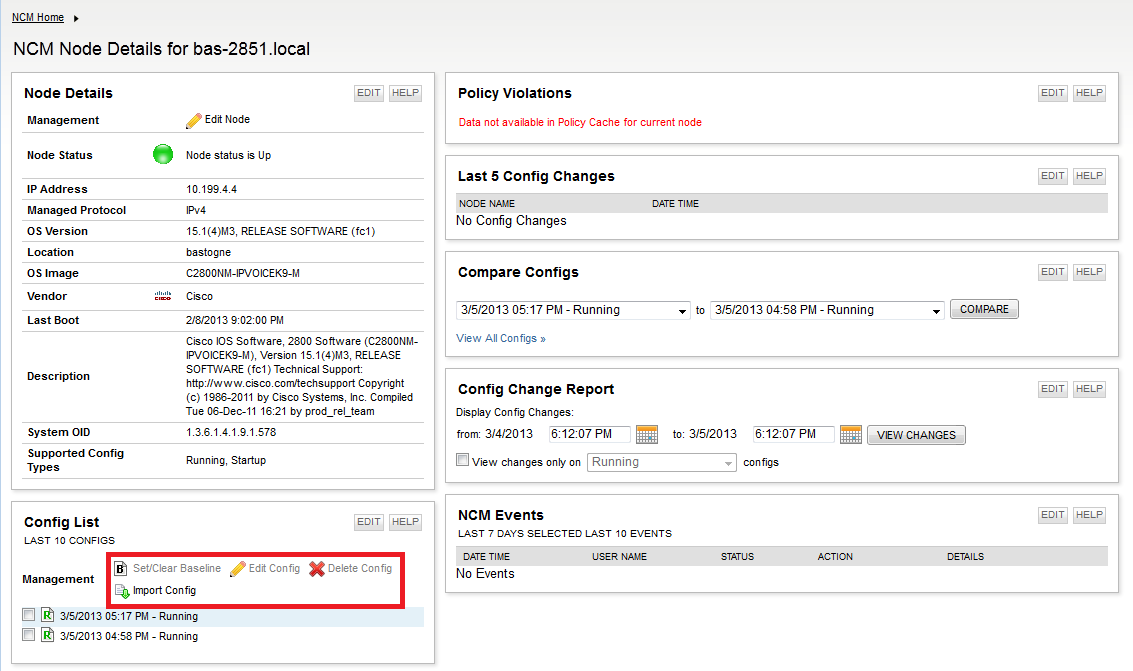
Import Config from File
NCM node details page gives you the same options plus you can import config from a file.
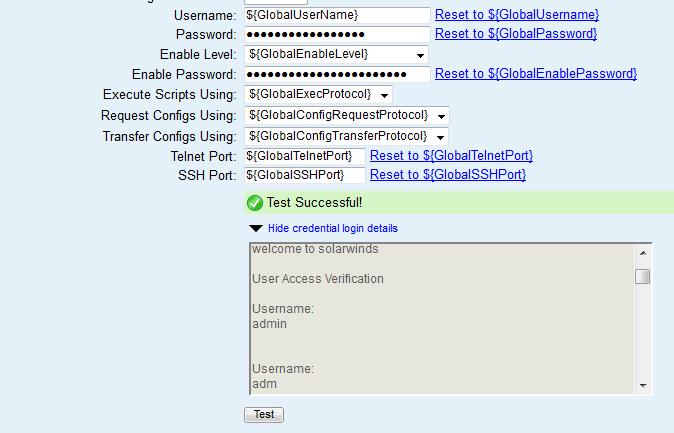
Possibility to Test Device Login Credentials
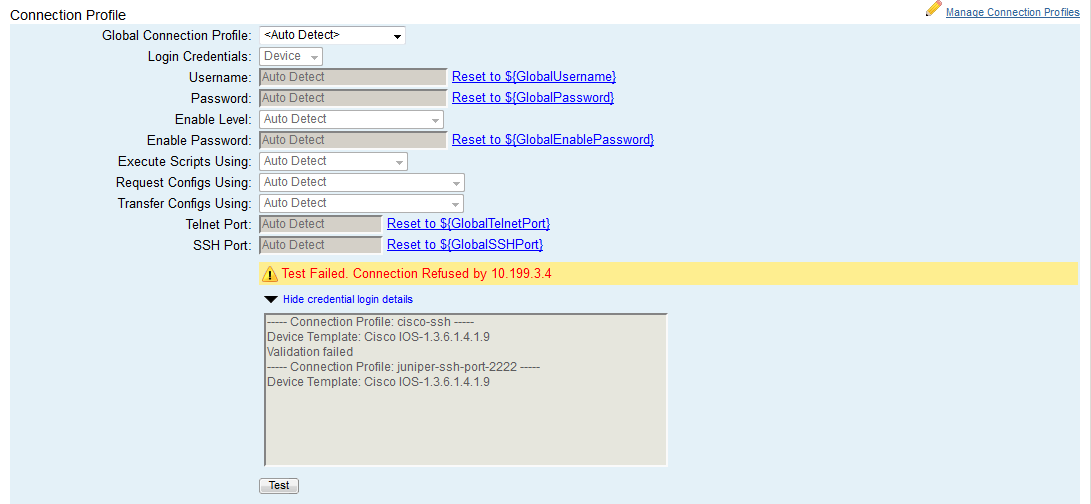
You can now test the assigned device login credentials when you edit node properties. The session is captured to help you troubleshoot problems.
Provide End-of-Life Information for Managed Devices
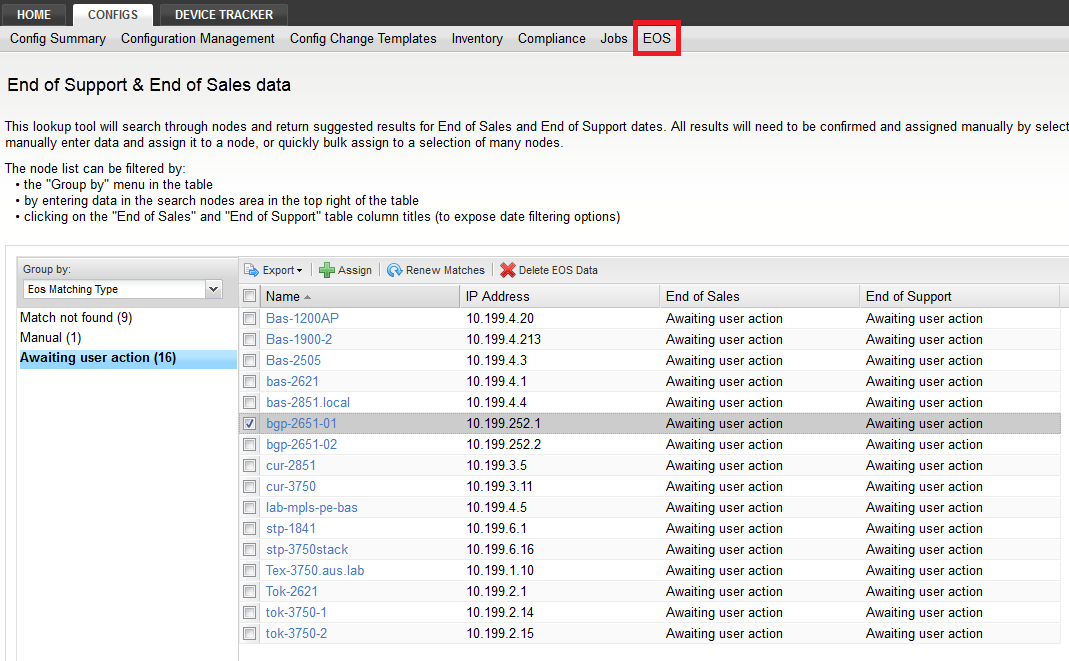
This lookup tool will search through nodes and return suggested results for End of Sales and End of Support dates. All results will need to be confirmed and assigned manually by selecting one or more nodes and clicking on the "assign" button. If no information is available, there is an option to manually enter data and assign it to a node, or quickly bulk assign to a selection of many nodes.
You can filter the data according to different parameters and export the results as an Excel sheet or a CSV file.
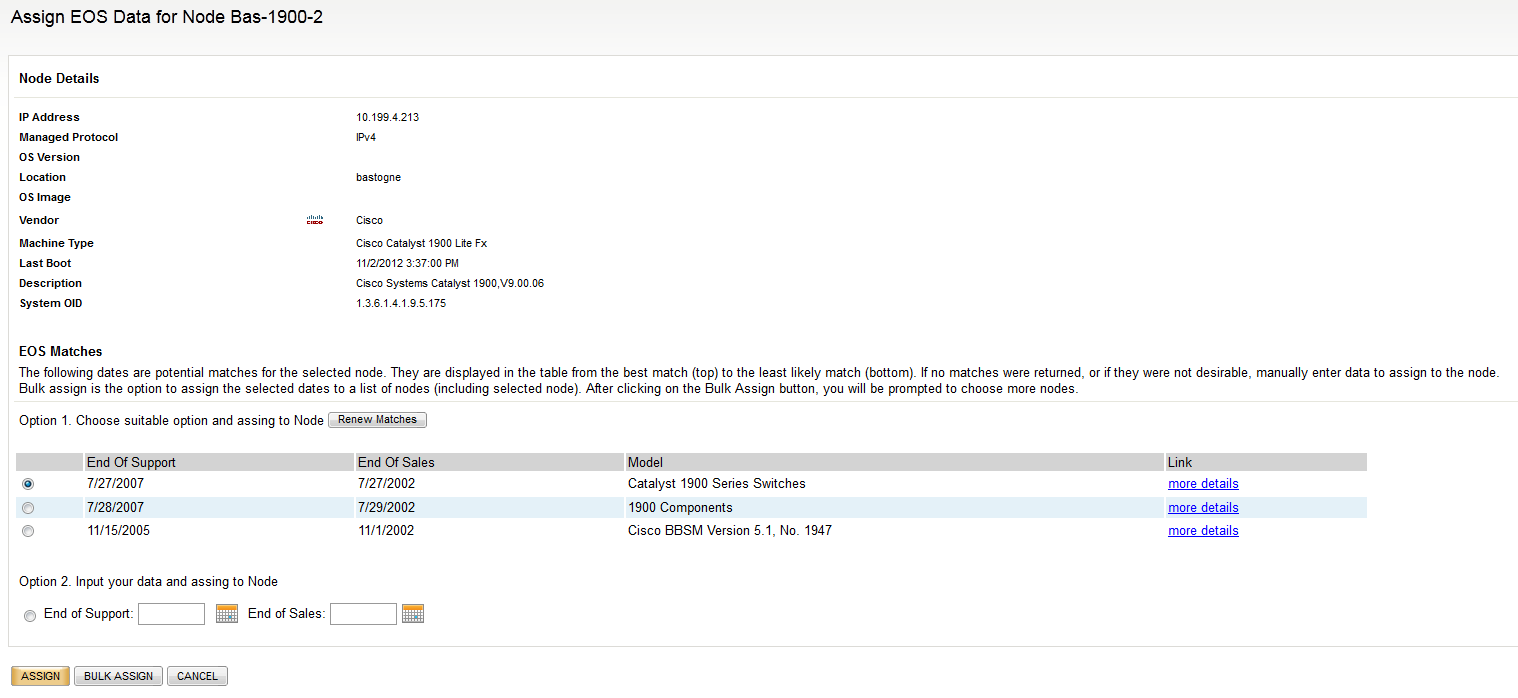
You can either assigned the EoL item just to a single node,
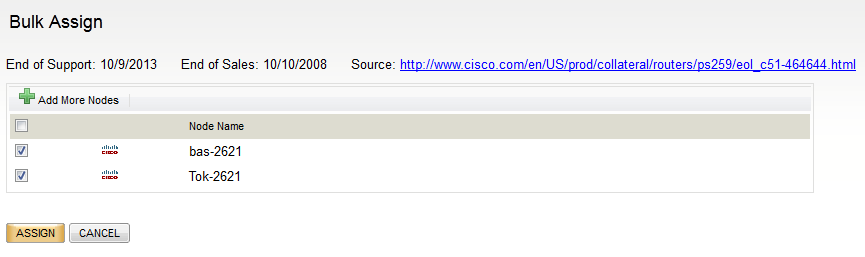
or select multiple nodes in the Bulk Assing menu.
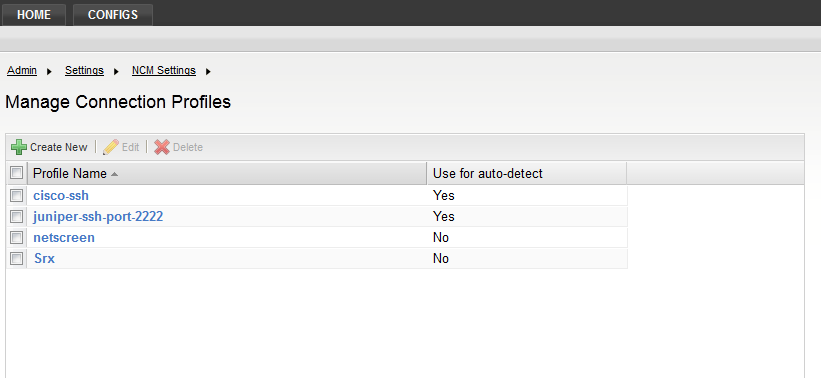
Multiple Global Connection Profiles
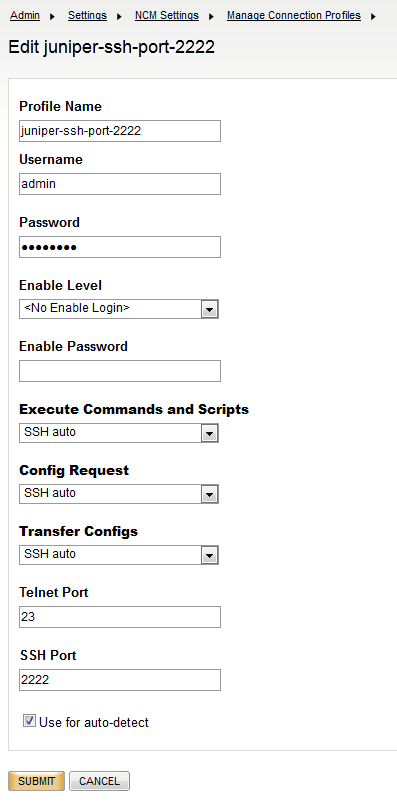
You can define multiple connection profiles in NCM settings. Some of them can be marked as "auto-detect" (see below).
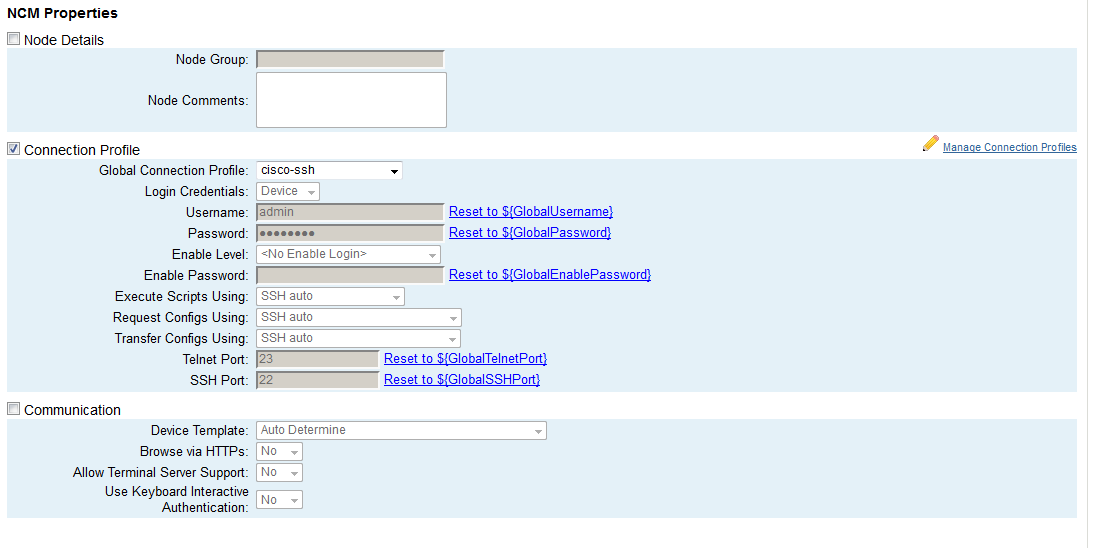
The connection profile can be selected on the node properties page.
If you select "Auto Detect", NCM will try all profiles marked as "Auto Detect" in the setting when connecting to the device.
The Execution of Config Change Templates Can Be Scheduled
You can choose "Schedule" as execution methind for Config Change Templates.
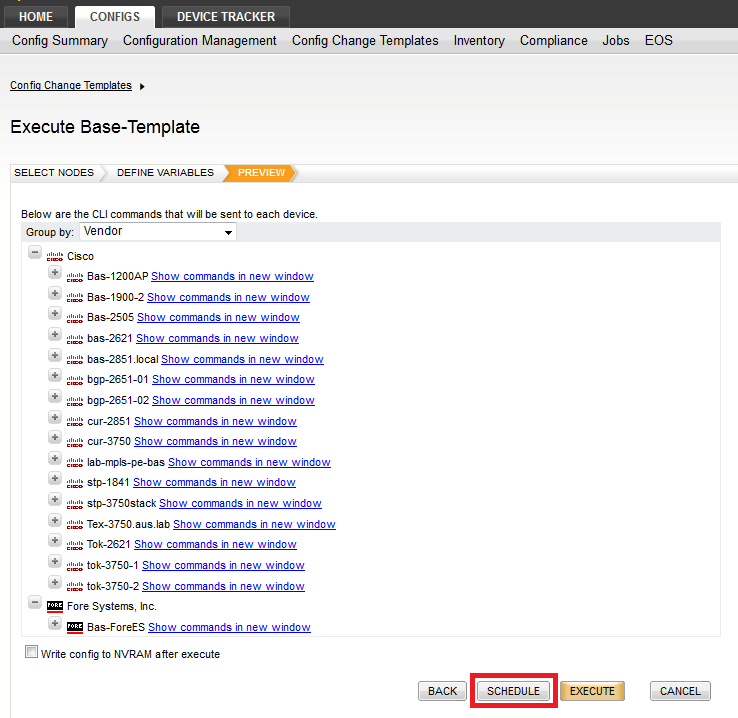
Config Change Templates are scheduled as any other job.
Change Approval System Enhancements
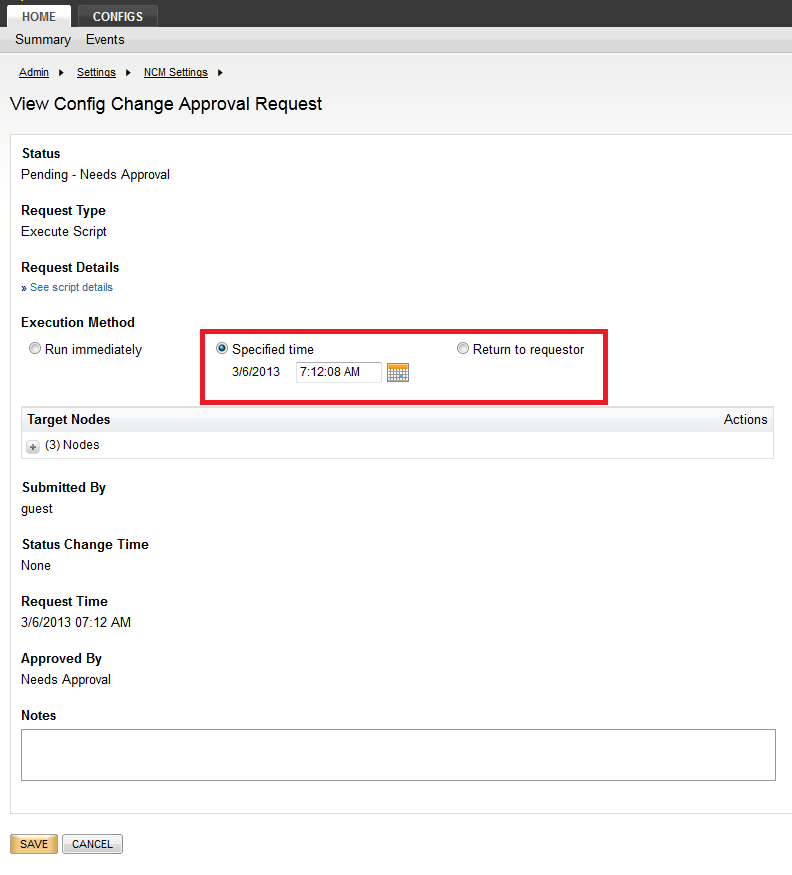
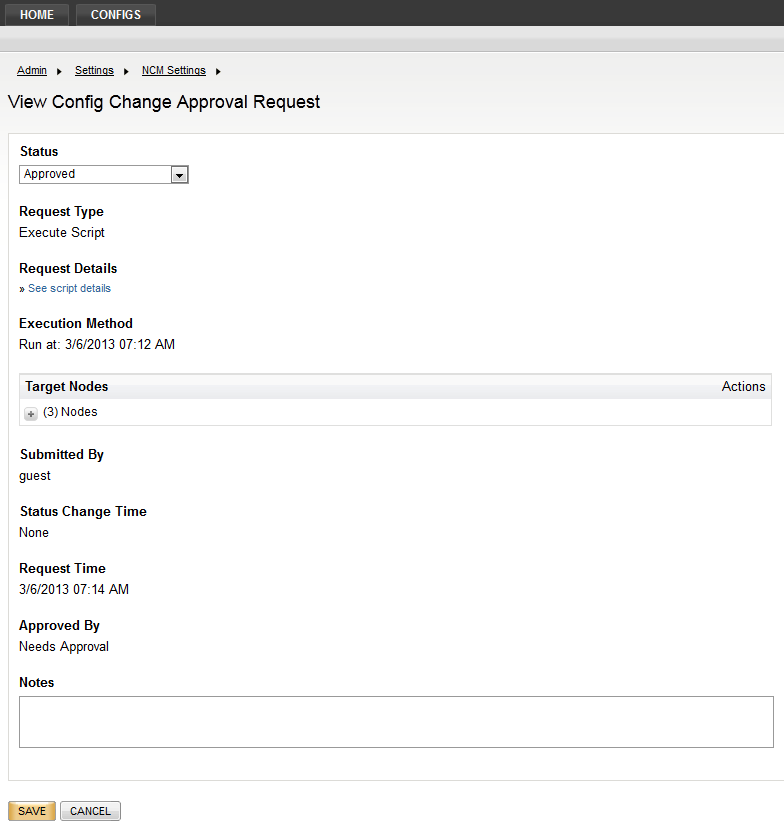
Approved Requests to Be Executed at Specified Date/Time Or to Be Returned to Requestor for Execution
You specify date and time or chose "Return to requestor" when requesting approval in the Web UI. Requestor's view on the left, approver's on the right:
Approvers and Requestors Can See History of the Requests
SNMPv3 -- Support of AES-256 Encryption
This is an extension for better security; applicable especially to inventory reports.
Make Downloaded Configurations Searchable for IP Addresses with FTS Enabled
You can search configurations for IP adresses in the Web UI while using Full-Text Search.