I'm always interested in re-purposing inactive switchports that used to go to users' devices; it prevents me from having to buy more switches. But knowing which ports can be safely unpatched (meaning they haven't been used in three months), means doing a custom report (which I've previously documented here: How to create a report displaying the Last Time Data was Transmitted or Received on a Switch Port ).
Shouldn't there be an easy way for UDT to display this for me?
UDT tells how many Ports Available and the Top 10 Nodes by Percent Ports Used.
But what does that actually mean?
What ports does it include? Does it include fiber modules that won't ever have more connections added? Does it include local 100 Mb Management Ports? If so, how do I filter the UDT info so it only shows copper interfaces between 1 and 48 on all my switch stacks (up to 8 switches deep) or on chassis switches (up to 10 slots filled, but only 8 of them are line cards)?
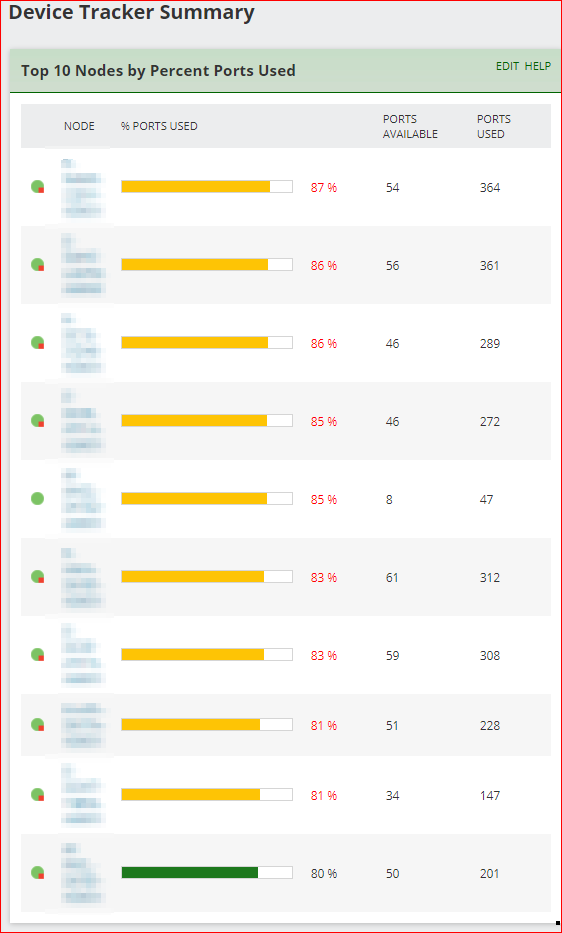
Part of what I'm asking is is "How reliable is UDT's information for my specific use case?"
When UDT shows there are 56 unused ports, but that count includes ports which are reserved for fiber uplinks, or are in specialty modules, or only goes back 24 hours (and the port was in use two days ago), that makes UDT seem unreliable to my peers.
I need to be able to defend UDT when others challenge its output. I need to say things like "UDT calls a port available if it hasn't seen link in X days/weeks/months, AND if it's a copper port usable for a new computer connection." But what is X, and how frequently is it calculated? What ports are included?







